RecoveryTools zMigrator logo

RecoveryTools zMigrator 26.6

  • User Rating:
    ★★★★★
    ★★★★★
    0.0 0Votes
  • Requirements:
    Windows
  • Version: 26.6
  • Latest updated: 3 days ago
  • License: Freemium  
  • Publisher: RecoveryTools
  • Size: 112 MB
× app stores

RecoveryTools zMigrator is a lightweight mailbox migration utility designed to help former Zimbra users extract and convert their email data. The software supports migrating mailbox content from both server and cloud storage while converting emails, contacts, and calendars into a variety of widely used formats. Rather than focusing on appearance, zMigrator emphasizes functionality with a guided workflow that simplifies the migration process for users who need to preserve important Zimbra data.

Features of RecoveryTools zMigrator

  • Migrate mailbox data from Zimbra server or cloud storage.
  • Guided interface for email extraction and migration.
  • Preview emails before exporting.
  • View email subject, body, and attachments during preview.
  • Export emails, contacts, and calendars.
  • Supports multiple output formats, including:
    • PST
    • MSG
    • MBOX
    • EML
    • DOC
    • ICS
    • PDF
    • RTF
    • Additional supported formats
  • Load individual files or folders for migration.
  • Supports migration regardless of where Zimbra data is stored.

User Experience

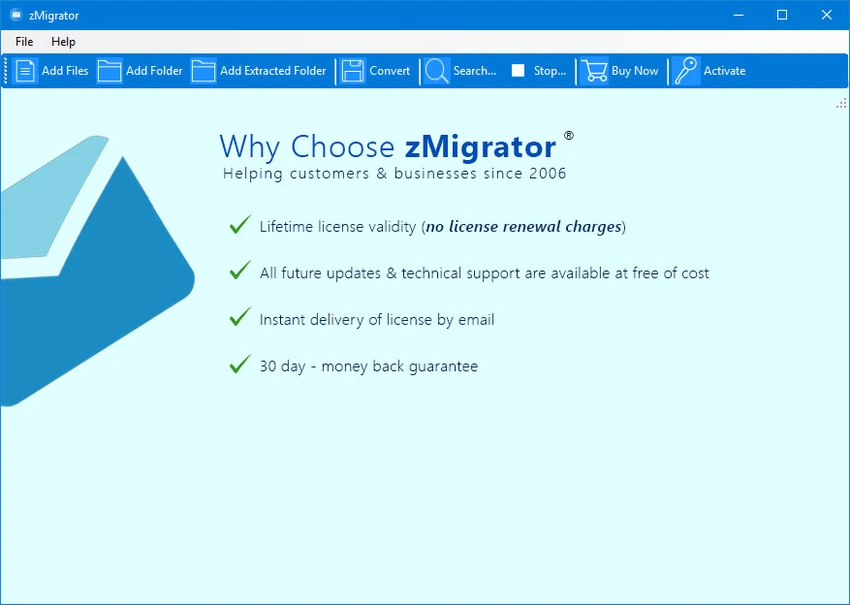
RecoveryTools zMigrator focuses on making Zimbra mailbox migration as straightforward as possible. After selecting whether the mailbox is stored on a server or in the cloud, I found it easy to load files and folders using the ribbon-style interface. Although the interface looks fairly basic, it keeps the workflow simple by guiding each step of the migration process. Before exporting, I could preview emails to verify the subject, message body, and attachments, helping ensure the correct items were selected.

Converting mailbox data is equally uncomplicated. The software supports exporting not only emails but also contacts and calendar items into several common email and document formats, making it easier to access archived Zimbra data in other applications. Overall, zMigrator prioritizes functionality over design. Users looking for a practical migration tool will likely appreciate its straightforward workflow, while those expecting a modern interface may find it somewhat dated.

System Requirements

  • Processor: Minimum 2.4 GHz
  • RAM: Minimum 1 GB
  • Storage: At least 100 MB of free disk space

Limitations of the Trial Version

The unregistered (Demo) edition allows exporting up to 25 items from each Zimbra mailbox folder. A full license is required to remove this limitation.

Who Should Use RecoveryTools zMigrator?

RecoveryTools zMigrator is well suited for former Zimbra users who need to preserve or migrate mailbox data to more accessible formats. It is also useful for individuals and organizations looking to archive emails, contacts, or calendars after moving away from the Zimbra email platform. Users who regularly perform email migration tasks will appreciate the broad format support and straightforward workflow.

Conclusion

RecoveryTools zMigrator provides an efficient way to recover and migrate valuable Zimbra mailbox data without unnecessary complexity. Its support for multiple export formats, email previews, and both server and cloud storage makes it a practical choice for users transitioning away from Zimbra.

Pros & Cons

Pros

  • Simple guided migration process.
  • Supports both server and cloud-based Zimbra storage.
  • Email preview before export.
  • Converts emails, contacts, and calendars.
  • Supports numerous popular export formats.
  • Lightweight with modest system requirements.

Cons

  • Interface prioritizes functionality over modern design.
  • Users must know where their Zimbra mailbox is stored before beginning.
  • Demo version limits exports to 25 items per mailbox folder.

Frequently Asked Questions

What is RecoveryTools zMigrator?

RecoveryTools zMigrator is a mailbox migration utility that extracts and converts Zimbra emails, contacts, and calendars into multiple popular file formats.

What formats can RecoveryTools zMigrator export?

The software supports exporting to formats including PST, MSG, MBOX, EML, DOC, ICS, PDF, RTF, and other supported formats.

Can I preview emails before exporting?

Yes. The software includes a preview window that displays the email subject, message body, and attachments before migration.

Does RecoveryTools zMigrator support cloud-based Zimbra accounts?

Yes. The application can migrate mailbox data stored on either a Zimbra server or in cloud storage.

What are the limitations of the free version?

The demo version allows exporting up to 25 items from each Zimbra mailbox folder before requiring a registered license.

Recommended apps [Freeware]:
  • Stretchly 1.21.0 Stretchly logo reminds you to take breaks while working on your computer, promoting better health and productivity.
  • Visual Studio Code 1.126.0 Visual Studio Code logo Free and powerful code editor from Microsoft with extensions, debugging, Git support, and multi-language development
  • Audacity 3.7.8 Audacity logo Free open-source audio editor and recorder with multi-track editing, effects, audio analysis, and format conversion
  • PortKiller 3.3.3 PortKiller logo a network utility for monitoring TCP ports, managing processes, and handling tunnels on Windows.
  • Norton 360 Remover 26.6.11050.2580 Norton 360 Remover logo a utility that completely uninstalls Norton 360 security software, removing leftover files and settings
  • BlueStacks 5.22.150.1014 / 10.42.232.1001 BlueStacks logo Android emulator for Windowsthat lets users run mobile apps and games on a PC with enhanced performance and controls
Recommended apps [Shareware]:
  • RadioCaster 3.7.2.0 RadioCaster logo Allows you to broadcast any computer or analog audio online using Icecast, Shoutcast, and many other formats.
  • FontExpert 2026 21.0 Release 1 FontExpert logo a Windows font manager for installing, organizing, previewing, and fixing fonts with advanced tools.
  • EF Mailbox Manager 26.05 EF Mailbox Manager logo Manage multiple POP3 email accounts, remove spam on the server, and download messages securely
  • Tomabo MP4 Downloader 6.4.6 Tomabo MP4 Downloader logo downloads videos, playlists, subtitles, and audio while offering format conversion tools.
  • Net Monitor for Employees Professional 6.6.6 Net Monitor for Employees Professional logo track screen activity, usage, and productivity in business environments.
  • Centurion Setup 51.0 Centurion Setup logo Windows installer builder that creates compressed, self-contained executables with multilingual support