


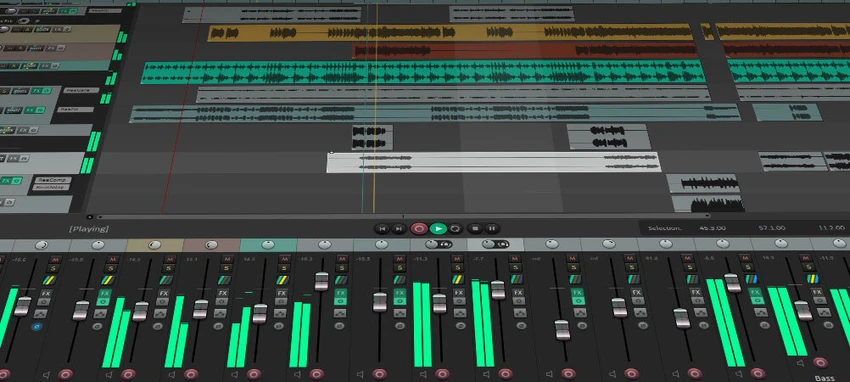

REAPER is a full-featured digital audio production application designed for recording, editing, processing, mixing, and mastering audio and MIDI. Known for its efficiency and flexibility, it supports a wide range of hardware, plugins, and formats, making it a popular choice among musicians, sound engineers, and producers seeking a lightweight yet powerful DAW.
Overview
REAPER (Rapid Environment for Audio Production, Engineering, and Recording) is a professional-grade digital audio workstation that combines deep functionality with a highly optimized performance footprint. It provides a complete production environment capable of handling everything from simple audio recording to complex multitrack mixing sessions.
The software is widely recognized for its speed, customization options, and extensibility. It supports both audio and MIDI workflows, integrates with industry-standard plugins, and can be adapted through scripting and user customization to fit virtually any production style. Unlike many heavyweight DAWs, REAPER is designed to remain fast and responsive even in demanding production environments.
Features of REAPER
- Full multitrack audio and MIDI recording
- Advanced editing, processing, mixing, and mastering tools
- Lightweight and fast-loading application design
- Portable installation option (can run from USB or network drive)
- Powerful audio and MIDI routing with multichannel support
- 64-bit internal audio processing engine
- Supports multiple audio formats, bit depths, and sample rates
- Extensive MIDI hardware and software integration
- Compatibility with VST, VST3, AU, DX, and JS plugins
- Large library of built-in audio and MIDI effects
- Automation and modulation support
- Track grouping, VCA, and surround mixing capabilities
- Macro system and scripting support
- OSC control and external control surface compatibility
- Customizable layouts, skins, and workflows
User Experience
Using REAPER feels highly efficient, especially compared to heavier digital audio workstations. The software launches quickly and remains responsive even when handling large, multi-track sessions. This performance advantage makes it especially appealing for users working under tight production deadlines or on less powerful systems. The routing system is one of REAPER’s strongest features. It allows for highly flexible audio signal chains, enabling complex mixing setups that can be tailored to advanced production workflows. MIDI integration is equally robust, supporting both external hardware controllers and software instruments.
Customization is another major strength. Users can modify almost every aspect of the interface, create macros, and extend functionality through scripting. While this level of flexibility may feel overwhelming at first, it allows experienced users to build a highly personalized production environment. Plugin support is extensive, with compatibility for most major audio formats and third-party effects. This makes REAPER suitable for both beginners building a basic setup and professionals working in advanced studio environments
Who Should Use REAPER?
- Music producers
- Audio engineers
- Podcasters
- Sound designers
- Film and game audio creators
- Studio professionals
- Users needing a lightweight but powerful DAW
- Advanced hobbyists learning audio production
System Requirements
- Windows XP
- Windows Vista
- Windows 7
- Windows 8
- Windows 10
- Windows 11
Conclusion
REAPER is a powerful and highly efficient digital audio workstation that delivers professional-grade audio production tools in a lightweight package. Its flexibility, performance, and deep customization options make it suitable for a wide range of users, from home studios to professional production environments.


