MSI Center logo

MSI Center 2.0.71.0

  • User Rating:
    ★★★★★
    ★★★★★
    0.0 0Votes
  • Requirements:
    Windows
  • Version: 2.0.71.0
  • Latest updated: 1 week ago
  • License: Freeware  
  • Publisher: MSI
  • Size: 555 MB
× app stores

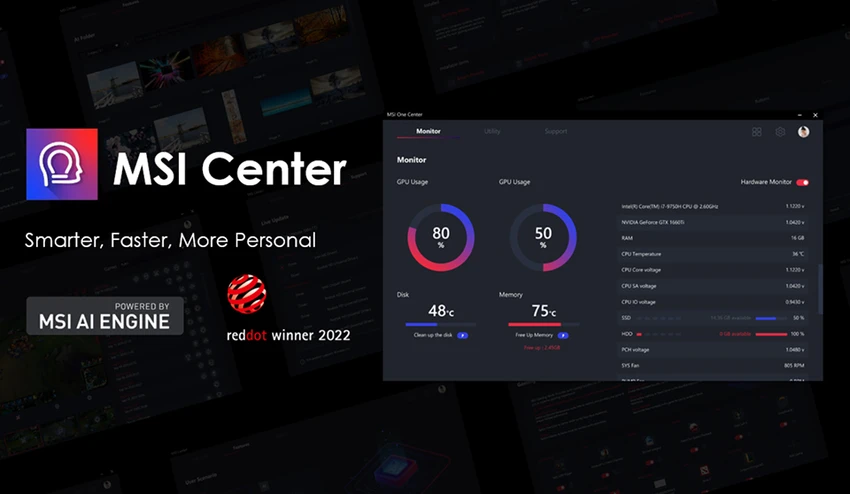
MSI Center is a centralized system management application developed for MSI hardware users. It provides performance tuning, system monitoring, and gaming-focused optimization tools designed to enhance both productivity and gaming experiences on supported MSI laptops, desktops, and components.

Overview

MSI Center acts as a unified control panel for MSI devices, combining performance optimization, hardware monitoring, and customization features in one interface. It allows users to manage CPU and GPU performance, adjust system behavior, and activate gaming-oriented modes such as Gaming Mode and Smart Priority. The software is primarily designed for MSI ecosystem hardware, including motherboards, graphics cards, laptops, and desktop systems. Its functionality is tightly integrated with compatible MSI components, meaning full features are only available on supported devices.

Beyond performance tuning, MSI Center also includes tools for system monitoring, visual/audio adjustments, and gaming enhancements like recording highlights and overlay controls.

Features of MSI Center

  • Gaming Mode for performance optimization
  • Smart Priority system for task management
  • User Scenario profiles for customized system behavior
  • System monitoring (CPU, GPU usage, fan speeds, etc.)
  • Smart Image Finder for media-related enhancements
  • MSI Companion overlay for in-game control adjustments
  • Game Highlights recording feature
  • Sound Tune for audio optimization
  • True Color display adjustment tools
  • Duet Display support (tablet as second screen)
  • Hardware performance tuning and system optimization
  • Support for MSI ecosystem devices (motherboards, GPUs, laptops, desktops)
  • Integration with MSI gaming peripherals (keyboards, mice, headsets)

User Experience

MSI Center is designed as a modular control hub where users can enable or disable feature sets based on their needs. Once installed on supported hardware, it provides a dashboard-style interface displaying real-time system performance metrics such as CPU load, GPU usage, and fan speeds. Gaming Mode is one of the most commonly used features, automatically optimizing system resources by reducing background processes during gameplay. This can help improve performance consistency in resource-heavy games.

The Smart Priority feature adds another layer of automation by prioritizing active applications based on user-defined scenarios, which is useful for switching between gaming, work, or creative tasks. Additional tools like Sound Tune and True Color help refine audio and visual output, while MSI Companion allows users to adjust system settings without leaving a game environment.

However, MSI Center is highly dependent on compatible MSI hardware. Users outside the MSI ecosystem may not be able to access most of its advanced features, which limits its versatility as a general-purpose utility.

Who Should Use MSI Center?

  • MSI laptop and desktop users
  • PC gamers seeking performance optimization
  • Users managing MSI motherboards or GPUs
  • Streamers and content creators using MSI systems
  • Users who want centralized hardware control and monitoring

Conclusion

MSI Center is a well-integrated system utility designed specifically for MSI hardware users who want centralized control over performance, gaming optimization, and system monitoring. It excels in providing tailored gaming enhancements and hardware-level customization.

Pros & Cons

Pros

  • Comprehensive system monitoring tools
  • Gaming Mode performance optimization
  • Smart Priority automation system
  • Customizable user scenarios
  • Integrated audio and display tuning
  • Supports MSI hardware ecosystem
  • Useful in-game overlay features
  • Lightweight centralized control panel

Cons

  • Limited functionality outside MSI hardware
  • Some features depend on specific device models
  • Can feel complex for casual users
  • Best value only within MSI ecosystem

Frequently Asked Questions

What is MSI Center used for?

MSI Center is used to monitor system performance, optimize gaming settings, and manage MSI hardware features.

Does MSI Center improve gaming performance?

Yes. Gaming Mode and Smart Priority can optimize system resources during gameplay.

Is MSI Center only for MSI devices?

Yes. Most features are designed specifically for supported MSI hardware.

Can MSI Center control RGB lighting?

The provided data does not explicitly confirm RGB control features.

Does MSI Center work on laptops and desktops?

Yes. It supports MSI laptops, desktops, motherboards, GPUs, and peripherals.

Is MSI Center free?

Yes. It is a free utility provided by MSI for supported devices.

Which hardware is supported?

It supports selected MSI motherboards, GPUs, laptops, desktops, and gaming peripherals as listed in the provided data.

Recommended apps [Freeware]:
  • FluentTweaker 26.06.02 FluentTweaker logo a Windows utility for safe, reversible system tweaks focused on UI, privacy, and performance control.
  • ATTO Disk Benchmark 5.00.3 ATTO Disk Benchmark logo Measure SSD, HDD, RAID, and storage controller performance with ATTO Disk Benchmark on Windows systems
  • Kali Linux 2026.2 Kali Linux logo a powerful penetration testing OS with tools for cybersecurity, digital forensics, and ethical hacking
  • PDF Shaper 15.6 PDF Shaper logo Windows PDF utility for splitting, merging, converting, encrypting, and editing PDF documents with powerful tools
  • PrivaZer 4.0.124.1 PrivaZer logo a privacy cleaning tool that removes PC traces, frees disk space, and helps protect personal data
  • Kalmuri 4.2.5 Kalmuri logo screen capture and recording tool that supports screenshots, MP4 recording, and multiple export formats with hotkey support
Recommended apps [Shareware]:
  • O&O SafeErase 21.3.26142 O&O SafeErase logo securely deletes files, drives, and internet traces using certified methods to prevent data recovery on Windows
  • KeyShot 2026.2 KeyShot logo real-time 3D rendering and animation software for photorealistic visuals, materials, and product design
  • WYSIWYG Web Builder 21.1.0 WYSIWYG Web Builder logo create responsive websites visually with drag-and-drop tools and automatic HTML generation
  • iToolab WatsGo 9.0.0 iToolab WatsGo logo transfer, back up, and restore WhatsApp data between Android and iPhone devices easily
  • Aeon Timeline 3.5.107 Aeon Timeline logo create detailed timelines for writing, projects, legal cases, research and education
  • FastKeys 6.07 FastKeys logo Windows automation tool for shortcuts, text expansion, mouse gestures, macros, and workflow automation