FluentCleaner logo

FluentCleaner 26.06.04

  • User Rating:
    ★★★★★
    ★★★★★
    0.0 0Votes
  • Requirements:
    Windows
  • Version: 26.06.04
  • Latest updated: 2 days ago
  • License: Freeware  
  • Publisher: builtbybel
  • Size: 45.6 MB
× app stores

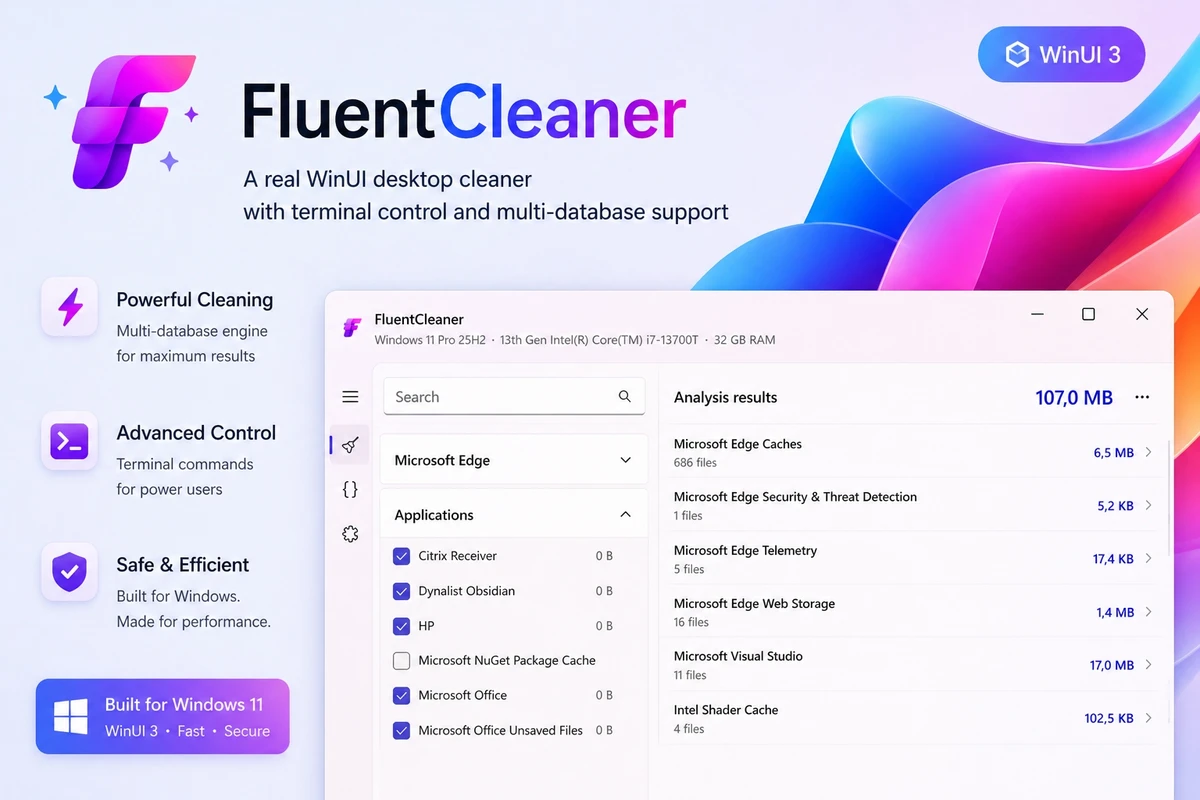
FluentCleaner is a modern system cleanup utility for Windows designed with a strong focus on simplicity, transparency, and minimal system clutter. Inspired by classic tools like early CCleaner versions, it aims to provide a cleaner, more straightforward approach to system maintenance without aggressive upsells or unnecessary features.

Overview of FluentCleaner

FluentCleaner is a Windows-based cleaning tool built using WinUI 3. It focuses on removing unwanted files and system clutter while avoiding common issues found in many modern cleanup utilities, such as intrusive advertising, registry “magic fixes,” or bundled upsells. The tool also supports parsing cleaning definitions from formats similar to community-driven cleaning signature systems (such as winapp2.ini), allowing it to leverage existing cleaning rules while maintaining performance efficiency. Rather than trying to reinvent system cleaning from scratch, FluentCleaner emphasizes usability, transparency, and control over what gets removed.

Features of FluentCleaner

  • Modern WinUI 3 interface with a minimal design approach
  • Focus on removing unnecessary system and application files
  • No spyware, scareware, ads, or upsell prompts
  • No aggressive or misleading “registry optimization” features
  • Supports parsing community-style cleaning rule formats (e.g., winapp2.ini-style entries)
  • Lightweight and performance-oriented cleaning process
  • Transparent cleaning actions with user control
  • Designed for Windows systems

User Experience

FluentCleaner prioritizes clarity over complexity. The interface is minimal and avoids overwhelming users with unnecessary options or marketing-driven elements. Users can focus on selecting what to clean without navigating through confusing optimization dashboards. The workflow is designed to be fast: select cleaning categories, review actions, and execute cleanup. Because it avoids heavy background processes and unnecessary scanning layers, it feels responsive and lightweight. It is especially appealing to users who are familiar with older system tools and prefer a more direct, no-nonsense cleaning experience.

Who Should Use FluentCleaner?

  • Windows users who prefer minimal system utilities
  • Users who want a cleaner alternative to heavily commercialized cleanup tools
  • Tech-savvy users familiar with system maintenance concepts
  • Users who value transparency and control in system cleaning
  • Fans of lightweight, focused utilities without extra bloat

Conclusion & Recommendation

FluentCleaner is a refreshing take on Windows cleanup utilities, focusing on simplicity, transparency, and user control. It avoids the common pitfalls of overly commercial system tools and instead delivers a lightweight and straightforward cleaning experience.

Pros & Cons

Pros

  • Clean, modern WinUI 3 interface
  • No ads, spyware, or aggressive monetization
  • Transparent and user-controlled cleaning process
  • Lightweight and responsive performance
  • Supports community-based cleaning rule formats
  • Focused only on essential cleanup tasks

Cons

  • Limited feature set compared to full system suites
  • May require user understanding of what to safely clean
  • No advanced system optimization or tuning tools
  • New and evolving tool with potentially changing functionality

Frequently Asked Questions

What is FluentCleaner used for?

FluentCleaner is used to remove unnecessary files and clean up Windows systems using a simple interface.

Does FluentCleaner modify the Windows registry?

It does not focus on registry optimization or “registry cleaning” claims.

Is FluentCleaner safe to use?

It is designed to be transparent and user-controlled, but users should always review what is being removed.

Does FluentCleaner include ads or upsells?

No, it is designed to avoid ads, upsells, and intrusive prompts.

Recommended apps [Freeware]:
  • Dr.Web Live Disk 9.0.1 Dr.Web Live Disk logo free bootable antivirus rescue disk that removes malware and helps recover infected systems
  • ConfigureDefender 4.1.1 ConfigureDefender logo a Windows utility that helps users fine-tune Microsoft Defender settings with presets and advanced security controls
  • HeidiSQL 12.20 HeidiSQL logo manage MySQL, MSSQL, and databases, run queries, edit tables, and export data on Windows
  • Drupal 11.3.13 Drupal logo open-source CMS and web development framework that powers enterprise websites, digital platforms, and scalable web applications
  • Adobe Acrobat Reader DC 2026.001.21691 Adobe Acrobat Reader DC logo trusted PDF viewer for reading, printing, and annotating PDFs with strong security and cloud sync support
  • PCSX2 2.6.3 PCSX2 logo Play PlayStation 2 games on your PC, explore its features, setup process, performance, and usability
Recommended apps [Shareware]:
  • Bandizip 7.44 Bandizip logo Fast and intuitive file compression software supporting ZIP, RAR, 7Z, and more with high-speed archiving features
  • Total PDF Converter 6.5.0.171 Total PDF Converter logo converts PDF to DOC, XLS, images, TXT, PDF/A and more with batch processing and advanced tools.
  • IntraWEB 16.2.2 IntraWEB logo web development framework for creating interactive web applications using a Windows application-style approach
  • VideoPad Video Editor 18.38 VideoPad Video Editor logo a Windows movie maker for editing videos, adding effects, transitions, audio, and exporting to social platforms
  • Coolutils PDF Splitter Pro 6.1.0.85/57 Coolutils PDF Splitter Pro logo Split large PDF files by keywords, page breaks, or document patterns with Coolutils PDF Splitter Pro for Windows.
  • Smart Game Booster 6.0.0.1164 Smart Game Booster logo Optimize Windows, monitor FPS and temperatures, and reduce lag with one click