



NetSpeedTray is a lightweight Windows utility designed to display real-time internet speed directly in the system tray. It provides quick visibility into upload and download activity without requiring users to open Task Manager or more complex network monitoring tools. The application focuses on simplicity and convenience, offering a non-intrusive way to monitor network performance while working, browsing, or transferring files.
Features of NetSpeedTray
- Real-time monitoring of upload and download speeds
- System tray (systray) integration for always-visible statistics
- Option to monitor a specific network interface
- Lightweight and unobtrusive design
- Customizable speed color coding for visual clarity
- Adjustable font settings
- Mini graph widget for visual speed representation
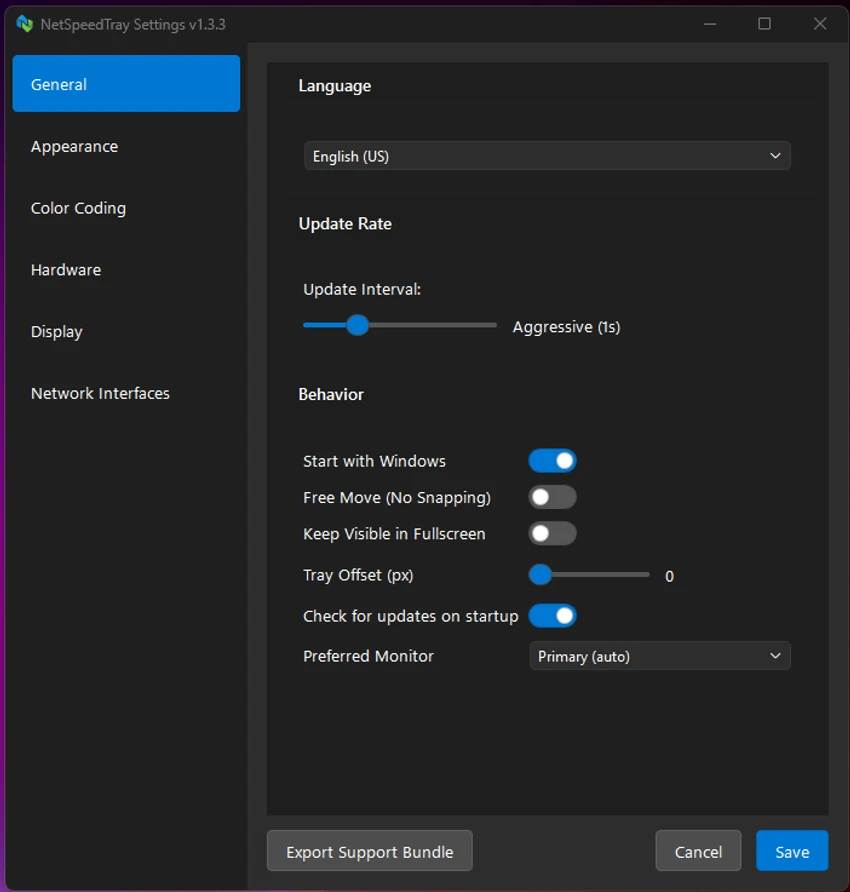
- Simple settings menu for quick customization
User Experience
After using NetSpeedTray, I found it to be a practical tool for users who want constant visibility of their network activity without opening heavier system utilities. The real-time speed display in the system tray makes it easy to quickly understand whether the connection is active, idle, or under heavy load.
The interface is intentionally minimal, which helps it stay unobtrusive during daily use. Unlike Task Manager, which requires switching windows, NetSpeedTray keeps key information always accessible at a glance. The customization options add useful flexibility. Color coding for upload and download speeds makes it easier to distinguish traffic direction, while font adjustments allow users to match the display to their desktop style. The optional mini graph widget is a helpful addition for users who prefer visual performance tracking.
One limitation is that it focuses purely on speed monitoring rather than detailed analytics such as per-application bandwidth usage. However, this aligns with its lightweight design philosophy. Overall, NetSpeedTray provides a clean and efficient way to monitor internet speed in real time without interrupting workflow.
Who Should Use NetSpeedTray?
- Users who want real-time internet speed visibility
- People who frequently download or upload files
- Remote workers monitoring connection stability
- Casual users who prefer lightweight system utilities
- Anyone who wants a simple alternative to Task Manager for speed tracking
Conclusion
NetSpeedTray is a simple and effective network speed monitoring tool designed for users who value clarity and convenience. By displaying real-time upload and download speeds directly in the system tray, it eliminates the need for more complex monitoring tools while still providing essential performance insights.


