FileLegit Windows Drivers & Hardware System Drivers Intel Ethernet Adapter Complete Driver Pack
Intel Ethernet Adapter Complete Driver Pack logo

Intel Ethernet Adapter Complete Driver Pack 31.2.2

  • User Rating:
    ★★★★★
    ★★★★★
    0.0 ★ 0Votes
  • Requirements:
    Windows
  • Version: 31.2.2
  • Latest updated: 4 months ago
  • License: Freeware  
  • Publisher: Intel
  • Size: 1.4 MB
× ❮ app stores ❯

Intel Ethernet Adapter Complete Driver Pack is a comprehensive collection of network drivers and software designed for supported Intel Ethernet adapters. The package includes drivers for a wide range of Intel wired network controllers, server adapters, desktop adapters, and Ethernet connection products.

The driver collection is intended for IT professionals, computer technicians, and system administrators who need a convenient way to install or update Intel Ethernet drivers across multiple systems. By keeping the driver files together in one package, users can store the collection on portable storage such as a USB drive and quickly access the required network drivers when repairing or configuring computers.

The package supports various Intel Ethernet technologies, including Gigabit Ethernet and 10 Gigabit Ethernet adapters. It covers a broad selection of Intel PRO/100, PRO/1000, Ethernet Controller, Ethernet Server Adapter, and Ethernet Converged Network Adapter products.

Intel Ethernet Adapter Complete Driver Pack supports multiple operating systems, including Windows, Linux, and FreeBSD versions according to the provided information. For Windows users, the package supports Windows 7, Windows 8, Windows 10, and Windows 11. This driver collection is primarily focused on compatibility and deployment rather than providing a user interface or additional management features. It is a practical resource for users who need reliable access to Intel Ethernet drivers for supported hardware.

Features of Intel Ethernet Adapter Complete Driver Pack

  • Complete collection of Intel Ethernet network drivers
  • Supports a wide range of Intel Ethernet adapters
  • Designed for computer repair and system maintenance workflows
  • Useful for installation from portable storage devices
  • Supports Gigabit Ethernet and 10 Gigabit Ethernet products
  • Includes drivers for desktop and server network adapters
  • Covers Intel PRO/100 and PRO/1000 product families
  • Supports Intel Ethernet Controller and Server Adapter series
  • Compatible with Windows, Linux, and FreeBSD systems
  • Supports Windows 7, Windows 8, Windows 10, and Windows 11

Interface and Usability

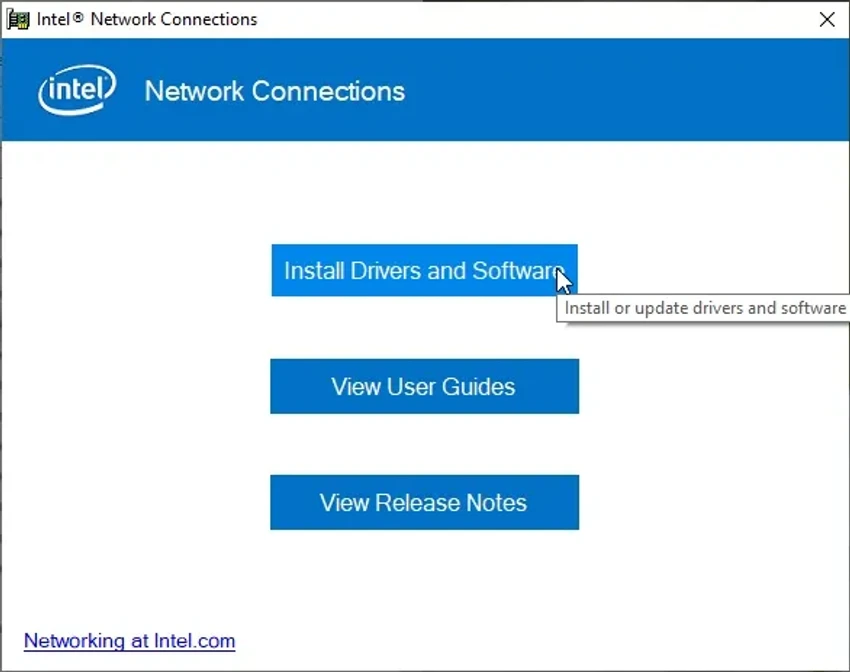
Intel Ethernet Adapter Complete Driver Pack functions primarily as a driver archive rather than a standalone application with a graphical interface. Its main purpose is to provide access to the correct driver files needed for supported Intel network hardware. For technicians and administrators, having a complete driver collection can simplify system setup and troubleshooting, especially when working on computers without an active network connection. The ability to keep the package on external storage makes it convenient for field repairs and hardware installations.

Because the package contains drivers for many different Intel adapters, users need to identify the correct network device before installation. It is best suited for users with experience managing hardware drivers and system configurations.

Who Should Use Intel Ethernet Adapter Complete Driver Pack?

  • Computer repair technicians
  • IT support professionals
  • System administrators
  • Network hardware installers
  • Users reinstalling Windows on systems with Intel Ethernet adapters
  • Organizations managing multiple computers with Intel network hardware

Conclusion

Intel Ethernet Adapter Complete Driver Pack is a practical driver resource for professionals who frequently install or troubleshoot Intel Ethernet hardware. Its broad compatibility with Intel network adapters makes it useful for maintaining systems, especially in environments where quick access to network drivers is important.

Pros & Cons

✓

Pros

  • Includes a large collection of Intel Ethernet drivers
  • Supports many desktop and server network adapters
  • Useful for offline driver installation
  • Convenient for computer repair workflows
  • Supports multiple operating systems
✕

Cons

  • Requires users to identify compatible hardware
  • Not designed for automatic driver scanning or updating
  • Only supports listed Intel Ethernet products

Frequently Asked Questions

What is Intel Ethernet Adapter Complete Driver Pack used for?

Intel Ethernet Adapter Complete Driver Pack is used to install and update drivers for supported Intel Ethernet network adapters and controllers.

Who should use this driver package?

The package is mainly intended for IT professionals, computer repair technicians, and administrators who manage systems with Intel Ethernet hardware.

Does Intel Ethernet Adapter Complete Driver Pack support Windows 11?

Yes. The provided system requirements list support for Windows 11, Windows 10, Windows 8, and Windows 7.

Which Intel products are supported by this driver pack?

The package supports many Intel Ethernet products, including PRO/100, PRO/1000, Ethernet Controller, Ethernet Server Adapter, and Ethernet Converged Network Adapter series.

Can this driver package be used offline?

Yes. The driver collection can be stored on portable media such as a USB drive, making it useful for offline computer repair and system installation tasks.

Does Intel Ethernet Adapter Complete Driver Pack support operating systems other than Windows?

According to the provided information, the package includes support for Windows, Linux, and FreeBSD systems.

Recommended apps [Freeware]:
  • Bulk Crap Uninstaller 6.3 Bulk Crap Uninstaller logo a free Windows tool that quickly removes multiple applications and cleans leftover files
  • Recuva 1.55.133 Recuva logo recover deleted files from PCs, USB drives, memory cards, and damaged or formatted disks
  • Google Chrome 150.0.7871.125 Google Chrome logo fast, secure, and stable web browser with sandboxing, tab isolation, and a minimal interface for modern web applications
  • Wagnardsoft Tools 1.0.8.2 Wagnardsoft Tools logo Clean temporary files, repair Windows system files, and maintain your PC with Wagnardsoft Tools (WTools)
  • OpenCode 1.18.30 OpenCode logo Use an open source AI coding assistant that helps write code, fix bugs, understand projects, and work with flexible AI models.
  • Free Music & Video Downloader 3.19 Free Music & Video Downloader logo Download music and videos from supported online sources, save MP3 files, and organize downloaded media with a simple search tool.
Recommended apps [Shareware]:
  • Teorex FolderIco 9.3.1 Teorex FolderIco logo Change folder colors or icons in one click and organize your files visually, so you can find everything instantly
  • Remo Recover Windows 6.0.0.260 Remo Recover Windows logo Recover deleted, formatted, and lost files with Remo Recover Windows, a comprehensive data recovery solution
  • eM Client 10.4.5606.0 eM Client logo a modern Windows email client with support for Gmail, Exchange, calendars, tasks, contacts, and chat in one app
  • Light Image Resizer 7.6.4.173 Light Image Resizer logo Resize, compress, convert, organize, and watermark images quickly with batch processing, quality optimization, and format support.
  • iTop Data Recovery 6.3.0.955 iTop Data Recovery logo Recover deleted files from drives, SSDs, USB devices, and memory cards with a simple Windows data recovery tool.
  • PanoramaStudio 4.2.0 PanoramaStudio logo Create seamless panoramic images with automatic photo stitching, editing tools, and export options for web, print, and presentations.