


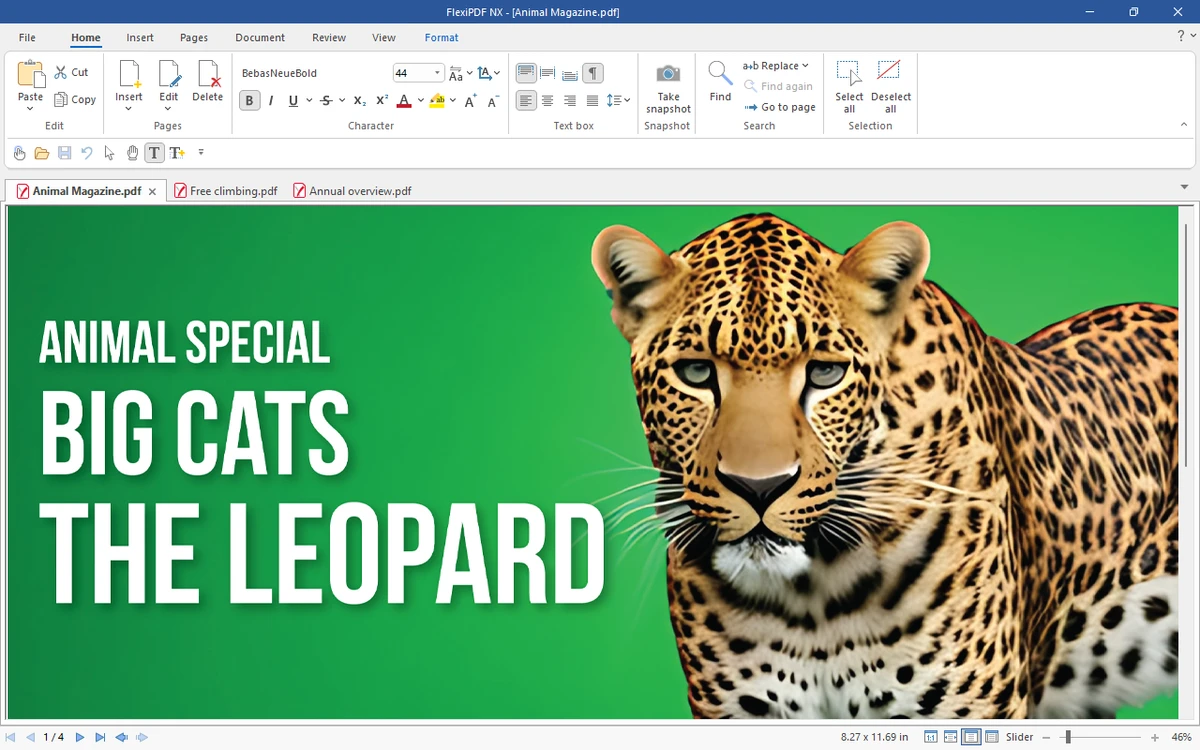

FlexiPDF is a PDF editing software designed to make working with PDF documents as straightforward as editing a standard word processing file. It allows users to create, modify, and annotate PDFs while maintaining a smooth workflow between PDF files and editable document formats like Microsoft Word and TextMaker. The software focuses on providing a complete PDF workflow, including editing text and images, rearranging pages, converting documents into editable formats, and handling scanned documents through OCR in the Professional version. It is positioned as an all-in-one solution for users who regularly work with PDF documents in both personal and professional environments.
Key Features of FlexiPDF
- Create PDF files using an integrated Windows printer driver
- Edit text across paragraphs and full pages like a word processor
- Insert, move, delete pages or import pages from other PDFs
- Insert and edit images, drawings, and visual elements
- Add comments, stamps, and annotations
- Built-in spell checker and automatic hyphenation (multi-language support)
- Convert PDFs to Microsoft Word or TextMaker formats for editing
- Export PDFs to HTML, JPEG, TIFF, PNG, and ePUB formats
- Fill both static and interactive PDF forms
- Search and replace text, fonts, and hyperlinks
- Batch search and replace across multiple files
- Create photo albums using drag-and-drop functionality
- Add page numbering, headers, footers, and watermarks
- Export text for translation tools like Trados or memoQ
- OCR support (Professional version) for scanned documents
- Redact sensitive or confidential information
- Secure PDFs with AES encryption
- Track changes with highlighted edits
Interface and Usability
FlexiPDF follows a layout similar to traditional word processors, making it easier to transition between editing documents and working with PDFs. Tools for editing text, inserting images, and managing pages are grouped in a structured interface that supports both basic and advanced editing tasks. Navigation between pages and editing modes is straightforward, with visual controls for rearranging content and applying changes directly to the document. OCR functions and conversion tools are integrated into the workflow, allowing scanned documents to be processed without requiring separate applications.
Who Should Use FlexiPDF?
- Office users who frequently edit PDF documents
- Professionals who need PDF-to-Word conversion workflows
- Users working with scanned documents requiring OCR processing
- Students and educators handling annotated documents
- Businesses managing forms, reports, and documentation
Conclusion
FlexiPDF offers a comprehensive set of tools for editing, converting, and managing PDF files. Its combination of word-processor-style editing, OCR capabilities, and export options makes it a flexible solution for users who work heavily with document workflows.


