


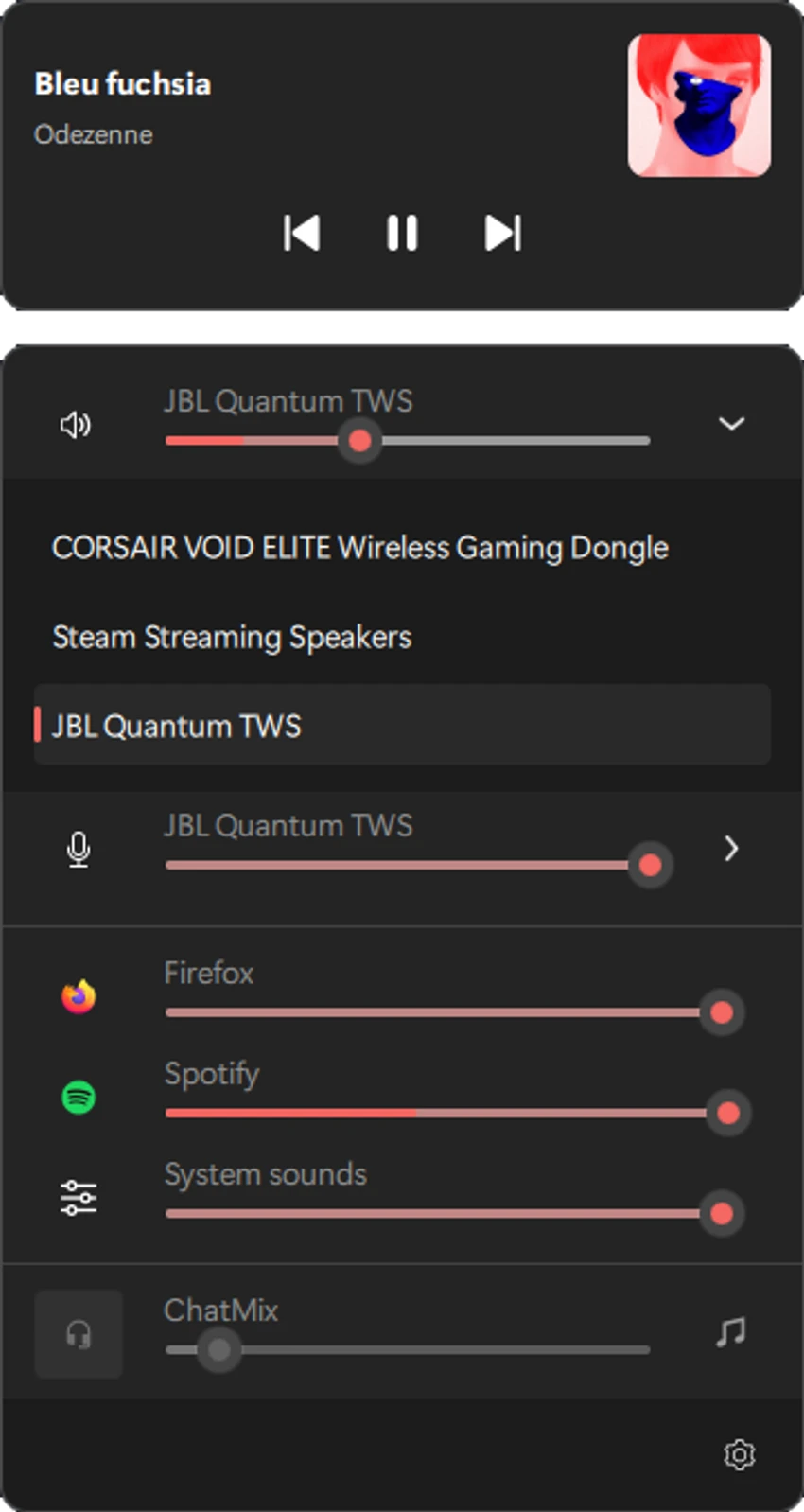

QontrolPanel (formerly QuickSoundSwitcher) is a lightweight Windows utility designed to simplify audio device switching and volume management. Instead of navigating through Windows settings, users can quickly change between speakers, headphones, microphones, and manage per-app volume directly from the system tray.
Overview
QontrolPanel focuses on speed and simplicity in audio control. It replaces the traditional multi-step Windows sound settings process with quick-access system tray controls. The tool is designed to run silently in the background without a traditional main interface. Once launched, it integrates into the system tray, giving users immediate access to input devices, output devices, and volume controls. It is especially useful for users who frequently switch between multiple audio devices or need quick access to per-application sound adjustments.
Features of QontrolPanel
- Quick switching between audio output devices (headphones, speakers, etc.)
- Fast selection of input devices (microphones)
- System tray-based interface (no main window UI)
- Per-application volume control (volume mixer per app)
- Individual mute controls for active applications
- Lightweight background operation
- Instant access to audio settings without Windows menus
- Simplified audio management workflow
User Experience
QontrolPanel is built for efficiency and minimal interaction. Once installed, it runs quietly in the system tray and becomes accessible with a single click. This design eliminates the need to navigate deep into Windows sound settings. Switching between audio outputs is immediate, making it particularly useful for users who frequently alternate between headphones and speakers. Similarly, microphone selection is streamlined, which benefits gamers, streamers, and remote workers.
The per-application volume mixer adds another layer of control, allowing users to fine-tune audio levels for individual programs without affecting system-wide sound settings. This is especially useful when balancing game audio, voice chat, and background music. Because the tool has no traditional interface, it feels extremely lightweight and non-intrusive. However, users who prefer full-featured visual control panels may find its minimal design limiting.
Who Should Use QontrolPanel?
- Gamers switching between headphones and speakers
- Streamers managing multiple audio inputs and outputs
- Remote workers using different microphones or headsets
- Users who frequently adjust per-app volume
- Anyone who wants faster access to Windows sound controls
Conclusion
QontrolPanel is a focused utility that significantly simplifies audio management on Windows. By eliminating the need to navigate system settings, it provides instant access to input/output switching and per-app volume control.


