FileLegit Windows Security & Privacy Antivirus Quick Heal AntiVirus Pro
Quick Heal AntiVirus Pro logo

Quick Heal AntiVirus Pro 26.1.0.2

  • User Rating:
    ★★★★★
    ★★★★★
    0.0 0Votes
  • Requirements:
    Windows
  • Version: 26.1.0.2
  • Latest updated: 1 week ago
  • License: Free Trial  
  • Publisher: Quick Heal Technologies Limited
  • Size: 73.6 MB
×

Quick Heal AntiVirus Pro combines traditional antivirus protection with modern security technologies to protect your computer in real time. Its advanced features, such as DNAScan technology, sandboxed browsing, and vulnerability scanning, allow users to detect and neutralize threats before they can compromise the system. The software also supports remote management and email security, making it a well-rounded solution for personal and professional use.

The software is easy to install and integrates seamlessly with Windows PCs. Its multi-layered approach protects against ransomware, spyware, keyloggers, adware, and other types of malware. Users can also back up their data in secure locations, minimizing the risk of permanent file loss in case of ransomware attacks.

Features of Quick Heal AntiVirus Pro

  • Real-Time Ransomware Protection: Detects and blocks ransomware attacks while automatically backing up important files.
  • Quick Heal DNAScan Technology: Combines behavioral and signature-based analysis to monitor unsafe programs.
  • Email Security: Protects your inbox from malicious emails and infected attachments.
  • Anti-Keylogger: Prevents programs from recording keystrokes to steal sensitive information.
  • Remote Device Management: Manage Quick Heal products, monitor security status, and renew licenses via the RDM portal.
  • Vulnerability Scanner: Identifies security weaknesses on your PC and offers solutions.
  • Firewall Protection: Blocks external threats trying to access your system through the Internet.
  • Sandbox Browser: Securely browse the web without risk to your system.
  • TrackMyLaptop Service: Helps locate lost or stolen laptops.
  • Safe Mode Protection: Prevents unauthorized changes to security settings.
  • Silent Mode: Suppresses notifications and alerts for uninterrupted PC usage.

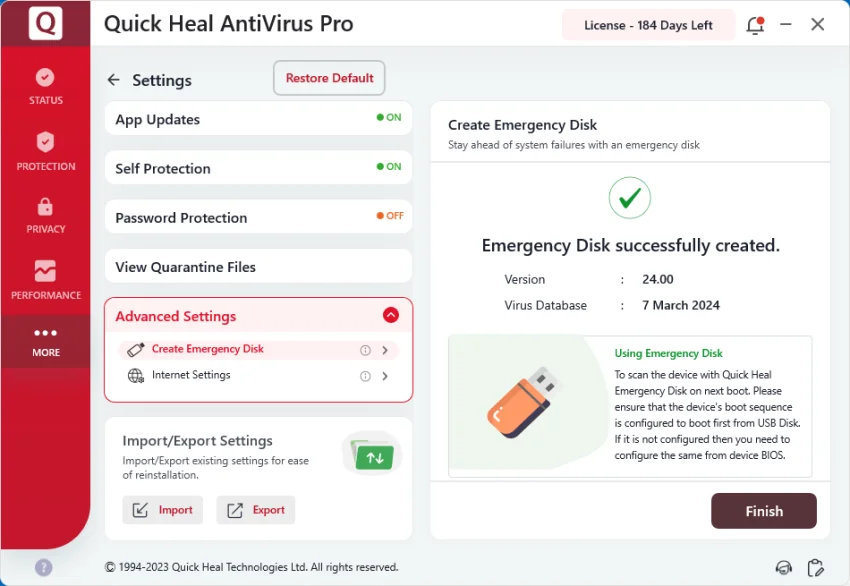
Quick Heal AntiVirus Pro feels intuitive and responsive. Installation is straightforward, and the interface allows easy access to all security features. Real-time scanning runs quietly in the background without slowing down the system. The sandboxed browser and ransomware backup offer peace of mind for frequent Internet users.

Who Should Use Quick Heal AntiVirus Pro

  • Individuals and professionals who frequently use the Internet and email
  • Users concerned about ransomware or malware attacks
  • Small business owners looking for multi-device protection and remote management
  • Anyone who wants an all-in-one antivirus solution with backup and key security features

System Requirements

  • Platforms: Windows 11/ Windows 10/ Windows 8.1/ Windows 8
  • System type: 32-bit or 64-bit of Desktop Operating System

Conclusion

Quick Heal AntiVirus Pro is a reliable, all-in-one antivirus solution ideal for users seeking strong protection against malware and ransomware. Its advanced scanning technologies, email security, and remote management features make it a practical choice for both personal and professional use. With its intuitive interface and comprehensive defense mechanisms, Quick Heal ensures that your system remains safe without disrupting daily activities.

Pros & Cons

Pros

    • Multi-layered protection against malware and ransomware
    • Cloud-based email security
    • Advanced behavioral scanning with DNAScan technology
    • Remote device management and license monitoring
    • Sandbox browsing and laptop tracking feature

Cons

    • Some advanced features may require additional setup for beginners

Frequently Asked Questions

Is Quick Heal AntiVirus Pro effective against ransomware?

Yes, it provides real-time ransomware detection and includes a backup feature to restore encrypted files.

Can I manage Quick Heal remotely?

Yes, the Remote Device Management portal allows you to monitor security status and manage licenses from another PC.

Does it slow down the computer?

Quick Heal runs scans in the background with minimal system impact, although heavy scanning may slightly affect performance.

What additional security features does it offer?

It includes a firewall, sandboxed browser, anti-keylogger protection, email security, and vulnerability scanning.

Recommended apps [Freeware]:
  • Trillian 6.6 Build 15 Trillian logo all-in-one chat software designed to simplify online communication
  • Simple IP Config 2.9.7 Simple IP Config logo a lightweight, portable tool for quickly changing Windows IP, DNS, and network settings
  • IObit Driver Booster 13.4.0.234 IObit Driver Booster logo updates outdated drivers automatically to boost system stability and gaming performance.
  • DirPrintOK 7.61 DirPrintOK logo fast and portable tool to print or export directory contents in XLS, HTML, CSV, or TXT formats.
  • Stretchly 1.21.0 Stretchly logo reminds you to take breaks while working on your computer, promoting better health and productivity.
  • TreeSize 9.8.1.2302 TreeSize logo Windows disk space analyzer to scan, visualize, and clean storage efficiently with reports.
Recommended apps [Shareware]:
  • Typing Instructor Platinum 21.1 Typing Instructor Platinum logo improve typing speed and accuracy through interactive lessons, games, and 10-finger typing practice.
  • iBackup Viewer 4.3.14.2 iBackup Viewer logo extract contacts, messages, photos, and app data from iPhone backups
  • SketchUp Pro 2026 SketchUp Pro logo powerful 3D modeling software for architects, designers, and engineers with intuitive tools.
  • Adobe After Effects 2026 Adobe After Effects logo advanced motion graphics, visual effects, compositing, and animation tools for creators.
  • Sync Breeze 18.2.32 Sync Breeze logo fast and reliable file synchronization tool for local drives, NAS devices, and enterprise storage systems.
  • COAA PlanePlotter 6.7.5.9 COAA PlanePlotter logo a Windows tool that decodes live aircraft data like ADS-B and ACARS and displays real-time radar-style tracking