


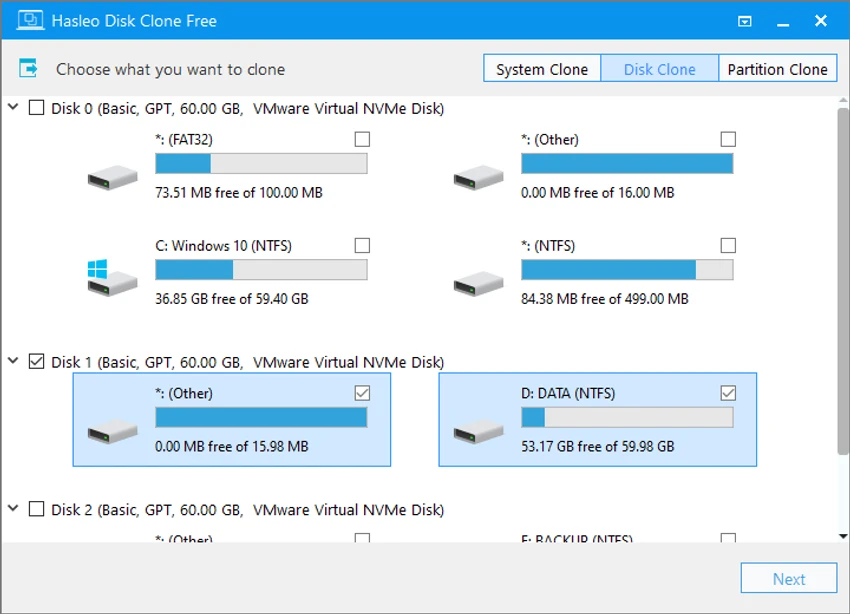

Hasleo Disk Clone is a free disk cloning application designed to help Windows users migrate operating systems, clone entire disks, and copy individual partitions. The software provides tools for transferring Windows installations to new storage devices without reinstalling the operating system or applications. With support for system migration, disk cloning, partition cloning, MBR/GPT conversion, and WinPE emergency media creation, Hasleo Disk Clone provides a complete solution for users upgrading storage devices or managing system backups.
Features of Hasleo Disk Clone
Windows System Migration
- Migrates Windows operating systems from one disk to another
- Transfers user settings, drivers, and installed applications
- Allows users to move their working environment without reinstalling Windows
Disk Clone
- Creates an identical copy of an entire disk
- Preserves data content between the original and destination drives
- Useful when upgrading to:
- SSD drives
- Larger-capacity storage devices
Partition Clone
- Copies individual partitions to another location
- Keeps partition data intact
- Helps protect important partitions and simplify recovery tasks
Fast Cloning Technology
- Uses intelligent sector copy technology
- Includes Delta clone technology for faster operations
- Detects changed data blocks and only clones updated sections when applicable
- Helps reduce cloning time while maintaining data consistency
Partition Adjustment Tools
- Allows resizing and moving destination partitions before cloning
- Supports customized disk layouts
- Provides flexibility when transferring data to different-sized drives
MBR and GPT Conversion
- Converts MBR disks to GPT
- Converts GPT disks to MBR
- Designed to maintain data integrity during conversion
- Helps keep Windows bootable after disk format changes
Bootable WinPE Media
- Creates bootable Windows PE emergency media
- Allows users to perform cloning operations outside the normal Windows environment
- Useful when working with system drives
ARM64 Support
- Provides native support for:
- X86 processors
- X64 processors
- ARM64 processors
- Improves performance and reduces power consumption on ARM64-based systems
User Experience
Hasleo Disk Clone provides a focused cloning workflow aimed at users who need to move or duplicate storage devices. The interface is designed around common cloning tasks, making it easier to select a source disk, choose a destination, and configure options before starting the process.
For users upgrading from a traditional hard drive to an SSD, the system migration feature is particularly useful. It allows Windows, applications, and personal settings to be transferred together instead of requiring a complete reinstall. The ability to resize and move partitions adds extra flexibility when cloning between drives with different capacities. Users can adjust the destination layout before completing the operation, which is helpful when migrating to a smaller or larger disk.
Performance is one of the software’s key strengths. The intelligent sector copy and Delta clone technologies are designed to reduce unnecessary copying and improve cloning efficiency. Advanced users will appreciate features such as MBR/GPT conversion and WinPE bootable media creation. These tools provide additional control for more complex disk management tasks, although beginners may need some familiarity with storage concepts before using advanced options.
Who Should Use Hasleo Disk Clone?
- Users upgrading to SSDs or larger drives
- Windows users migrating to new hardware
- IT technicians managing multiple computers
- Users needing partition cloning tools
- Advanced users performing disk maintenance
- Anyone looking for a free cloning utility
Conclusion & Recommendation
Hasleo Disk Clone offers a practical way to clone disks, migrate Windows systems, and transfer partitions without rebuilding a computer from scratch. Its fast cloning engine, flexible partition controls, and support for modern storage configurations make it a valuable tool for system migration tasks.


