Malwarebytes logo

Malwarebytes 5.24.0.4031

  • User Rating:
    ★★★★★
    ★★★★★
    0.0 0Votes
  • Requirements:
    Windows
  • Version: 5.24.0.4031
  • Latest updated: 3 days ago
  • License: Freemium  
  • Publisher: Malwarebytes
  • Size: 3 MB
× app stores

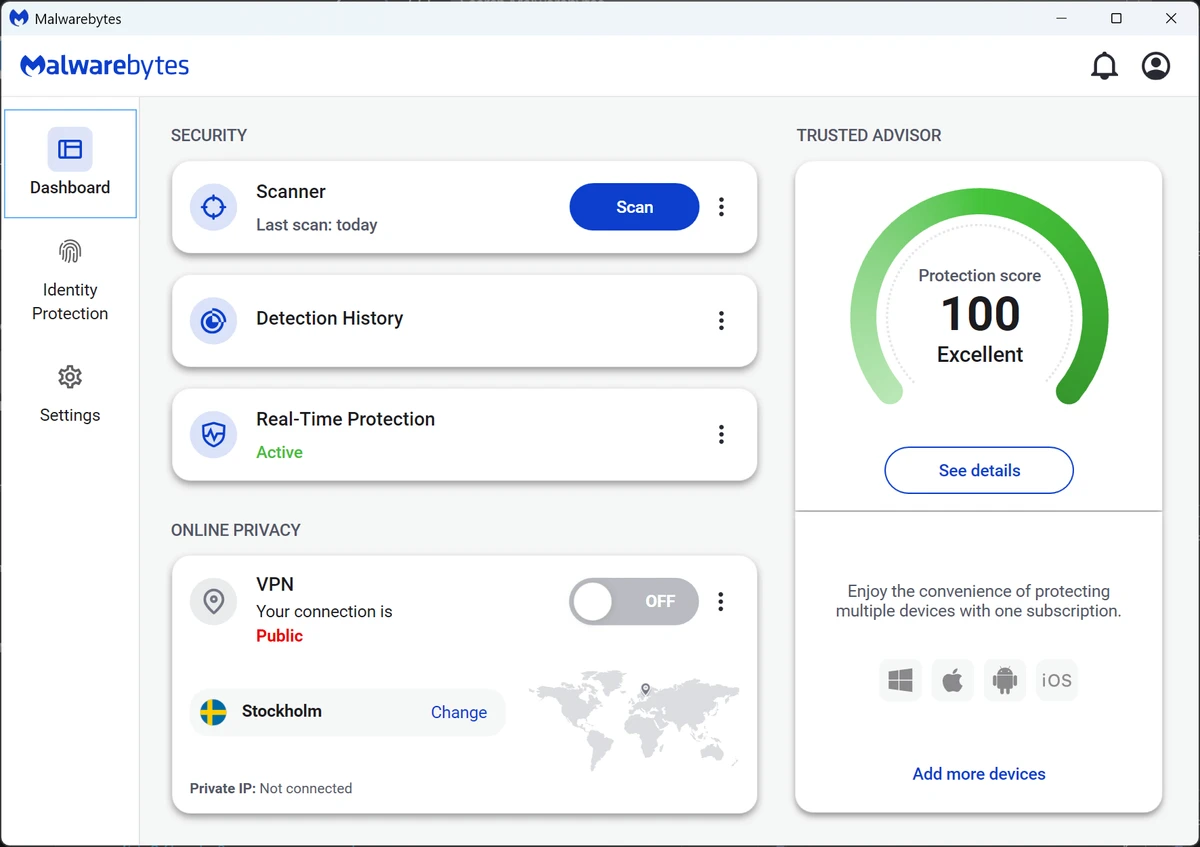
Malwarebytes is a widely used cybersecurity tool designed to detect and remove malware, ransomware, spyware, adware, and other potentially unwanted programs. It is known for its clean interface and straightforward scanning process, making it accessible for both beginners and advanced users. While the free version focuses on on-demand scanning and cleanup, the Premium version extends protection with real-time threat prevention and web filtering features.

Features of Malwarebytes

  • Detects and removes malware, spyware, and adware.
  • Protection against ransomware and exploit-based attacks (Premium version).
  • Blocks malicious websites, phishing attempts, and scams.
  • Clean and simple user interface.
  • Multiple scan modes:
    • Quick scan
    • Full system scan
    • Custom scan
  • Automatic threat detection and removal suggestions.
  • Scheduled scanning (Premium version).
  • Real-time protection layer (Premium version).
  • Lightweight design with minimal system impact.
  • Removes potentially unwanted programs (PUPs).

User Experience

Malwarebytes is designed for simplicity. Users can install the software and immediately run a scan without needing advanced configuration. The scanning process is straightforward, and results are clearly presented, allowing users to decide what to remove. The free version works well as a manual cleanup tool when a system is already suspected to be infected. However, the Premium version provides continuous protection by blocking threats in real time, including malicious websites and ransomware behavior. Many users also use Malwarebytes alongside traditional antivirus tools for layered security, as it focuses more on behavior-based threats and modern malware rather than classic virus signatures.

Who Should Use Malwarebytes?

  • Users who suspect malware infections.
  • People looking for an easy-to-use security tool.
  • Users wanting extra protection alongside antivirus software.
  • Businesses needing ransomware and phishing defense.
  • IT technicians performing system cleanup.

Conclusion

Malwarebytes is a trusted and widely respected security solution that excels at detecting and removing modern malware threats. Its simplicity and strong detection capabilities make it a valuable tool for both casual and advanced users.

Pros & Cons

Pros

  • Easy to install and use.
  • Strong malware and spyware detection.
  • Effective ransomware and phishing protection (Premium).
  • Lightweight and fast scanning engine.
  • Clean and beginner-friendly interface.
  • Works well as a second-layer security tool.

Cons

  • Real-time protection requires paid version.
  • Not a full replacement for traditional antivirus in all cases.
  • Some advanced features are locked behind Premium plan.

Frequently Asked Questions

What is Malwarebytes used for?

Malwarebytes is used to detect and remove malware, spyware, ransomware, and phishing threats.

Is Malwarebytes a full antivirus?

The free version is not a full antivirus, but the Premium version offers real-time protection.

Can Malwarebytes replace antivirus software?

It can in some cases, but it is often used alongside antivirus programs for layered protection.

Does Malwarebytes slow down a PC?

No, it is designed to be lightweight and efficient.

Is Malwarebytes free?

Yes, but advanced real-time protection requires a paid subscription.

Recommended apps [Freeware]:
  • Easy System Utility 1.1.65 Easy System Utility logo clean junk files, repair tools, passwords and system optimization.
  • SSD Booster .NET 19.7 SSD Booster .NET logo a Windows tool designed to tweak system settings and optimize SSD performance with simple on/off controls
  • AB Download Manager 1.9.2 AB Download Manager logo Download files with features such as queue management, scheduling, speed control, and browser integration.
  • WinScript 2.20.1 WinScript logo customize Windows with debloat, privacy, performance tweaks, and one-click app installation scripts
  • Tor Browser 15.0.17 Tor Browser logo anonymous web browsing with privacy protection, IP masking, and access to the Tor network
  • Google Drive 127.0.1 Google Drive logo secure cloud storage, file syncing, collaboration tools, and 15GB of free storage
Recommended apps [Shareware]:
  • Bandizip 7.44 Bandizip logo Fast and intuitive file compression software supporting ZIP, RAR, 7Z, and more with high-speed archiving features
  • DBF Converter 7.85 DBF Converter logo convert DBF files to CSV, Excel, SQL and text with fast batch processing and filtering
  • TweakNow Gallery 1.3.1 TweakNow Gallery logo a fast Windows photo viewer and organizer with slideshow and built-in image conversion tools
  • SyncBackPro 12.0.17 SyncBackPro logo advanced backup, restore, synchronization, encryption, FTP support, and automation tools
  • Duplicate Finder 2026 v418 Duplicate Finder logo remove duplicate photos and videos by scanning files using MD5 hashing for accurate results.
  • Neevia Document Converter Pro 7.7.0.289 Neevia Document Converter Pro logo Convert over 300 document formats to PDF, PDF/A, and image files