


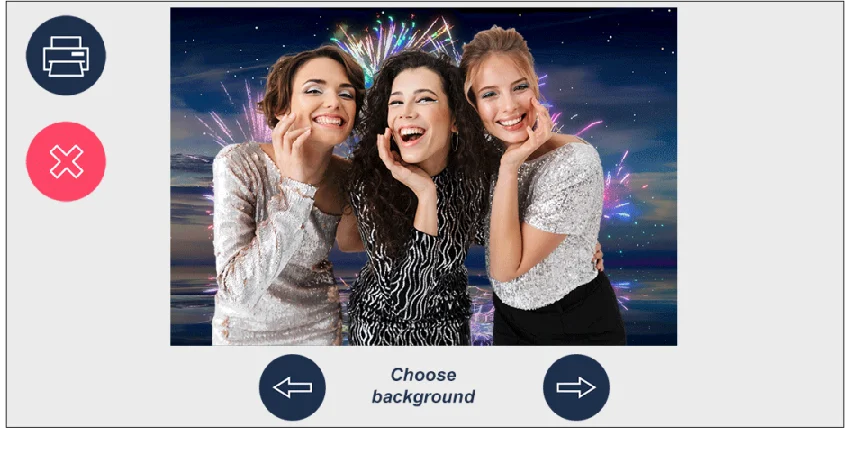

DSLR Remote Pro is a powerful camera control solution built specifically for Canon EOS devices. It connects your camera to a Windows PC through USB, allowing photographers to take full control of shooting settings, image capture, and live preview directly from their computer. Beyond standard tethered shooting, it also includes a complete photo booth system capable of automating photo sequences, generating GIFs, printing layouts, and sharing images via email or social platforms. This makes it suitable for both professional studio environments and event-based photography setups. The software supports a wide range of Canon cameras, including models such as Canon EOS R, EOS 5D Mark IV, EOS 6D Mark II, EOS 80D, and EOS-1DX Mark II.
Features of DSLR Remote Pro
- Remote control of Canon EOS DSLR and mirrorless cameras via USB
- Live view display directly on the PC screen (supported cameras)
- Full photo booth mode with automated shooting sequences
- Automatic printing with customizable layouts (e.g., photo strips)
- GIF creation and animated overlays for event photography
- Video capture support (camera-dependent)
- Manual and automatic focus control from PC
- HDR photography with up to 15 exposure brackets
- Time-lapse shooting control
- Image preview with color-managed display
- Overexposure highlight warnings for better exposure control
- Grid and crop overlay tools for composition alignment
- Black & white and color preview modes
- Direct saving to PC for fast workflow processing
- Support for sharing images via email and FTP workflows
User Experience
From a practical standpoint, DSLR Remote Pro feels like a professional-grade tethering and automation tool rather than a simple camera utility. Once connected, the software provides fast access to camera controls, live view, and capture settings directly from the PC.
The photo booth mode is one of its strongest aspects, enabling automated capture sequences and instant output options such as printing or digital sharing. However, the setup can require some technical understanding, especially when configuring camera compatibility and workflow automation.
Who Should Use DSLR Remote Pro?
- Professional photographers using Canon DSLR or mirrorless cameras
- Event photographers building photo booth setups
- Studio photographers needing tethered shooting control
- Businesses requiring automated photo capture and printing systems
- Users who need advanced camera automation from a PC
Conclusion
DSLR Remote Pro is a robust and highly specialized tool for Canon camera users who need advanced remote control and professional photo booth capabilities. While it may not be ideal for beginners, it delivers strong value for studios, event photographers, and commercial setups requiring automation and precision control.


