


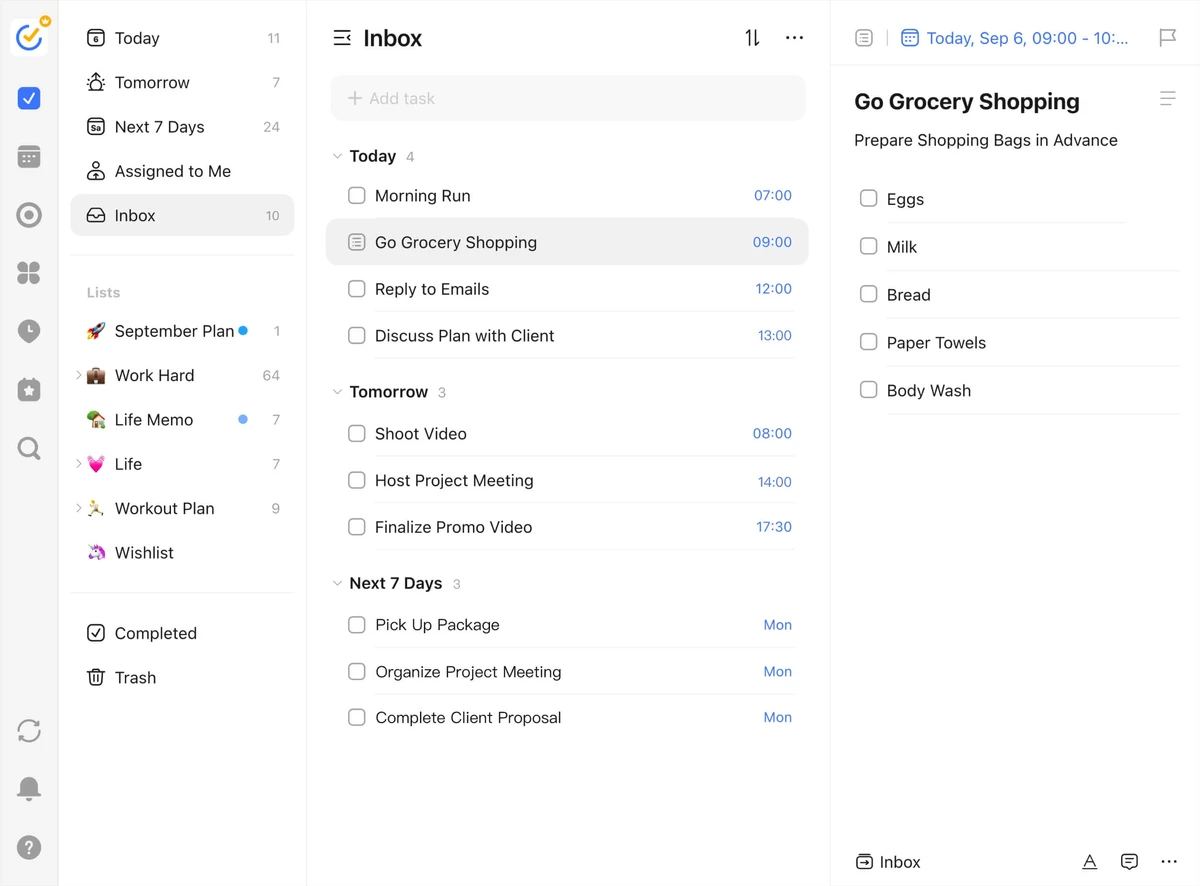

TickTick is a productivity and task management application designed to help users organize work, personal projects, and daily responsibilities in one place. Combining task lists, calendar views, collaboration tools, and a built-in Pomodoro timer, the software aims to streamline planning and improve focus throughout the day. Available for Windows 10 and Windows 11, TickTick provides a flexible workspace where users can quickly capture ideas, manage schedules, and track progress across multiple projects.
Key Features of TickTick
- Organize work tasks, personal goals, and daily activities
- Quick task capture using the Ctrl + Shift + A shortcut
- Calendar views for managing schedules and deadlines
- Drag-and-drop task management within the calendar
- Share task lists and collaborate with colleagues, friends, and family
- Built-in Pomodoro Timer for focused work sessions
- Desktop widget for quick task access and completion
- Centralized task and productivity management
- Supports Windows 10 and Windows 11
User Experience
After using TickTick, I found it to be a well-balanced productivity tool that combines task management and focus features in a clean, practical workflow. The application makes it easy to collect ideas and convert them into actionable tasks without interrupting ongoing work. The quick-add shortcut is particularly useful for capturing tasks the moment they arise. Instead of opening multiple windows or menus, users can instantly record reminders and ideas with a simple keyboard command.
The calendar integration adds another layer of organization. Being able to view tasks alongside scheduled events helps create a clearer picture of upcoming priorities. The drag-and-drop functionality also makes adjusting plans straightforward when schedules change.
One of TickTick's standout features is its built-in Pomodoro Timer. Rather than relying on a separate focus application, users can manage tasks and timed work sessions within the same environment. This creates a more seamless productivity experience.
Collaboration tools are equally useful for shared projects. Whether coordinating with coworkers, family members, or friends, task lists can be shared and managed collectively, making TickTick suitable for both personal and team use. The desktop widget further improves convenience by allowing users to monitor and complete tasks directly from the Windows desktop without constantly opening the main application.
Who Should Use TickTick?
- Students managing assignments and study schedules
- Professionals organizing daily workloads
- Remote workers tracking projects and deadlines
- Freelancers balancing multiple clients and tasks
- Families coordinating shared responsibilities
- Anyone looking to improve productivity and focus
Conclusion
TickTick offers a comprehensive productivity experience without overwhelming users with complexity. By combining task lists, calendar planning, collaboration features, desktop accessibility, and a built-in Pomodoro Timer, it provides an efficient workspace for managing everyday responsibilities.


