


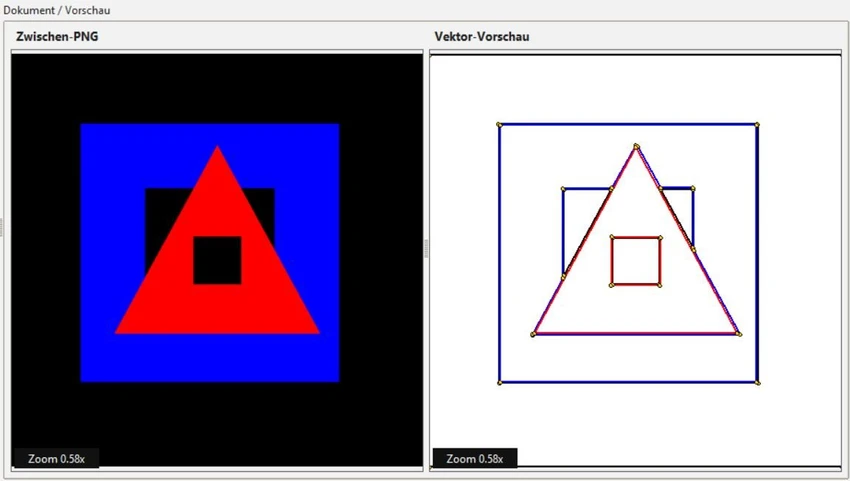

Vektorrazor is a desktop application designed to prepare and vectorize logos, scans, and simple image sources for technical workflows. Unlike traditional vector graphics software that focuses on visual design quality, Vektorrazor emphasizes creating clean, controllable contours that are better suited for CAD applications, plotting, cutting, milling, and other manufacturing-related processes. The software accepts common raster image formats and converts them into technical vector outputs that can be used more reliably in engineering and production environments.
Features of Vektorrazor
- Supports image imports in PNG, JPG, BMP, WEBP, and TIFF formats
- Cleans and processes images through an intermediate PNG workflow
- Exports vector and 3D-compatible formats including SVG, DXF, STL, and OBJ
- Designed specifically for technical contour preparation
- Helps generate CAD-friendly vector paths from logos and scanned images
- Focuses on controllable contours rather than artistic vector artwork
- Compatible with Windows 10 (64-bit) and Windows 11
User Experience
After using Vektorrazor, it becomes clear that the software targets a different audience than traditional vector illustration tools. Programs such as Adobe Illustrator, CorelDRAW, and Inkscape excel at creating visually polished vector graphics, but technical users often need cleaner geometry for manufacturing and CAD workflows. Vektorrazor approaches the problem from a practical perspective. Instead of prioritizing artistic output, it focuses on preparing image sources and generating contours that are easier to manage during technical post-processing.
This specialized approach can help reduce common issues often encountered when importing vector artwork into CAD environments, such as duplicate paths, excessive anchor points, small noise objects, or unclear contour structures. For users working with cutting machines, CNC workflows, plotting systems, or technical drafting, this workflow feels more purposeful than using a traditional graphic design package. The interface and workflow appear focused on efficiency and technical output rather than creative design, making it more suitable for engineers, fabricators, makers, and CAD professionals than graphic artists.
Who Should Use Vektorrazor?
- CAD professionals
- CNC machine operators
- Laser cutting users
- Plotter and vinyl cutting enthusiasts
- Technical designers
- Manufacturing and fabrication workflows
- Users who frequently convert logos or scanned images into technical vector paths
Conclusion
Vektorrazor stands out as a specialized vectorization tool built for technical applications rather than artistic design. By prioritizing clean, controllable contours and CAD-friendly outputs, it addresses challenges that traditional vector graphics software may introduce in manufacturing and engineering environments.


