


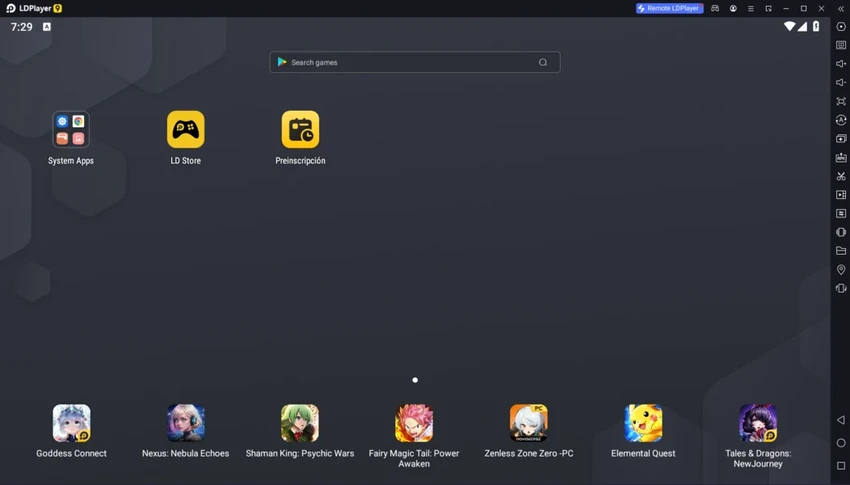

LDPlayer functions as a lightweight Android emulator that replicates a mobile environment on a PC. Once installed, it provides a familiar Android-style interface with side panels for navigation, making it easy to browse and manage apps. The setup process is straightforward and does not require advanced technical knowledge. Users can install APK files by dragging them into the interface or using the built-in installation button. The emulator also includes a quick link to Google Play, allowing users to access and download apps directly when signed in with a Google account.
Overall, LDPlayer focuses on simplicity, accessibility, and basic Android emulation for everyday users and developers.
Features of LDPlayer
- Android 5.1 emulator for Windows systems
- Simple setup process with quick installation
- APK installation via drag-and-drop or install button
- Google Play access (requires account login)
- Keyboard and mouse support for app and game control
- Custom key mapping for different game genres
- Macro creation for more advanced input control
- Android-style interface with side-panel navigation
User Experience
Using LDPlayer feels close to interacting with a standard Android device, but optimized for desktop use. The interface is clean and structured, with side panels that make navigation intuitive. Installing apps is straightforward, especially with the drag-and-drop APK feature. For users who prefer more convenience, the Google Play integration simplifies app discovery and installation.
The key mapping tools stand out as one of the more practical elements, allowing users to adjust controls for different games. Macro creation further enhances input flexibility, especially for games requiring repeated or complex actions.
Who Should Use LDPlayer?
LDPlayer is suitable for users who want to run Android applications on a Windows PC, especially those interested in mobile gaming with keyboard and mouse controls. It is also useful for developers who need a simple environment to test Android apps without a physical device.
Conclusion
LDPlayer is a practical Android emulator for users who want a simple way to access mobile apps and games on Windows. With easy installation, APK support, and customizable controls, it provides a functional bridge between mobile and desktop environments. For users seeking basic Android emulation without complexity, LDPlayer is a solid option worth considering.


