


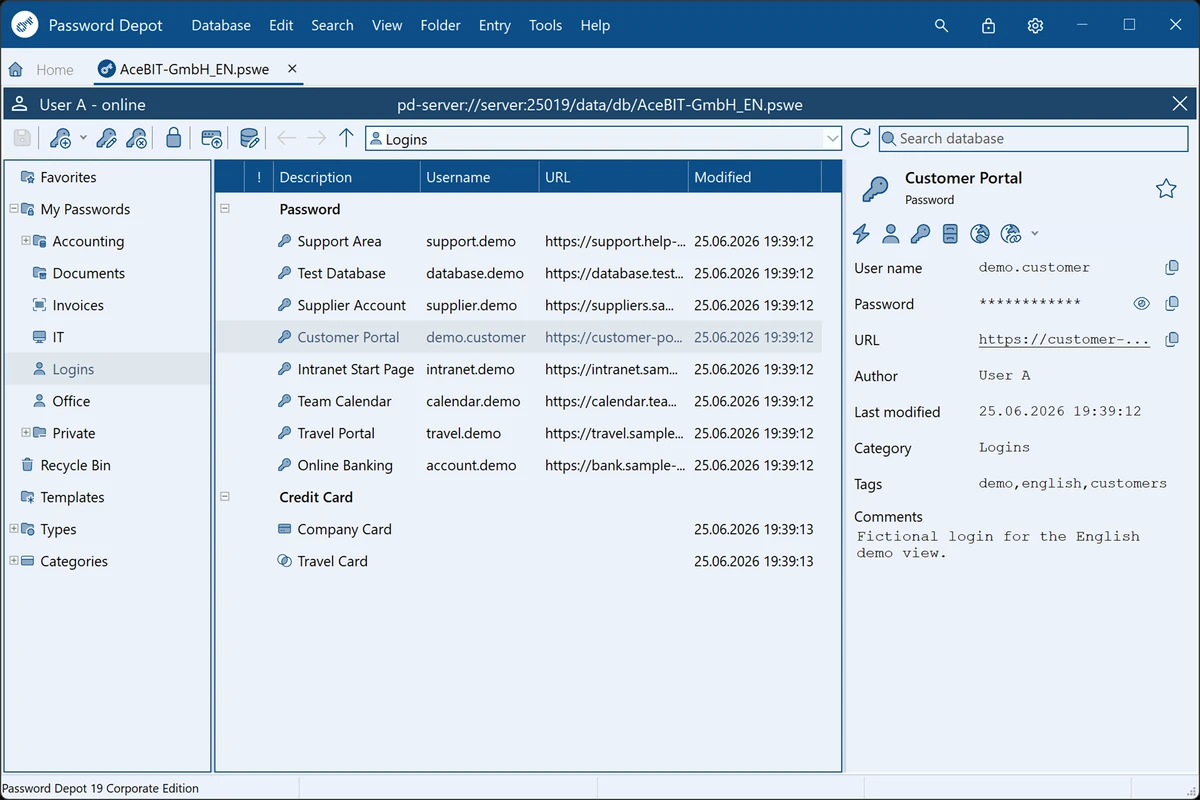

Password Depot is a feature-rich password manager designed to securely store and organize sensitive data such as passwords, credit card details, and software licenses. It focuses heavily on security, flexibility, and usability, allowing users to manage all credentials through a single master password. In practical use, the software acts as a secure vault combined with productivity tools that help users generate, store, and automatically fill in login credentials across websites and applications.
Features of Password Depot
- Secure storage of passwords, credit cards, and license keys.
- AES (Rijndael 256) double encryption for enhanced security.
- Master password access with optional key file protection.
- Protection against brute-force attacks with login delay mechanisms.
- Automatic backup creation with optional FTP/SFTP storage.
- Protection against keylogging attacks.
- Clipboard protection and automatic data clearing.
- Virtual keyboard for secure password entry.
- Password generator for strong, complex passwords.
- Password strength analysis and security warnings.
- Password policy enforcement (length and character rules).
- Auto-fill and auto-complete for websites and browsers.
- Automatic recognition of login fields.
- Direct website launching from stored entries.
- Hotkey support for faster access.
- Recycle bin for recovering deleted entries.
- Cloud support including services like Google Drive, Microsoft SkyDrive, and Dropbox.
- Network-based password sharing via Password Depot Server.
- USB portable usage for secure mobility.
User Experience
Using Password Depot feels like working with a secure digital vault combined with a traditional file manager interface. The layout resembles Windows Explorer, making navigation intuitive even for users new to password management tools. One of the most noticeable aspects is its strong focus on security. Features such as the virtual keyboard, clipboard protection, and anti-keylogging measures provide a layered defense approach that goes beyond basic password storage.
Auto-fill and browser integration work smoothly, reducing the friction of logging into websites. The ability to generate strong passwords and immediately store them also improves overall security hygiene. For advanced users or teams, the server and cloud synchronization options provide flexibility in managing shared credentials across devices.
Who Should Use Password Depot?
- Users managing many online accounts and credentials.
- Security-conscious individuals needing strong encryption.
- Businesses or teams requiring shared password access.
- Users who want portable password storage via USB or cloud.
- Anyone looking for advanced protection against keylogging and brute-force attacks.
Conclusion
Password Depot delivers a robust and security-focused password management solution with advanced encryption, strong anti-theft protections, and flexible storage options. While it may feel complex for casual users, its depth of features makes it a solid choice for anyone serious about digital security.


