



VMware InstallBuilder is a professional development tool designed to create cross-platform installers for desktop and server software. It simplifies the process of building dynamic, customizable installers from a single project file, making it an efficient solution for developers who distribute software across multiple operating systems.
Overview
InstallBuilder allows developers to create professional installers for Linux, Windows, macOS, Solaris, HP-UX, AIX, IRIX, FreeBSD, and more. Beyond traditional installers, it can generate RPM and Debian packages as well as multiplatform CDs or DVDs. Installers built with InstallBuilder can run in graphical, text, or unattended modes, offering flexibility to end users.
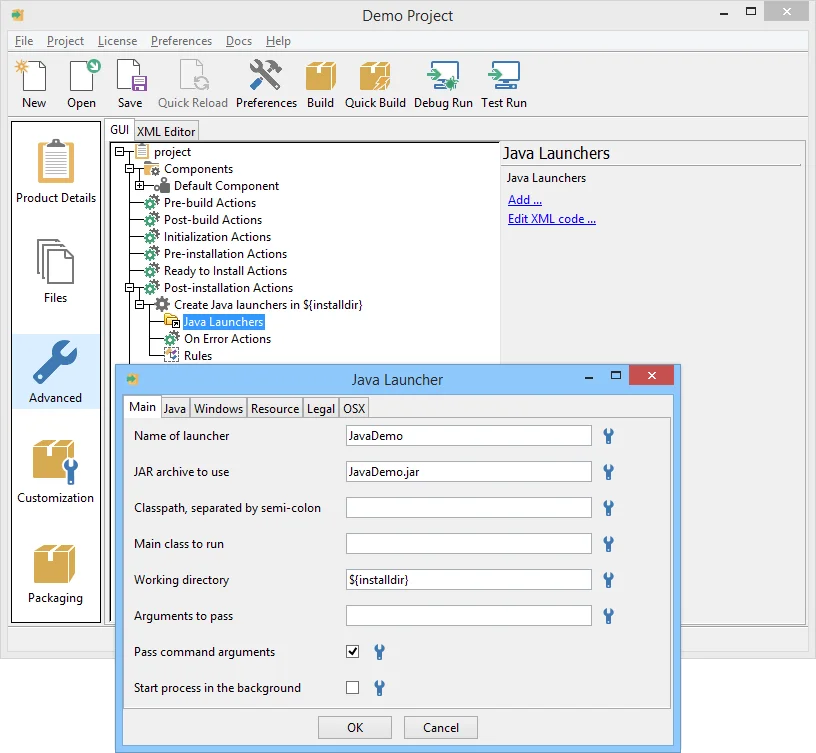
Developers can work via an intuitive GUI or edit human-readable XML project files. Features like a built-in debugger, command-line interface, and source control integration enhance the development workflow. InstallBuilder also supports dynamic parameters and downloadable components, which reduces installer size and allows users to customize installations easily.
Features of VMware InstallBuilder
- Cross-Platform Installers: Build installers for Windows, Linux, macOS, Solaris, AIX, FreeBSD, and more.
- RPM & Debian Package Generation: Create native Linux packages directly from the project file.
- GUI and XML-Based Project Files: Develop installers visually or via editable XML for customization.
- Dynamic Installer Pages: Customize installation pages that adapt to user input.
- Component Management: Support for downloadable components, subcomponents, and component groups.
- Installer Modes: GUI, text, and unattended installation options.
- Automatic Updates: Deliver software updates directly to users after installation.
- Developer Tools: Built-in debugger, command-line interface, and source control support.
- Extensive Documentation: Over 350 pages with examples for complex installer scenarios.
- Multiplatform Media: Generate CDs/DVDs compatible with multiple platforms.
User Experience
InstallBuilder provides a developer-friendly experience, combining an intuitive GUI with XML-based project flexibility. The built-in debugger allows developers to test installers before deployment, reducing errors and troubleshooting time. Dynamic installer pages and component grouping simplify the creation of professional, customized installations for end users. The software supports multiple operating systems with a single project file, making it highly efficient for developers targeting cross-platform distribution. While comprehensive, the interface is approachable, and the detailed documentation ensures that even complex installer setups can be implemented with confidence.
Who Should Use VMware InstallBuilder?
InstallBuilder is designed for software developers, DevOps engineers, and IT teams who need to distribute applications across multiple desktop and server environments. It is ideal for teams looking to streamline installer creation while maintaining cross-platform compatibility and customizability.
Conclusion
VMware InstallBuilder is a robust, developer-oriented solution for building professional, cross-platform installers. Its combination of GUI and XML-based project editing, dynamic components, and multi-platform support makes it a reliable tool for software deployment. If you need a streamlined way to create installers, RPM/Debian packages, or multi-platform CDs, VMware InstallBuilder is an excellent choice that balances power, flexibility, and ease of use.


