


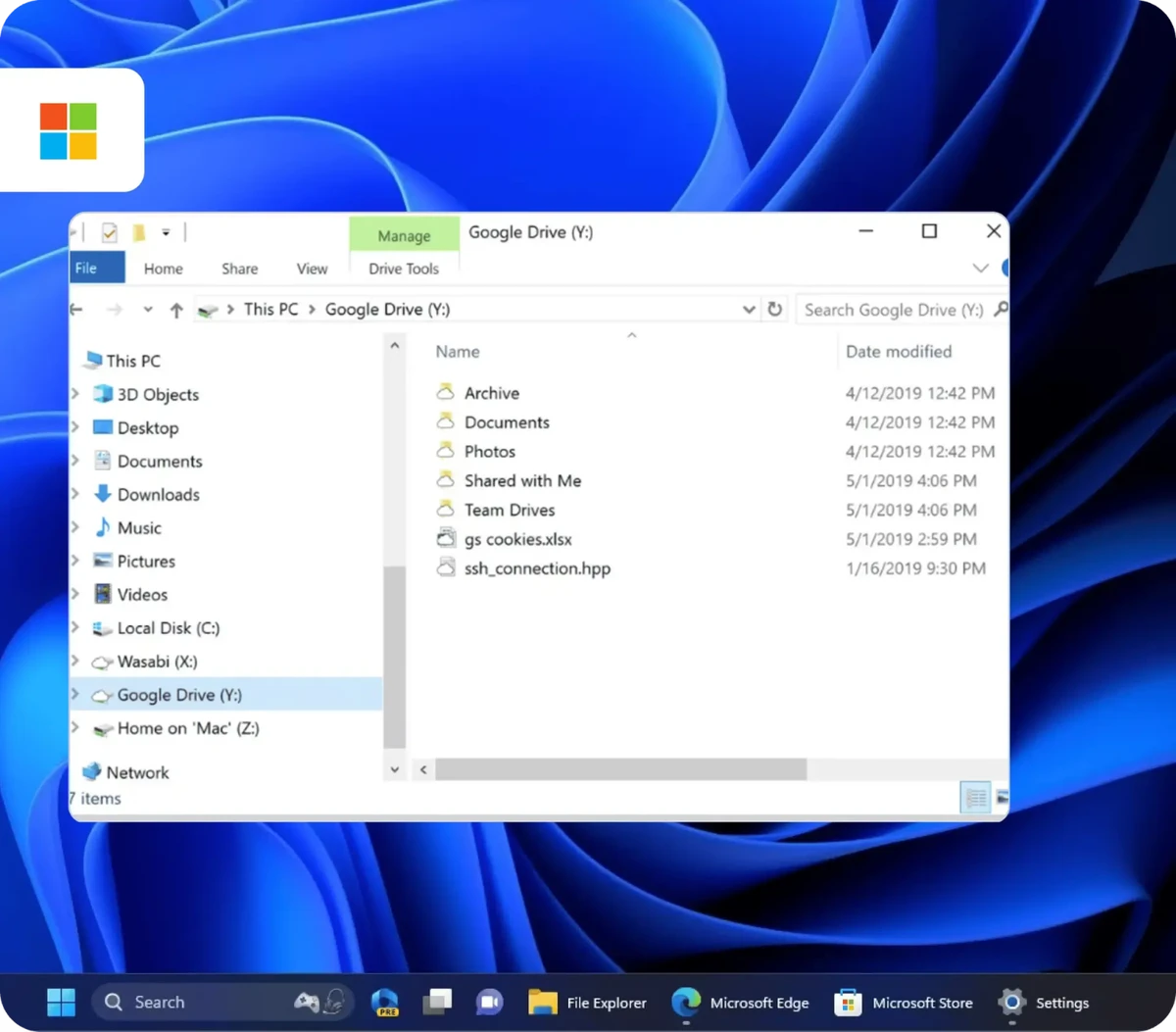

ExpanDrive is a powerful file management tool that allows users to mount cloud storage services and remote servers as local drives directly within Windows Explorer. Instead of relying on traditional syncing methods, it streams files on demand, making cloud storage feel like a natural extension of your local system. During my experience with it, I found it especially useful for managing multiple cloud accounts without cluttering local storage.
Features of ExpanDrive
- Mount cloud storage as local drives in Windows Explorer
- Supports Dropbox, Google Drive, OneDrive, Amazon S3, and more
- Universal protocol support including FTP, SFTP, and WebDAV
- No full syncing required (files are streamed on demand)
- Offline file access with local caching
- Optional file versioning for supported services
- Unified interface for multiple cloud providers
- Secure connections using OAuth, SSH keys, and encrypted transfers
- Works seamlessly with desktop apps like Adobe and Microsoft 365
- Supports both 32-bit and 64-bit Windows systems
- Compatible with Windows 7 through Windows 11 and Windows Server editions
User Experience
Using ExpanDrive feels like extending Windows Explorer rather than installing a separate cloud management tool. Once configured, cloud services appear as mapped drives, allowing files to be opened, edited, and saved just like local documents. One of the most noticeable advantages is the elimination of manual syncing. Instead of waiting for folders to download or update, files are accessed instantly when needed. This makes it particularly efficient for users working across multiple cloud platforms or remote servers.
Performance depends on network stability, but in normal conditions, file access is smooth and responsive. The ability to work with FTP, SFTP, and WebDAV connections alongside major cloud providers gives it strong versatility for both personal and professional use. Offline access is another strong feature. Frequently used files can be cached locally, allowing continued work without an active internet connection, with changes synced back automatically when online. While the interface is functional rather than flashy, it integrates deeply into the operating system, which is exactly where its value lies.
Who Should Use ExpanDrive?
- Professionals managing multiple cloud storage accounts
- Developers working with remote servers via SFTP or FTP
- Businesses using cloud platforms like Google Drive or Amazon S3
- Users who want to avoid traditional file syncing
- Teams collaborating across cloud-based storage systems
- IT users managing remote file infrastructure
Conclusion
ExpanDrive is a powerful productivity tool for anyone working heavily with cloud storage or remote servers. By eliminating sync delays and integrating directly into Windows Explorer, it streamlines file access across multiple platforms. If you need a unified way to manage cloud and remote files without cluttering your system, ExpanDrive is a strong and professional-grade solution.


