Stretchly logo

Stretchly 1.21.0

  • User Rating:
    ★★★★★
    ★★★★★
    0.0 0Votes
  • Requirements:
    Windows
  • Version: 1.21.0
  • Latest updated: 1 month ago
  • License: Freeware  
  • Publisher: Jan Hovancik
  • Size: 148 MB
×

Stretchly is a lightweight and customizable software that reminds you to take breaks while working on your computer. By encouraging short “microbreaks” and longer breaks at regular intervals, Stretchly helps prevent eye strain, fatigue, and other health issues associated with prolonged computer use. Developed by Jan Hovancik, Stretchly is designed to run unobtrusively in the system tray and provide visual and audio reminders at user-defined intervals. Its simple interface makes it easy for anyone to set up and customize.

Overview

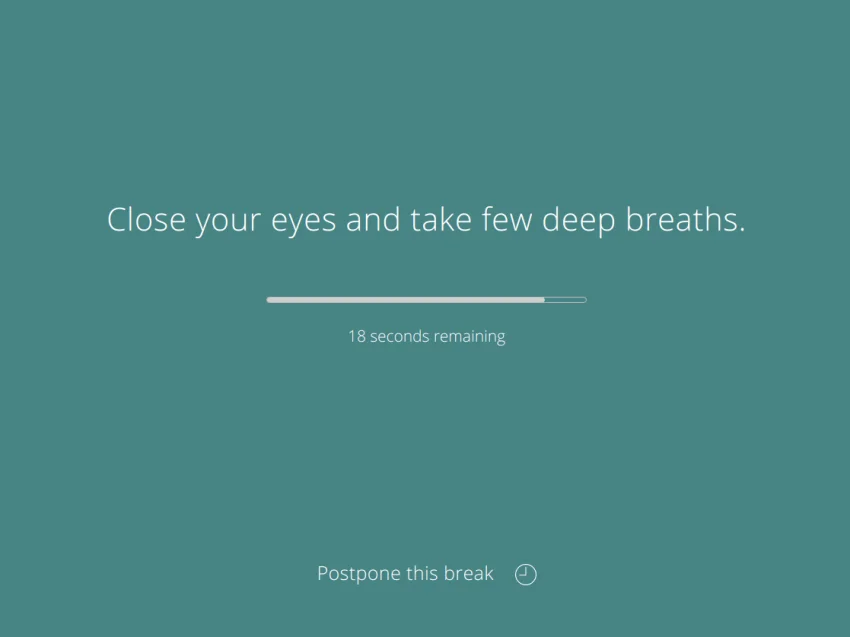
Stretchly works on the principle of regular microbreaks (short breaks in seconds) and breaks (longer breaks in minutes). By default, it prompts you for a microbreak every 10 minutes and a longer break every 30 minutes. Users can adjust the timing, skip reminders if needed, and personalize the reminder messages and sounds.

The program also displays useful tips during breaks, such as eye exercises or breathing techniques, helping users maximize the benefit of their downtime.

Features of Stretchly

  • Microbreaks and Long Breaks: Short breaks in seconds and longer breaks in minutes for optimal health.
  • Customizable Timing: Adjust intervals between breaks and the duration of each break.
  • Tips and Guidance: Displays helpful health tips during breaks.
  • Notification Sounds: Customize sound alerts for reminders.
  • System Tray Integration: Runs quietly in the background with easy access from the system tray.
  • User-Friendly Interface: Simple and intuitive, suitable for all users.
  • Flexible Dismissal: Skip reminders when necessary without losing track of your break schedule.
  • Visual Customization: Change colors and themes of break notifications to your liking

User Experience

Stretchly is unobtrusive yet effective, ensuring users do not miss breaks while staying productive. The visual reminders combined with audio cues make it suitable for both casual computer users and professionals working long hours. Users can personalize the software extensively to suit their preferences, including reminder intervals, colors, sounds, and displayed tips.

System Requirements

  • Operating System: Windows 7 or later
  • Storage: 200 MB
  • Developer: Jan Hovancik

Conclusion

Stretchly is an essential tool for anyone spending long hours in front of a computer. By gently reminding you to take regular breaks, it helps reduce eye strain, fatigue, and other health issues while improving overall productivity. Its ease of use and flexibility make it ideal for both casual and professional users.

Pros & Cons

Pros

    • Lightweight and easy to use
    • Customizable break intervals and notifications
    • Supports health tips and exercises during breaks
    • Runs quietly in the system tray
    • Free to use

Cons

    • Lacks advanced analytics for work/break patterns
    • No mobile version for cross-device reminders

Frequently Asked Questions

Q: Can I skip breaks if I’m busy?

Yes, Stretchly allows you to skip reminders without losing track of your schedule.

Q: Are the break notifications customizable?

Yes, you can change colors, sounds, and the text displayed during reminders.

Q: Is Stretchly free?

Yes, it is free and open to all users.

Q: Does it run in the background?

Yes, it runs in the system tray and does not interfere with your work.

Q: Can I adjust the timing of breaks?

Absolutely, you can set intervals for microbreaks and longer breaks according to your preference.

Recommended apps [Freeware]:
  • Trillian 6.6 Build 15 Trillian logo all-in-one chat software designed to simplify online communication
  • Simple IP Config 2.9.7 Simple IP Config logo a lightweight, portable tool for quickly changing Windows IP, DNS, and network settings
  • EarthView 7.16.4 EarthView logo dynamic wallpapers and screensavers with day, night, and weather effects
  • EarthTime 6.33.4 EarthTime logo displays world clocks, weather, and local times for 120,000+ cities with customizable alarms and maps.
  • WinScan2PDF 9.77 WinScan2PDF logo scan documents and save them as PDFs or JPEGs with minimal setup and low CPU usage.
  • All in One Runtimes 2.5.0 All in One Runtimes logo Package essential Windows runtime environment packages to improve software compatibility and system stability.
Recommended apps [Shareware]:
  • Typing Instructor Platinum 21.1 Typing Instructor Platinum logo improve typing speed and accuracy through interactive lessons, games, and 10-finger typing practice.
  • iBackup Viewer 4.3.14.2 iBackup Viewer logo extract contacts, messages, photos, and app data from iPhone backups
  • SketchUp Pro 2026 SketchUp Pro logo powerful 3D modeling software for architects, designers, and engineers with intuitive tools.
  • Adobe Acrobat Pro DC 2026 Adobe Acrobat Pro DC logo create, edit, and secure PDFs easily. Professional PDF solution for individuals and businesses.
  • Foxit PDF Editor 2026.1.1.36485 Foxit PDF Editor logo complete PDF solution for businesses, offering advanced editing, collaboration, and document security features.
  • Sync Breeze 18.2.32 Sync Breeze logo fast and reliable file synchronization tool for local drives, NAS devices, and enterprise storage systems.