


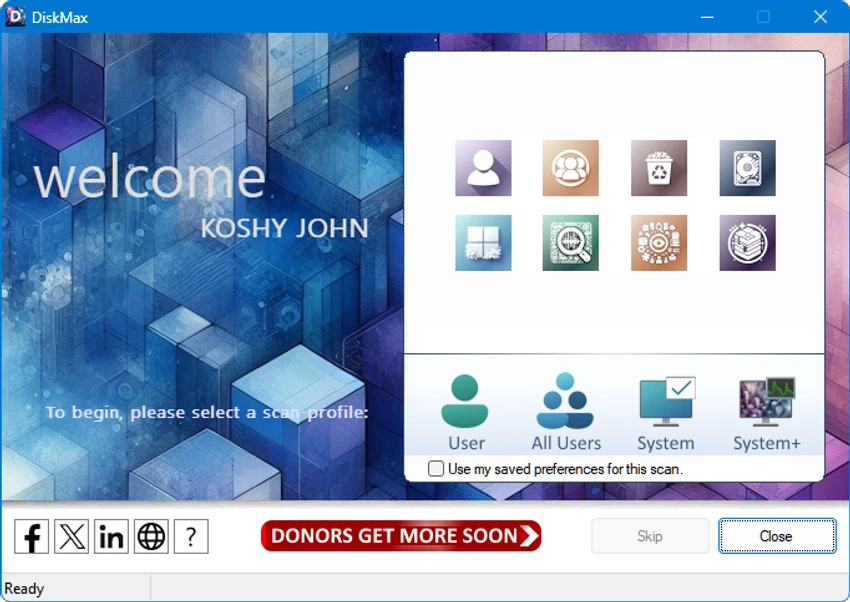

DiskMax is a Windows maintenance utility designed to help users clean unnecessary files and optimize system performance. The software automates many routine cleanup tasks, including removing temporary files, clearing caches, deleting old system data, and optimizing file access. By regularly running DiskMax, users can maintain a cleaner Windows environment and potentially improve system responsiveness. The tool is designed for both everyday users who want simple maintenance and advanced users who need deeper cleanup options.
Features of DiskMax
Automated Disk Cleanup
- Cleans unnecessary system files
- Automates regular PC maintenance tasks
- Removes installation remnants
- Deletes debugging information
- Can empty the Recycle Bin when configured
Privacy and Browser Cleanup
- Clears user history
- Removes temporary internet files
- Deletes cookies when enabled
- Clears recently opened document lists
- Removes Explorer thumbnail cache
Windows System Cleanup
- Clears Windows cache files
- Removes temporary files
- Cleans Windows error reporting logs
- Clears help center caches
- Removes repair information
- Cleans DLL caches
- Deletes Windows Update rollback files
Registry and Log Cleanup
- Removes registry entries from Most Recently Used (MRU) lists
- Clears Windows event logs
- Removes various system log files
Advanced Deep Scan
- Performs deeper hard drive scans
- Searches for specific file types including:
- LOG
- OLD
- PRV
- CHK
- SWP
- BAK
- GID
- WBK
- TMP
- DMP
File Access Optimization
- Rearranges files to improve access speed
- Helps optimize overall system responsiveness
User Experience
DiskMax focuses on simplicity by combining multiple Windows cleanup tasks into a single maintenance tool. Instead of manually searching for temporary files, caches, logs, and leftover system data, users can automate these processes through the application.
The software is useful for routine PC maintenance, especially on systems where storage space is limited or where unnecessary files have accumulated over time. Cleaning browser data, temporary files, Windows caches, and logs can help keep the operating system more organized. Advanced users may appreciate the deep scan option, which provides additional control over removing specific file types. However, because this feature targets a wider range of system files, it is better suited for users who understand the purpose of the files being removed.
DiskMax also includes file rearrangement capabilities intended to improve access speed. Combined with its cleanup functions, this makes it a broader system maintenance utility rather than just a simple disk cleaner. The interface and workflow are designed around automation, making the software convenient for users who prefer scheduled or occasional maintenance without manually managing every cleanup location.
Who Should Use DiskMax?
- Windows users needing regular disk cleanup
- Users with limited storage space
- People maintaining older PCs
- Advanced users looking for deeper cleanup controls
- Anyone wanting an automated system maintenance utility
Conclusion & Recommendation
DiskMax provides a convenient way to clean unnecessary files and maintain Windows performance with minimal effort. Its combination of automated cleanup, cache removal, log management, and advanced scanning tools makes it a useful addition to a PC maintenance toolkit.


