O&O SafeErase logo

O&O SafeErase 21.3.26142

  • User Rating:
    ★★★★★
    ★★★★★
    0.0 0Votes
  • Requirements:
    Windows
  • Version: 21.3.26142
  • Latest updated: 1 week ago
  • License: Free Trial  
  • Publisher: O&O software
  • Size: 68.5 MB
× app stores

O&O SafeErase is a data protection and secure deletion utility designed for Windows users who need to permanently remove files, drives, or even entire systems. Unlike standard deletion methods, it ensures that data cannot be recovered, helping protect privacy when disposing of or repurposing devices.

Overview

Simply deleting files in Windows does not permanently erase them; traces can often be recovered using specialized tools. O&O SafeErase addresses this issue by overwriting data using recognized security standards, making recovery virtually impossible. The software supports secure deletion of individual files, folders, storage devices, and even entire PCs. It also includes features for removing internet traces from browsers and system activity logs. With multiple deletion methods, including international standards such as DoD and BSI, O&O SafeErase is designed for users who require strong privacy protection and compliance-level data destruction.

Features of O&O SafeErase

  • Secure deletion of files, folders, and drives
  • Permanent erasure of SSDs and HDDs
  • Total PC wipe before resale or disposal
  • Removal of browser and internet activity traces
  • Support for Microsoft Edge, Chrome, Firefox, and Internet Explorer
  • Six secure deletion methods with varying strength levels
  • Compliance with DoD and BSI deletion standards
  • Gutmann method for high-security overwriting
  • Fortress Mode for isolated secure deletion environment
  • SolidErase optimized for SSD drives
  • Instant integration with Windows Explorer (InstantErase)
  • Security check for detection of insecurely deleted data
  • Detailed deletion reports for verification

User Experience

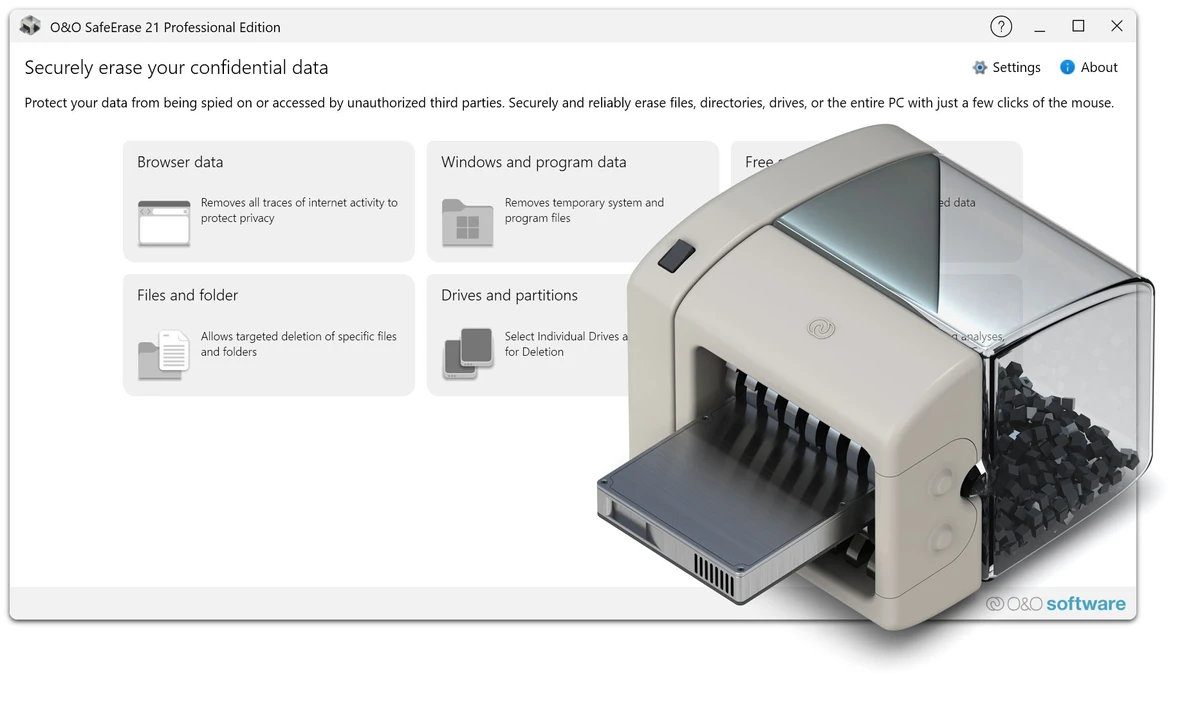
O&O SafeErase is designed to be straightforward while offering strong security controls. Users can initiate secure deletion directly from Windows Explorer or through the main interface, making it easy to erase sensitive files without complex setup. The Fortress Mode is particularly notable, as it isolates the deletion process from background applications, reducing the risk of interference during secure erasure. This enhances both reliability and performance during large-scale deletion tasks.

For users preparing to sell or dispose of a PC, the Total PC wipe feature provides a comprehensive solution that removes all data, settings, and installed applications, ensuring the system cannot be recovered in its previous state. Browser cleanup tools are also integrated, allowing users to remove browsing history and stored data from major web browsers, which adds an extra layer of privacy protection for everyday use. Overall, the software prioritizes security and thoroughness over simplicity, but remains accessible enough for non-technical users.

Who Should Use O&O SafeErase?

  • Users selling or donating their computers
  • Businesses handling sensitive or confidential data
  • IT administrators managing secure data disposal
  • Privacy-conscious users
  • Users who need to securely erase SSDs or HDDs
  • Anyone concerned about recoverable deleted files

Conclusion

O&O SafeErase is a powerful and security-focused tool designed for permanent data destruction. It goes far beyond simple file deletion by ensuring that sensitive information cannot be recovered using industry-grade overwriting methods.

Pros & Cons

Pros

  • Secure deletion prevents data recovery
  • Supports full drive and full PC wiping
  • Multiple certified deletion standards (DoD, BSI, Gutmann)
  • Fortress Mode improves security during deletion
  • SSD-optimized deletion (SolidErase)
  • Browser data cleanup included
  • Easy Windows Explorer integration
  • Generates deletion verification reports

Cons

  • Overkill for basic file deletion needs
  • Advanced features may be unnecessary for casual users
  • Full system wipe requires careful use due to irreversible nature

Frequently Asked Questions

What is O&O SafeErase used for?

O&O SafeErase is used to permanently and securely delete files, folders, drives, and entire computers so that data cannot be recovered.

Can deleted files be recovered after using SafeErase?

No. The software overwrites data using secure deletion methods to prevent recovery.

Does O&O SafeErase work on SSDs?

Yes. It includes SSD-optimized deletion methods such as SolidErase.

Can it erase an entire PC?

Yes. The TotalErase feature can securely wipe all data, including the operating system.

Does it remove browser history?

Yes. It can securely delete internet traces from major browsers like Chrome, Edge, and Firefox.

What deletion standards does it support?

It supports multiple methods, including DoD, BSI, and the Gutmann method.

Which operating systems are supported?

O&O SafeErase supports Windows 10 and Windows 11 (64-bit versions only).

Recommended apps [Freeware]:
  • SoundSwitch 7.1.0 / 7.1.1 Beta 1 SoundSwitch logo a lightweight Windows tool that lets you switch audio devices instantly using customizable hotkeys
  • Sandboxie-Plus 1.17.9 Sandboxie-Plus logo a Windows sandboxing tool that isolates programs to prevent system changes and improve security.
  • DefenderUI 2.10 DefenderUI logo enhances Microsoft Defender on Windows 10/11 with advanced security profiles and easier system protection control
  • Executor 2.3.8 Executor logo a customizable Windows launcher with hotkeys, keyword commands, automation tools, notes, and workflow enhancements
  • DISMTools 0.8 DISMTools logo open-source GUI for Windows DISM that simplifies image management, system repair, and maintenance
  • Howard Email Notifier 2.17 Howard Email Notifier logo simple desktop notifications for multiple email services with quick inbox access.
Recommended apps [Shareware]:
  • Adobe After Effects 2026 Adobe After Effects logo advanced motion graphics, visual effects, compositing, and animation tools for creators.
  • GetFLV 32.2606.25 GetFLV logo combines video downloading, conversion, audio extraction, and basic editing tools in one Windows application
  • SyncBackPro 12.0.17 SyncBackPro logo advanced backup, restore, synchronization, encryption, FTP support, and automation tools
  • CloudMounter 3.7.2137 CloudMounter logo mounts cloud storage and remote servers like local drives for easy file access and management on Windows
  • HTML Compiler 2026.7 HTML Compiler logo convert HTML apps into secure Windows executables using Chromium-based runtime
  • Advanced ETL Processor Professional 6.5.1.5 Advanced ETL Processor Professional logo a powerful ETL tool for database automation and data integration