Learn to Speak English logo

Learn to Speak English 12.0.0.40

  • User Rating:
    ★★★★★
    ★★★★★
    0.0 ★ 0Votes
  • Requirements:
    Windows
  • Version: 12.0.0.40
  • Latest updated: 3 weeks ago
  • License: Free Trial  
  • Publisher: eLanguage, LLC
  • Size: 700 MB
× app stores

Learn to Speak English is an interactive language learning program designed to help users build practical English speaking skills through immersive and scenario-based lessons. Unlike traditional memorization tools, the software focuses on active communication, combining vocabulary training, grammar support, and speaking practice in one structured environment.

The program uses a Flexible Immersion System that allows learners to choose paths based on their personal learning style. It includes beginner to advanced lessons, interactive videos, and speech recognition tools that encourage real speaking practice. Users can engage in realistic situations such as ordering food, checking into a hotel, or asking for directions, simulating everyday communication in English-speaking environments.

Additionally, the software supports on-the-go learning, making it possible to practice through portable devices like MP3 players. With its step-by-step guidance and interactive design, it aims to help learners transition from basic phrases to confident conversations in a structured and engaging way.

Features of Learn to Speak English

  • Beginner, intermediate, and advanced English lessons
  • Interactive real-world conversation scenarios
  • Speech recognition and pronunciation analysis tools
  • Flexible Immersion System for personalized learning paths
  • Vocabulary and grammar-focused exercises
  • Interactive video-based learning modules
  • On-the-go learning support (car/MP3 device compatibility)
  • Step-by-step guided or self-selected lesson structure

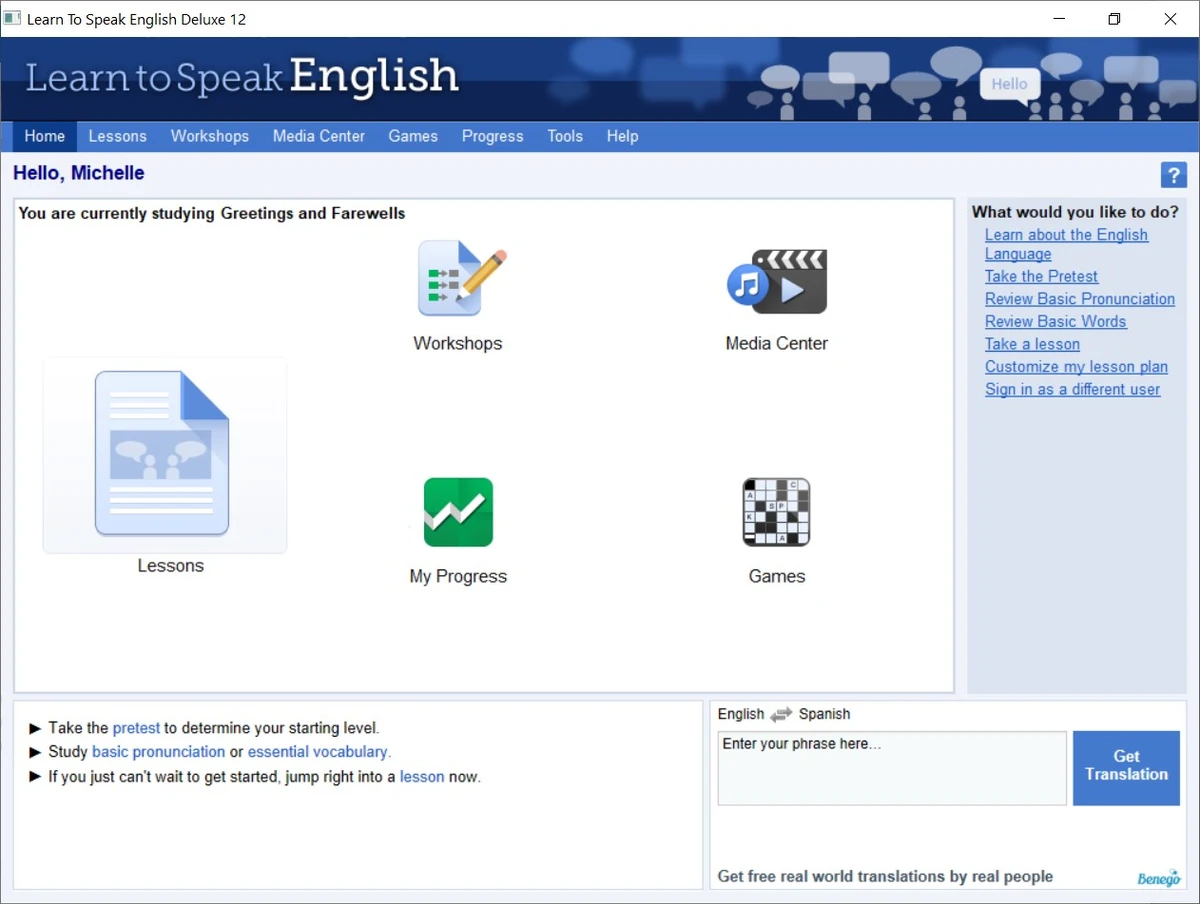
Interface and Usability

The interface of Learn to Speak English is designed with simplicity in mind, allowing users to focus more on learning than navigating complex menus. It offers a guided learning path for beginners while also allowing experienced learners to manually select topics and lessons.

Navigation is structured around clear lesson categories and scenario-based modules, making it easy to switch between theory, vocabulary practice, and interactive conversations. The inclusion of step-by-step progression helps users stay organized throughout their learning journey.

Who Should Use Learn to Speak English?

This software is suitable for learners who want to improve their practical English speaking skills rather than only memorizing vocabulary. It is especially useful for beginners and intermediate users who benefit from structured guidance, as well as learners who prefer scenario-based practice to simulate real-life conversations.

Conclusion

Learn to Speak English offers a structured and interactive approach to English learning, focusing on speaking practice through real-world scenarios and speech recognition tools. Its flexible learning system and guided lessons make it accessible for different learning styles.

Pros & Cons

✓

Pros

  • Real-world conversational scenarios
  • Speech recognition for speaking practice
  • Flexible learning paths for different users
  • Beginner to advanced structured lessons
  • Interactive and guided learning system
✕

Cons

  • Requires microphone and system setup for full features
  • Focused mainly on English speaking (limited multi-language scope mentioned)

Frequently Asked Questions

What is Learn to Speak English software used for?

Learn to Speak English is designed to help users improve their English speaking ability through interactive lessons, vocabulary building, grammar support, and real-world conversation practice.

Does Learn to Speak English include speaking practice tools?

Yes. The software features speech recognition technology that allows users to practice pronunciation and get feedback while speaking.

Can beginners use Learn to Speak English?

Yes. It is suitable for beginners, intermediate, and advanced learners, with structured lessons that gradually increase in difficulty and complexity.

Does the software use real-life conversation scenarios?

Yes. It includes practical scenarios such as ordering meals, asking for directions, checking into hotels, and other everyday situations to simulate real communication.

Is Learn to Speak English easy to navigate?

The interface is designed to be simple and user-friendly, allowing users to either follow guided step-by-step lessons or manually select topics of interest.

What are the system requirements for Learn to Speak English?

The software requires Windows (XP through Windows 11), at least 128MB RAM, 800MB of free disk space, and a microphone for speech recognition functionality.

Recommended apps [Freeware]:
  • DiskMax 7.33 DiskMax logo cleans unnecessary files, optimizes Windows storage, and helps improve PC performance with automated maintenance tools
  • PDFCreator 6.3.0 PDFCreator logo Create PDFs from any Windows application with PDFCreator, supporting encryption, merging, and file format conversion
  • Intel Graphics Driver 32.0.101.8860 Intel Graphics Driver logo Download the latest Intel Graphics Driver for improved graphics performance, security updates, and Windows compatibility
  • Microsoft Safety Scanner 1.453.370 Microsoft Safety Scanner logo removes viruses, spyware, and unwanted software with quick, full, or custom on-demand scans
  • MikroTik Winbox 4.2 MikroTik Winbox logo Manage RouterOS devices with an intuitive graphical interface for configuring, monitoring, and updating network settings efficiently.
  • VidMasta 30.7 VidMasta logo Search, preview, and manage movie downloads with advanced filtering, subtitles, trailers, and detailed title information.
Recommended apps [Shareware]:
  • ExamDiff Pro 17.0.1.5 ExamDiff Pro logo a Windows file comparison tool for code review, folder sync, and document diffing with merge support.
  • Kettler World Tours 3.0.4.20 Kettler World Tours logo Train indoors with real-world routes, GPS integration, and online racing using Kettler World Tours
  • PDQ Deploy 20.0.20.0 PDQ Deploy logo Deploy software and Windows updates across multiple PCs with PDQ Deploy using automated scheduling and silent installations
  • String-O-Matic 36.0 String-O-Matic logo advanced search and replace across multiple files, supporting regex, Unicode, and bulk file renaming for Windows users
  • pdfFactory Pro 9.31 pdfFactory Pro logo creates, combines, previews, and prints PDFs easily with advanced tools like bookmarks, email export, and job control
  • Batch It Ultra 6.77 Batch It Ultra logo Process thousands of images with batch resizing, conversion, effects, watermarking, captions, and advanced automation tools.