


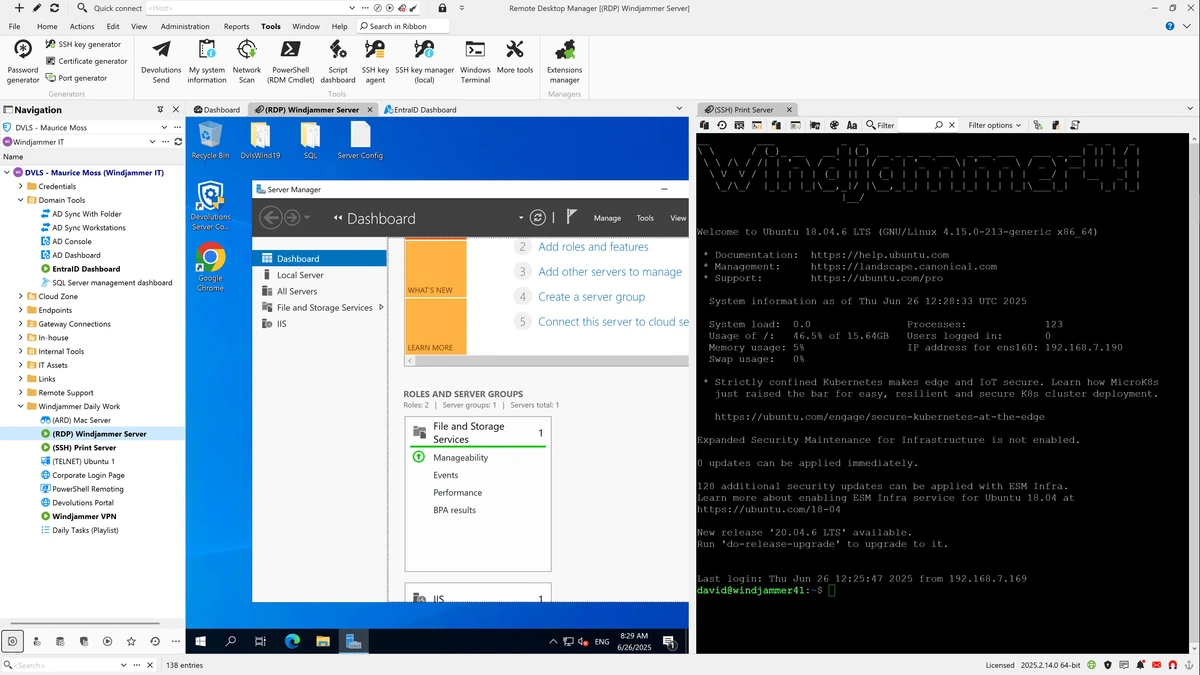

Remote Desktop Manager (Enterprise) is a centralized remote connection management solution designed to help users organize, store, and access multiple remote connections and virtual machines from a single interface. It supports offline access and cloud-based storage, making it a flexible tool for IT professionals and system administrators managing complex infrastructures. Unlike basic Remote Desktop Protocol (RDP) tools, Remote Desktop Manager supports a wide variety of connection types, including SSH, VNC, FTP, Telnet, TeamViewer, VMware, Hyper-V, Citrix, and many others, making it a comprehensive hub for remote access management.
Features of Remote Desktop Manager
- Centralized management of remote connections and virtual machines
- Supports multiple connection types including RDP, SSH, VNC, FTP, Telnet, and more
- Offline access to stored connection data
- Cloud storage integration for remote access to configurations
- Ability to add, edit, delete, organize, and search connections quickly
- Secure storage of credentials and passwords (Enterprise feature)
- Database-based sharing of connection settings across teams
- Activity logging and user monitoring tools (Enterprise feature)
- Compatibility with major virtualization platforms such as VMware and Hyper-V
- Supports remote tools like TeamViewer, LogMeIn, and Citrix
User Experience
Using Remote Desktop Manager feels like moving from scattered remote tools to a unified control center. Instead of juggling multiple applications for different remote systems, everything is organized into a single interface where connections can be grouped, searched, and launched quickly. Adding a new connection is straightforward, and the software supports a wide range of protocols, which is particularly useful in mixed IT environments. This flexibility reduces the need to switch between separate clients for RDP, SSH, or virtual machine access.
One of the strongest aspects is organizational control. As the number of saved connections grows, the ability to categorize and search them efficiently becomes essential. Remote Desktop Manager handles this well, especially in enterprise environments where dozens or even hundreds of connections may be managed.
Who Should Use Remote Desktop Manager?
Remote Desktop Manager is best suited for:
- IT administrators managing multiple servers and systems
- Network engineers working with diverse remote protocols
- DevOps teams handling cloud and virtual infrastructure
- Businesses requiring centralized access control for remote systems
- Users who regularly work with RDP, SSH, VNC, and virtualization tools
Conclusion
Remote Desktop Manager is a robust and highly capable solution for managing remote connections across diverse systems. Its centralized interface, extensive protocol support, and enterprise-focused features make it a strong choice for IT professionals and organizations handling complex infrastructure.


