


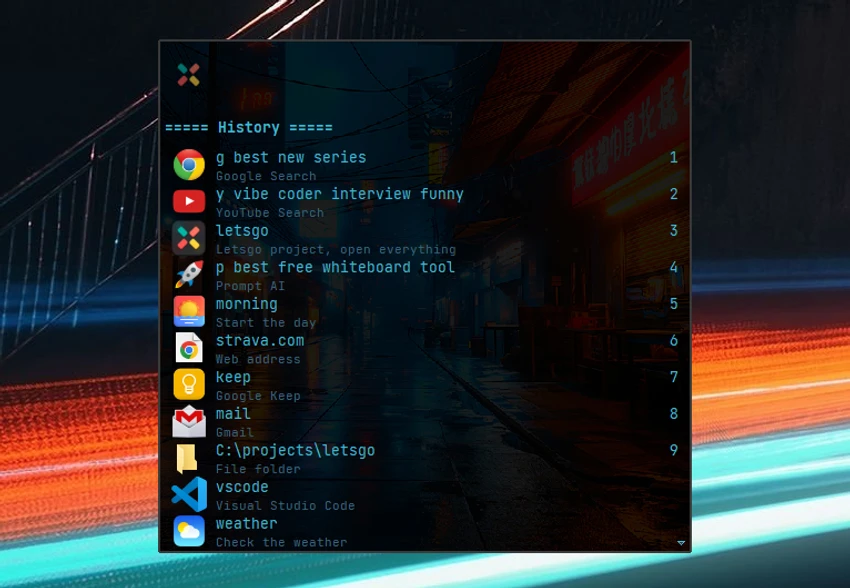

Executor is a multifunctional Windows launcher designed to help users quickly access programs, files, folders, websites, and system commands from a single interface. Created as an alternative to navigating increasingly crowded Start Menus and desktops, Executor combines application launching, workflow automation, hotkey management, search functions, and productivity tools into one highly customizable package. Unlike a simple application launcher, Executor acts as a command center for Windows, allowing users to create keywords, automate tasks, launch multiple applications simultaneously, and access numerous built-in utilities.
Features of Executor
Application Launching
- Launch programs, files, folders, and documents quickly
- Keyword-based command system
- Drag-and-drop creation of launch keywords
- Auto-import Start Menu shortcuts
- File path auto-completion
- Import and export keyword libraries
Smart Search & Auto-Completion
- Keyword auto-completion
- File system auto-completion
- Command history suggestions
- URL detection and launching
- Search Start Menu items
- Search Control Panel entries
- Configurable search matching methods
Hotkey Support
- Assign custom hotkeys to keywords
- Launch Executor with a user-defined hotkey
- Override the Windows Run shortcut (Win+R)
- Keyboard-driven navigation
Workflow Automation
- Launch multiple programs from a single keyword
- Open multiple websites simultaneously
- Execute commands with parameters
- Startup automation options
- Shared keyword synchronization through URLs
Window Management
- Center active windows
- Resize windows
- Maximize width or height
- Control active application windows
Built-In Productivity Tools
- Integrated calculator
- Integrated notes feature
- Alarm, timer, and stopwatch
- Clipboard management
- Recent document access
- Running application list
System Commands
- Lock computer
- Restart system
- Shutdown commands
- Standby mode
- Turn off monitors
- Mute audio
- Display date, time, and week number
Customization
- Fully customizable interface
- Adjustable colors and fonts
- Transparency settings
- Position and size customization
- Skin support
- Alpha blending effects
- Optional sounds
Additional Features
- Windows context menu integration
- Import keywords from Start Menu
- Clipboard text formatting removal
- Hidden console output capture
- Commercial use allowed
- MIT license
User Experience
Executor is designed for users who prefer keyboard-driven productivity and fast access to applications, files, and commands. Rather than searching through menus or navigating folders manually, users can simply type a keyword and launch the desired action almost instantly. The keyword system is the heart of the application. Users can create shortcuts for programs, folders, websites, system commands, or even combinations of actions. This flexibility makes Executor particularly useful for repetitive workflows.
One of the most impressive aspects of the software is the sheer depth of customization available. Nearly every aspect of the interface can be modified, including colors, fonts, layout, transparency, and behavior. Users can tailor the launcher to fit their workflow instead of adapting their workflow to the software. Executor also goes beyond launching applications by incorporating practical productivity features such as notes, a calculator, timers, clipboard access, and system controls. These additions reduce the need to switch between multiple utility applications during the day.
Power users will likely appreciate the advanced automation capabilities, including launching multiple applications with a single command, assigning custom hotkeys, importing shared keyword libraries, and integrating external services. The only potential challenge is the learning curve. While basic launching is simple, many of Executor's most powerful features require time to configure and understand. Users who invest the effort, however, can significantly streamline their Windows workflow.
Conclusion
Executor transforms the way users interact with Windows by replacing repetitive navigation with fast, keyword-driven commands. With support for hotkeys, automation, workflow management, notes, calculators, system controls, and extensive customization, it delivers far more functionality than a standard launcher.


