


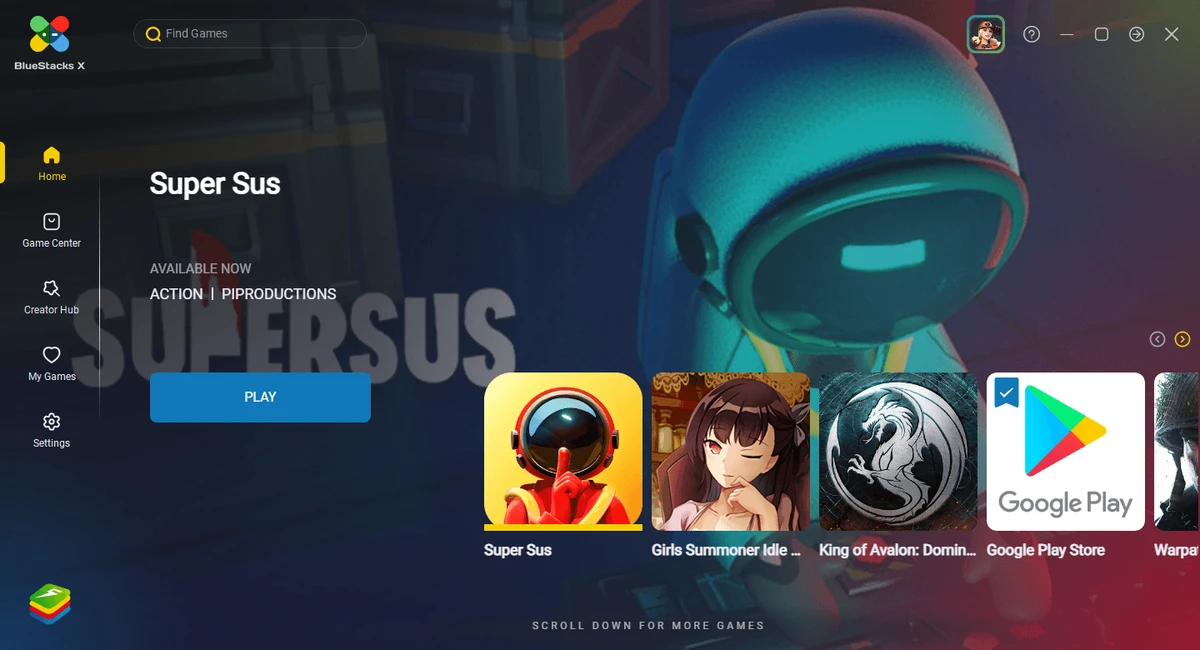

BlueStacks is one of the most widely used Android emulators for Windows and macOS, designed to let users run Android applications and mobile games directly on a computer. It creates a virtual Android environment on your PC, enabling access to the Google Play Store and installed APK files without needing a physical smartphone. It is especially popular among mobile gamers who want better performance, larger screens, and keyboard/mouse controls.
Key Features of BlueStacks
- Runs Android apps and games on Windows and macOS.
- Supports Google Play Store access.
- Allows installation of APK files manually.
- Keymapping tool for keyboard and mouse controls.
- Multi-instance support to run multiple apps or games at once.
- High-performance gaming mode for optimized gameplay.
- Screen recording and screenshot tools.
- Custom resolution and display settings.
- Sync between PC and mobile (in supported setups).
- Macro support for automating repetitive actions in apps or games.
User Experience
BlueStacks provides a familiar Android-like interface that feels easy to navigate, even for users new to emulators. Installing apps from the Play Store is straightforward, and most popular mobile games run smoothly on mid-range or higher PCs. The keymapping feature is one of its strongest advantages, allowing users to replace touch controls with keyboard and mouse input, which significantly improves gameplay precision. Multi-instance support is also useful for users who want to run multiple games or accounts simultaneously. Performance depends heavily on system hardware, but with proper configuration, BlueStacks delivers a stable and responsive Android experience on desktop systems.
Who Should Use BlueStacks?
- Mobile gamers wanting better controls and performance.
- Users who need Android apps on Windows or macOS.
- Developers testing Android applications.
- Users managing multiple app accounts.
- Anyone preferring apps on a larger screen.
Conclusion
BlueStacks is a reliable and feature-rich Android emulator that bridges the gap between mobile and desktop computing. With strong gaming features, app compatibility, and customization tools, it remains one of the top choices in its category.


