


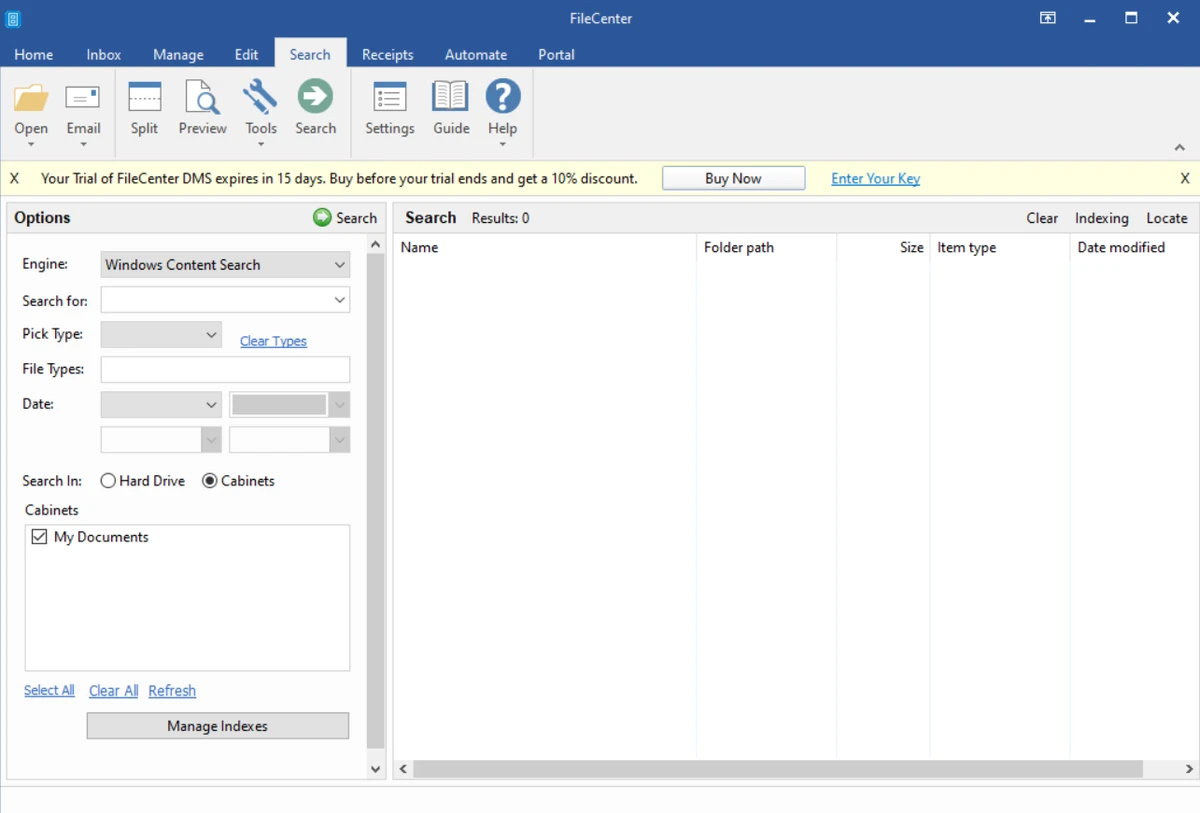

FileCenter is a document management and organization software designed to help users scan, store, and manage files in a structured digital filing system. It combines scanning tools, PDF management, and file organization features into a single desktop application. During my experience with it, I found that it is particularly focused on simplifying document workflows for both home users and small businesses.
Key Features of FileCenter
- Electronic filing cabinet system for organizing documents
- Scan and organize documents in a single step
- Automatic naming and filing based on document content
- Built-in OCR for searchable PDFs
- Create PDFs from various file types
- Split and merge PDF documents
- Works with existing Windows applications
- Saves files directly to local drives or cloud storage
- No database dependency (files remain in standard Windows folders)
- Centralized interface for document management
- Supports TWAIN-compliant scanners and ScanSnap devices
- FileCenter DMS for document management workflows
- FileCenter Automate for batch OCR and PDF conversion
- FileCenter Receipts for receipt scanning and organization
- FileCenter Portal for secure file sharing
User Experience
After using FileCenter, I found its filing system approach to be one of its most distinctive features. Instead of relying on complex database-driven storage, it uses a familiar folder-based structure that mirrors physical filing cabinets. This makes it easier to understand and navigate, especially for users transitioning from paper-based systems. The scanning workflow is efficient. Documents can be scanned, named, and placed into the correct folder in a single step, which significantly reduces manual organization effort. OCR functionality adds another layer of convenience by making scanned documents searchable.
PDF tools are another strong area. The ability to create, split, and combine PDFs directly within the application eliminates the need for separate software. This makes FileCenter a practical all-in-one document handling solution. I also appreciated its integration with Windows applications. It does not force users into a closed ecosystem and instead works alongside existing tools, which helps maintain flexibility. While the interface is designed to be simple, the software itself is quite feature-rich and may require some time to fully explore, especially for advanced document workflows.
Who Should Use FileCenter?
- Small businesses managing documents
- Home users organizing personal files
- Offices transitioning from paper to digital systems
- Users needing OCR and searchable PDFs
- Professionals handling invoices, receipts, and paperwork
- Anyone seeking structured document organization
Conclusion
FileCenter is a comprehensive document management solution that brings scanning, PDF editing, and file organization into one unified workflow. Its filing cabinet approach makes it easy to adopt, while its OCR and PDF tools add significant productivity value. If you need a reliable system for organizing digital documents or transitioning from paper-based storage, FileCenter is a strong and practical choice.


