


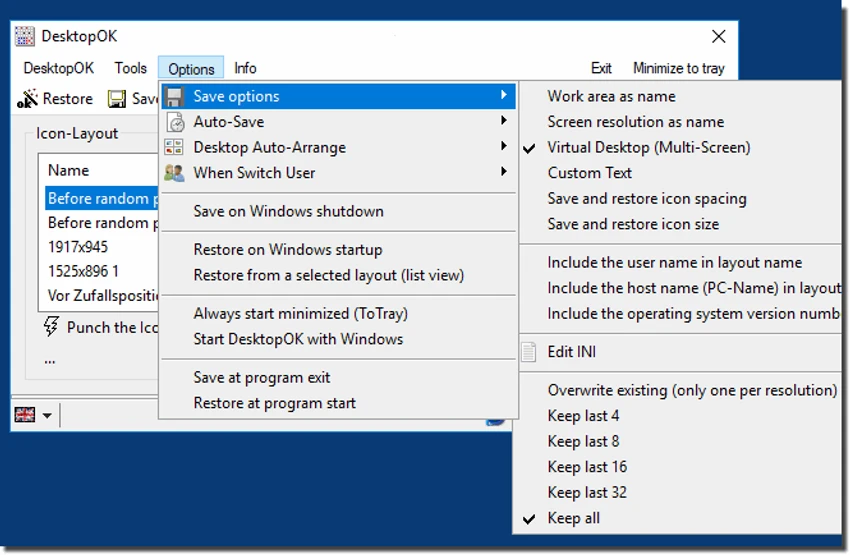

DesktopOK is a free Windows utility designed to save and restore desktop icon layouts, making it easy to maintain an organized desktop even after changing screen resolutions or connecting different displays. Lightweight and portable, the application requires no installation and can be run directly from your computer or a USB drive. Whether you frequently switch between monitors or simply want to preserve your preferred desktop arrangement, DesktopOK provides a quick and convenient solution.
Features of DesktopOK
- Save desktop icon positions
- Restore icon layouts whenever needed
- Store separate layouts for different screen resolutions
- Support individual desktop arrangements for multiple users
- Automatically hide and display desktop icons
- Minimize to the Windows system tray
- Quickly minimize all open windows
- Launch automatically when Windows starts
- Automatic icon layout saving (Autosave)
- Portable application with no installation required
- Can be run from a USB flash drive or other portable storage devices
User Experience
DesktopOK focuses on a single task—preserving desktop icon layouts—and does it exceptionally well. The lightweight application launches quickly without installation, making it ideal for users who prefer portable utilities or frequently work on multiple computers. One of its biggest strengths is handling changes in screen resolution. If desktop icons become rearranged after connecting an external monitor or changing display settings, restoring a previously saved layout takes only a few clicks. The ability to save separate layouts for different resolutions adds extra convenience for users with multiple display configurations.
The automatic save feature helps ensure that recent icon arrangements are preserved without requiring manual intervention. Additionally, DesktopOK offers useful desktop management functions, including hiding desktop icons, minimizing to the system tray, and quickly minimizing all open windows. Its simple interface avoids unnecessary complexity, making the application accessible even for users who only need occasional layout restoration.
Who Should Use DesktopOK?
- Users with multiple monitors
- Laptop users connecting to external displays
- Professionals who frequently change screen resolutions
- Users who want to preserve organized desktop layouts
- Anyone looking for a lightweight, portable Windows utility
Conclusion
DesktopOK offers a simple yet highly practical solution for one of Windows' long-standing annoyances: desktop icons moving unexpectedly after display changes. Its portable design, automatic layout saving, and support for multiple screen resolutions make it a reliable utility for maintaining a consistent desktop environment.


