


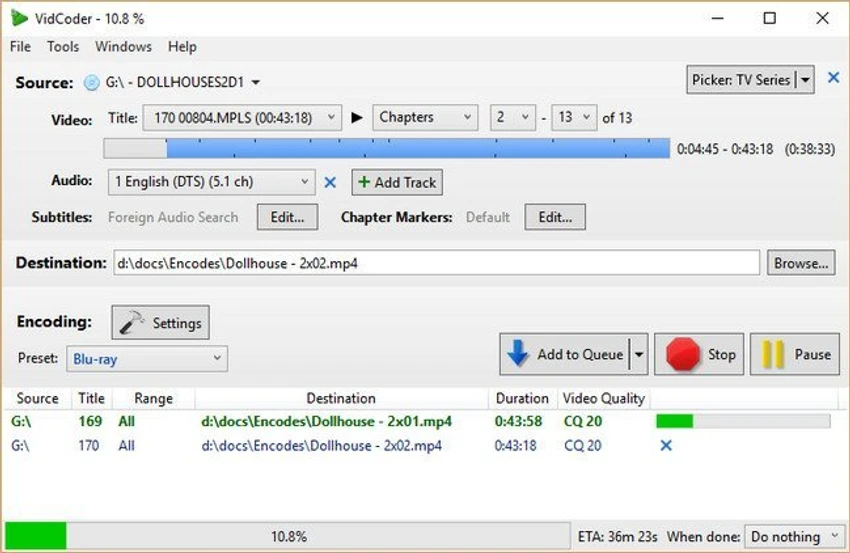

VidCoder is an open-source video transcoding application for Windows designed to rip DVDs and Blu-ray discs and convert video files into a wide range of digital formats. Built on the HandBrake encoding engine, it combines powerful video processing capabilities with a streamlined user interface. The software supports modern video codecs such as H.264 and H.265, along with multiple audio formats and advanced encoding controls, making it a practical tool for users who need high-quality video conversion and compression.
Key Features of VidCoder
- DVD and Blu-ray ripping support
- Video transcoding using HandBrake encoding engine
- Multi-threaded encoding for improved performance
- Supports MP4 and MKV container formats
- H.264 encoding using x264 encoder
- H.265, MPEG-4, MPEG-2, VP8, and Theora support
- Audio encoding: AAC, MP3, Vorbis, AC3, FLAC
- Audio passthrough support for AAC, AC3, MP3, DTS, and DTS-HD
- Target video bitrate, file size, or quality-based encoding
- 2-pass encoding for higher compression efficiency
- Video filters: decomb, detelecine, deinterlace, rotate, and reflect
- Batch encoding for multiple files
- Instant source previews and preview clip generation
- Pause and resume encoding functionality
- Integrated encoding pipeline (no large temporary files)
- Requires .NET 4.6 runtime
- Compatible with Windows 7, 8, 10, and 11
User Experience
After reviewing VidCoder, the software presents itself as a well-balanced tool that simplifies complex video encoding tasks while still offering advanced control for experienced users. The interface is clean and structured, making it easier to configure encoding settings without needing deep technical knowledge of video compression. One of its strongest advantages is the integrated encoding pipeline. Unlike some tools that generate large temporary files during processing, VidCoder handles encoding within a single process, improving efficiency and reducing disk usage.
Batch encoding is particularly useful for users processing large video libraries. You can queue multiple files and let the software handle them sequentially or in bulk, which is ideal for media archiving or content conversion workflows. The ability to fine-tune output settings—such as bitrate, resolution, and quality—gives users strong control over file size and output quality. Combined with modern codec support like H.265, VidCoder is capable of producing highly compressed yet high-quality video files.
Preview tools also improve usability. Users can quickly generate short sample clips before committing to full encoding, which helps verify settings and output quality in advance. Because it relies on the HandBrake engine, performance and compatibility are strong, especially for users already familiar with video transcoding workflows.
Who Should Use VidCoder?
- Users converting DVD and Blu-ray discs to digital formats
- Video enthusiasts compressing or transcoding media libraries
- Content creators optimizing video files
- Users needing batch video encoding workflows
- Anyone seeking a free HandBrake-based encoding tool
Conclusion & Recommendation
VidCoder offers a powerful yet accessible solution for video transcoding and disc ripping on Windows. With strong codec support, batch processing, and efficient encoding architecture, it stands out as a reliable tool for managing video conversion tasks.


