Opera GX logo

Opera GX 132.0.5905.110

  • User Rating:
    ★★★★★
    ★★★★★
    0.0 0Votes
  • Requirements:
    Windows
  • Version: 132.0.5905.110
  • Latest updated: 4 days ago
  • License: Freeware  
  • Publisher: Opera
  • Size: 169 MB
× app stores

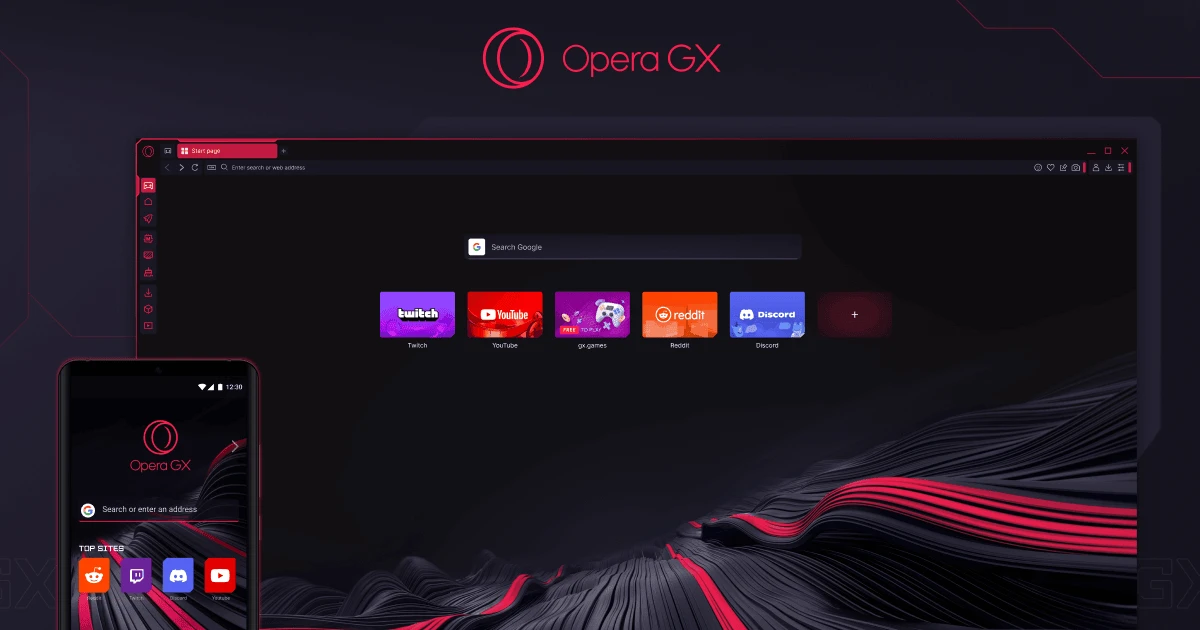
Opera GX is a Chromium-based web browser designed specifically for gamers, streamers, and power users who want greater control over browser performance. Unlike traditional browsers, Opera GX includes built-in resource management tools that allow users to limit CPU, RAM, and network usage, helping games and demanding applications run more smoothly.

Alongside performance controls, Opera GX combines privacy features, customization options, and gaming-focused integrations into a modern interface that stands out from conventional browsers.

Features of Opera GX

  • Chromium-based browser with Chrome extension compatibility
  • GX Control for limiting CPU, RAM, and network usage
  • Built-in free VPN
  • Integrated ad blocker and tracker protection
  • GX Cleaner for removing browser cache and temporary files
  • GX Corner with gaming news, deals, release calendars, and free game offers
  • Sidebar integration for Twitch, Discord, Messenger, and other services
  • Hot Tabs Killer to identify resource-heavy tabs
  • GX Mods for customizing themes, sounds, wallpapers, and browser effects
  • Privacy settings with browsing history management options
  • Available for Windows, macOS, Chromebooks (Linux support), and Android

User Experience

After using Opera GX, it's immediately clear that this browser targets users who regularly multitask while gaming or streaming. The interface is visually distinctive, but its practical features make the biggest difference. GX Control is one of the browser's standout tools. Being able to limit CPU, RAM, and network usage prevents the browser from consuming excessive system resources while running games or creative applications. This makes multitasking noticeably smoother without constantly closing browser tabs.

The built-in sidebar keeps frequently used services such as Twitch, Discord, and Messenger readily available, reducing the need to switch between windows. For users who spend much of their time gaming or communicating online, this workflow feels efficient.

Opera GX also includes useful privacy tools out of the box, including an integrated VPN, tracker blocking, and an ad blocker, eliminating the need to install several separate extensions. Customization is another strong point. GX Mods allow users to personalize colors, browser sounds, wallpapers, and other visual elements, creating a browsing experience that matches their setup without affecting usability. Overall, Opera GX successfully combines performance management, convenience, and customization into a browser that offers more than just visual appeal.

Who Should Use Opera GX?

  • PC gamers
  • Streamers and content creators
  • Users who frequently multitask
  • Anyone wanting built-in privacy features without additional extensions
  • Chrome users looking for more performance controls

Conclusion

Opera GX offers much more than its gaming-inspired appearance. Its resource management tools, integrated privacy features, and extensive customization options make it a practical browser for users who demand greater control over performance while browsing, gaming, or streaming.

Pros & Cons

Pros

  • Built-in CPU, RAM, and network limiters
  • Free VPN and integrated ad blocker
  • Excellent Chrome extension compatibility
  • Useful gaming integrations via the sidebar
  • Highly customizable interface with GX Mods
  • GX Cleaner helps maintain browser performance
  • Designed for multitasking and gaming

Cons

  • Slightly heavier than lightweight browsers
  • Visual style may not appeal to everyone
  • Some customization features are mostly cosmetic
  • May offer more features than casual users need

Frequently Asked Questions

What is Opera GX used for?

Opera GX is a web browser designed for gamers and power users, offering performance controls, privacy features, and gaming integrations.

Is Opera GX based on Chromium?

Yes. Opera GX is built on the Chromium engine and supports most Chrome extensions.

Does Opera GX have a built-in VPN?

Yes. It includes a free built-in VPN along with an integrated ad blocker and tracker protection.

Can Opera GX limit CPU and RAM usage?

Yes. Its GX Control feature allows users to set limits for CPU, memory, and network bandwidth usage.

Does Opera GX support Chrome extensions?

Yes. It supports Chrome extensions through the Chrome Web Store.

Is Opera GX good for gaming?

Yes. Its resource management tools, gaming-focused sidebar, and performance features are specifically designed to complement gaming and multitasking workflows.

Recommended apps [Freeware]:
  • SoundSwitch 7.1.0 / 7.1.1 Beta 1 SoundSwitch logo a lightweight Windows tool that lets you switch audio devices instantly using customizable hotkeys
  • 3D Youtube Downloader 1.26.6 3D Youtube Downloader logo download videos, playlists, and subtitles from YouTube and other sites
  • QueueExplorer 5.0.84 QueueExplorer logo helps developers and admins manage, test, troubleshoot, and monitor message queues across platforms
  • Subtitle Edit 5.0.0 Subtitle Edit logo a free subtitle editor for creating, syncing, translating, and fixing subtitles on Windows
  • 1Click Uninstaller 4.0 1Click Uninstaller logo simple Windows uninstaller tool with context menu removal, leftover cleanup, and process termination features
  • Adobe Acrobat Reader DC 2026.001.21691 Adobe Acrobat Reader DC logo trusted PDF viewer for reading, printing, and annotating PDFs with strong security and cloud sync support
Recommended apps [Shareware]:
  • Total Excel Converter 7.1.0.135 Total Excel Converter logo convert Excel, ODS, CSV, DBF, and more into PDF, DOC, HTML, SQL, and other formats on Windows.
  • Automatic PDF Processor 2.5.2 Automatic PDF Processor logo Automate PDF processing, renaming, printing, data extraction, and document organization on Windows.
  • Gilisoft Screen Recorder Pro 13.1 Gilisoft Screen Recorder Pro logo a Windows tool for capturing screen, webcam, and audio with editing features, GPU acceleration, and multiple formats
  • TweakNow WinSecret Plus 9.5.4 TweakNow WinSecret Plus logo Windows optimization, hidden tweaks, PDF tools, image conversion, and system utilities
  • Sketchbook Pro 9.4.7.0 Sketchbook Pro logo a professional drawing app with customizable brushes, layers, symmetry tools, and natural pen support.
  • SysTools SQL Backup Recovery 12.0.0 SysTools SQL Backup Recovery logo Repair and recover corrupt SQL Server BAK files, restore database objects, and export recovered data with ease.