Google Antigravity logo

Google Antigravity 2.2.1

  • User Rating:
    ★★★★★
    ★★★★★
    0.0 0Votes
  • Requirements:
    Windows
  • Version: 2.2.1
  • Latest updated: 3 days ago
  • License: Freemium  
  • Publisher: Google
  • Size: 129 MB
× app stores

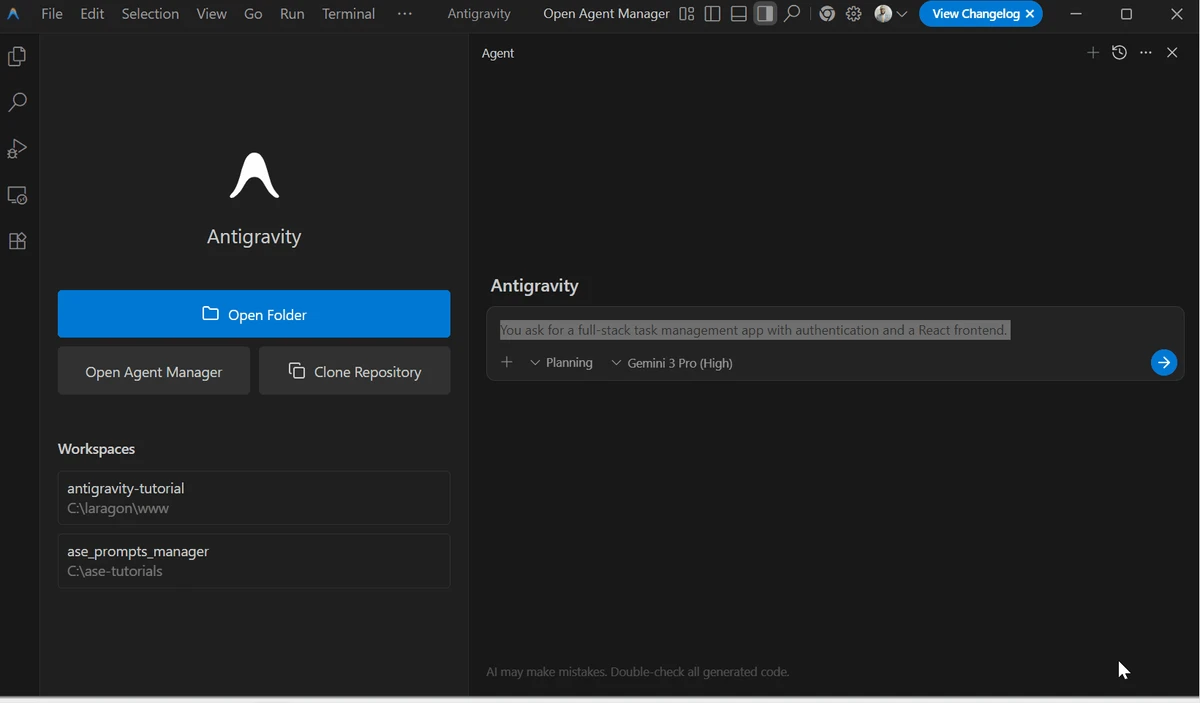
Google Antigravity is an advanced AI-driven integrated development environment (IDE) designed to change how software is built. Instead of relying entirely on manual coding, it allows developers to delegate tasks to autonomous AI agents that can write, refactor, test, and manage code workflows. Built on Google’s Gemini models (including Gemini 3) and compatible with third-party AI models, the platform focuses on accelerating development through agent-based automation and parallel task execution.

Features of Google Antigravity

  • AI-powered autonomous coding agents.
  • Multi-agent workflow management for parallel development tasks.
  • Built on Google Gemini models with support for third-party models.
  • Code generation, refactoring, and testing automation.
  • Asynchronous task execution (multiple agents working simultaneously).
  • Browser Control & Testing with sandbox environment:
    • Simulates user interactions
    • Tests UI flows automatically
    • Detects frontend issues in real time
  • Artifact generation including:
    • Implementation plans
    • Code walkthroughs
    • Screenshots of development progress
  • Integration with:
    • SDKs and APIs
    • MCP (Model Context Protocol) servers
  • Command-line interface (CLI) support.
  • Voice-to-text prompting for development commands.
  • Enterprise-level customization options.
  • Fast prototyping for web apps and simple projects.

User Experience

Google Antigravity introduces a fundamentally different development workflow compared to traditional IDEs. Instead of manually writing every function, developers assign tasks to AI agents that execute coding operations in parallel. The multi-agent system is particularly useful for large or modular projects, where one agent can handle testing while another focuses on refactoring or feature development. This reduces bottlenecks and improves workflow efficiency.

The sandbox browser testing feature adds practical value by allowing AI agents to simulate real user interactions, helping identify UI issues early in development. However, the system is resource-intensive and may require powerful hardware and stable cloud access. Additionally, usage quotas can limit extended workflows in free or restricted plans.

Who Should Use Google Antigravity?

  • Software developers exploring AI-assisted coding.
  • Teams building rapid prototypes or MVPs.
  • Engineers working on large, modular projects.
  • Developers interested in agent-based workflows.
  • Tech professionals experimenting with AI automation.

Conclusion

Google Antigravity represents a major shift in software development, moving from manual coding to AI-orchestrated workflows. Its ability to manage multiple autonomous agents, test applications in real time, and generate structured development artifacts makes it a powerful next-generation IDE.

Pros & Cons

Pros

  • Highly advanced AI-driven coding automation.
  • Multi-agent parallel workflows improve productivity.
  • Built-in browser testing and UI validation.
  • Supports multiple AI models (Gemini, Claude, Opus, etc.).
  • Strong prototyping capabilities for rapid development.
  • Artifact-based output improves transparency.

Cons

  • High system and resource requirements.
  • Usage quotas may restrict heavy workflows.
  • Still evolving and may lack stability in some scenarios.
  • Can be complex for traditional developers at first.

Frequently Asked Questions

What is Google Antigravity used for?

It is used for AI-assisted software development, including coding, testing, and refactoring using autonomous agents.

Does Google Antigravity replace coding?

No. It reduces manual coding but still requires developer oversight and guidance.

What AI models does it support?

It supports Google Gemini models and selected third-party models like Claude and Opus.

Is it suitable for beginners?

It can be challenging for beginners due to its advanced agent-based workflow.

What makes it different from traditional IDEs?

It uses autonomous AI agents that perform development tasks in parallel instead of relying solely on manual coding.

Recommended apps [Freeware]:
  • Directory Opus 13.24 Directory Opus logo a powerful Windows file manager with dual-pane navigation, FTP support, file tagging, and Explorer replacement
  • MusicBee 3.6.9668 MusicBee logo a free music player and library manager with tagging, podcast support, album art lookup, and playlists
  • QueueExplorer 5.0.84 QueueExplorer logo helps developers and admins manage, test, troubleshoot, and monitor message queues across platforms
  • AVG Clear 26.6.11050 AVG Clear logo completely removes AVG antivirus products, files, settings, and registry entries from Windows systems
  • Urban VPN 5.2.1 Urban VPN logo virtual private network tool designed to help users protect their identity and privacy while browsing the internet
  • Winstep Nexus 26.6 Winstep Nexus logo customizable desktop dock for Windows with app launch shortcuts, widgets, and multi-monitor support
Recommended apps [Shareware]:
  • DBConvert Studio 4.3.1 DBConvert Studio logo simplifies database migration and synchronization across multiple database platforms.
  • HWMonitor Pro 1.58 HWMonitor Pro logo extends HWMonitor with remote monitoring, logging graphs, and improved sensor interface tools.
  • VovSoft Audio to Lyrics Converter 1.0 VovSoft Audio to Lyrics Converter logo offline AI tool to transcribe audio into LRC, SRT, VTT, and text files.
  • GiliSoft USB Lock 11.2 GiliSoft USB Lock logo restricts USB, disk, program, and website access to prevent data leaks and misuse
  • NTFS Permissions Auditor 26.6.27 NTFS Permissions Auditor logo analyze Windows folder permissions, audit NTFS access rights, and export detailed security reports
  • Pdf995 26.1 Pdf995 logo Create high-quality PDF files from any application with Pdf995 Printer Driver using a lightweight virtual printer