


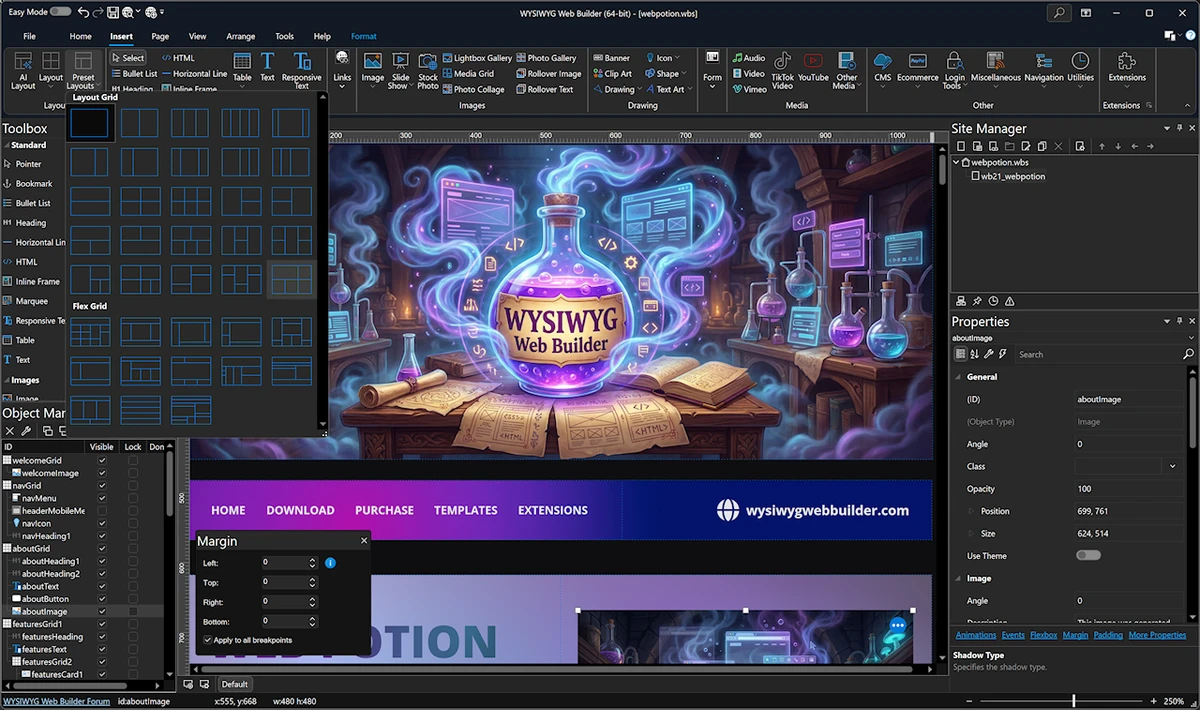

WYSIWYG Web Builder is a visual website creation tool designed to help users build web pages without manually writing HTML. The software follows a “What You See Is What You Get” approach, meaning the layout you design visually is exactly how it will appear in the final browser output. This tool is positioned between beginner-friendly website builders and professional development environments. It automates HTML generation while still offering advanced design and development features.
Features of WYSIWYG Web Builder
- Drag-and-drop website design interface.
- Automatic HTML code generation.
- Responsive web design support (grid, flexbox, CSS grid, breakpoints).
- Integration with Google Fonts and web font libraries.
- Over 150 pre-made animations and transitions.
- Pre-built content blocks for faster website creation.
- Advanced form tools (email, file upload, MySQL/CSV storage, validation, auto-responder).
- Media support including images, galleries, carousels, YouTube, Vimeo, and HTML5 audio/video.
- Support for icon libraries such as Font Awesome and Material Icons.
- Navigation components (menus, mega menus, breadcrumbs, pagination, and more).
- Extension system with hundreds of add-ons.
- One-click publishing via FTP, FTPS, or Secure FTP.
- Built-in SEO tools including sitemap and robots.txt generation.
- Password protection and user login systems.
- Built-in CMS (PHP-based) for content management.
- E-commerce integration with services like PayPal, Stripe, Ecwid, Snipcart, and more.
User Experience
Using WYSIWYG Web Builder feels like working in a visual design studio rather than a traditional coding environment. You place elements directly onto the page, adjust layouts visually, and the software automatically generates the underlying HTML and CSS.
The drag-and-drop workflow makes it accessible for beginners, especially those who do not want to learn web programming languages. At the same time, advanced users benefit from responsive layout controls, form logic tools, and integration options for e-commerce and CMS functionality. Publishing is also straightforward. The built-in FTP tools allow direct upload to hosting providers without needing external software.
Who Should Use WYSIWYG Web Builder?
- Beginners who want to create websites without coding.
- Designers who prefer visual layout tools.
- Small businesses building websites quickly.
- Developers who want rapid prototyping tools.
- Users needing built-in publishing and SEO features.
Conclusion
WYSIWYG Web Builder is a feature-rich visual website creation tool that simplifies web design while still offering advanced functionality. Its drag-and-drop interface, responsive design tools, and built-in publishing features make it suitable for both beginners and experienced users.


