Roboform logo

Roboform 9.9.4.6

  • User Rating:
    ★★★★★
    ★★★★★
    0.0 0Votes
  • Requirements:
    Windows
  • Version: 9.9.4.6
  • Latest updated: 20 hours ago
  • License: Free Trial  
  • Publisher: Siber Systems
  • Size: 50 MB
×

RoboForm is a long-established password manager designed to securely store, generate, and autofill login credentials across multiple devices. It uses a zero-knowledge security model combined with AES-256 encryption to ensure that only the user can access stored data. The software is built to simplify password management while improving security by encouraging unique, strong passwords for every account.

RoboForm focuses on reducing the risks associated with weak or reused passwords by providing a secure vault for login credentials. Instead of remembering multiple passwords, users only need a single master password to access their encrypted data. It supports cross-platform usage, allowing access to saved passwords on Windows, macOS, iOS, Android, and browser extensions. Its phishing protection approach ensures that autofill only works on exact website URLs, helping prevent credential theft from fake sites.

Features of RoboForm

  • Secure password vault for storing login credentials
  • Automatic password generation for strong, unique passwords
  • One-click autofill for fast logins
  • Cross-platform sync across desktop and mobile devices
  • Secure password sharing without exposing credentials
  • AES-256 encryption with zero-knowledge architecture
  • Master password-based access control
  • Phishing protection via exact URL matching for autofill
  • Two-factor authentication (2FA) support
  • Advanced organization and sorting of passwords and notes
  • Browser extensions for seamless login integration
  • Emergency access options for premium users

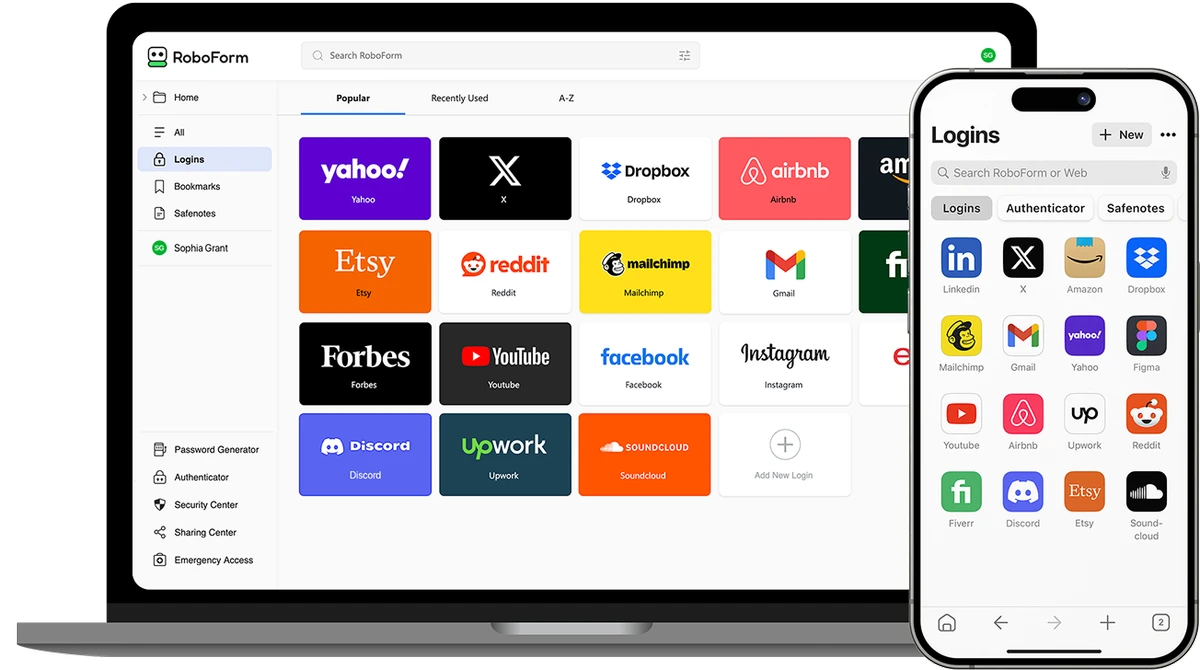
RoboForm is designed with simplicity in mind, making it accessible even for users who are new to password managers. Setup is straightforward: users create a master password, after which the software handles password storage and autofill automatically. Daily use feels seamless, especially with browser integration that automatically fills login forms. Cross-device syncing ensures that credentials are always available when needed, regardless of platform. The interface prioritizes functionality over complexity, making it easy to store, organize, and retrieve login data without confusion.

Who Should Use RoboForm?

  • Users who struggle to manage multiple passwords
  • People concerned about online security and phishing attacks
  • Professionals managing many online accounts
  • Families or teams needing secure password sharing
  • Users who want a reliable long-term password manager

Conclusion

RoboForm is a dependable password management solution built around strong encryption and a zero-knowledge security model. Its combination of autofill convenience, secure storage, and cross-platform syncing makes it a practical tool for improving everyday digital security.

Pros & Cons

Pros

    • Strong AES-256 encryption with zero-knowledge design
    • Easy-to-use interface suitable for beginners
    • Reliable autofill and password generation
    • Cross-device synchronization
    • Built-in phishing protection via URL matching
    • Long-standing reputation and stability

Cons

    • Some advanced features require a paid subscription
    • Master password recovery limitations can result in data loss if forgotten
    • Feature set may feel basic compared to newer competitors

Frequently Asked Questions

What is RoboForm used for?

RoboForm is used to securely store, manage, and autofill passwords across devices.

Is RoboForm secure?

Yes, it uses AES-256 encryption and a zero-knowledge architecture, meaning only the user can access stored data.

Does RoboForm work on mobile devices?

Yes, it supports Android and iOS in addition to Windows, macOS, and browser extensions.

How does RoboForm protect against phishing?

It only autofills passwords on exact website URLs, helping prevent fake site attacks.

Can RoboForm generate strong passwords?

Yes, it includes a built-in password generator for creating secure, random passwords.

Recommended apps [Freeware]:
  • Simple IP Config 2.9.7 Simple IP Config logo a lightweight, portable tool for quickly changing Windows IP, DNS, and network settings
  • StaxRip 2.52.4 StaxRip logo powerful Windows GUI for video/audio encoding using FFmpeg, x265, AviSynth+, VapourSynth, and more.
  • FastCopy 5.11.3 FastCopy logo a lightweight Windows tool for ultra-fast file copying, syncing, and error-resilient data transfer
  • WSCC - Windows System Control Center 10.0.3.8 WSCC - Windows System Control Center logo Windows utility manager that installs, organizes, and runs Sysinternals and system tools from one central interface
  • Visual Studio Code 1.124.2 Visual Studio Code logo Free and powerful code editor from Microsoft with extensions, debugging, Git support, and multi-language development
  • BleachBit 6.0.0 BleachBit logo a free Windows cleaner that removes junk files, protects privacy, and frees disk space with secure wiping.
Recommended apps [Shareware]:
  • Adobe Photoshop 2026 Adobe Photoshop logo powerful image editing and graphic design tool for creating, enhancing, and transforming photos, illustrations
  • Adobe After Effects 2026 Adobe After Effects logo advanced motion graphics, visual effects, compositing, and animation tools for creators.
  • Send Anywhere 24.6.0 Send Anywhere logo free cross-platform file-sharing tool that transfers files of any size without registration.
  • Total Audio Converter 6.1.0.296 Total Audio Converter logo convert MP3, WAV, FLAC, AAC and more with batch processing, CD ripping, and Windows integration.
  • Total Excel Converter 7.1.0.126 Total Excel Converter logo convert Excel, ODS, CSV, DBF, and more into PDF, DOC, HTML, SQL, and other formats on Windows.
  • Sequence Generator Pro 4.5.0.1649 Sequence Generator Pro logo a Windows astrophotography capture suite for automating imaging, focus, and sequencing.