


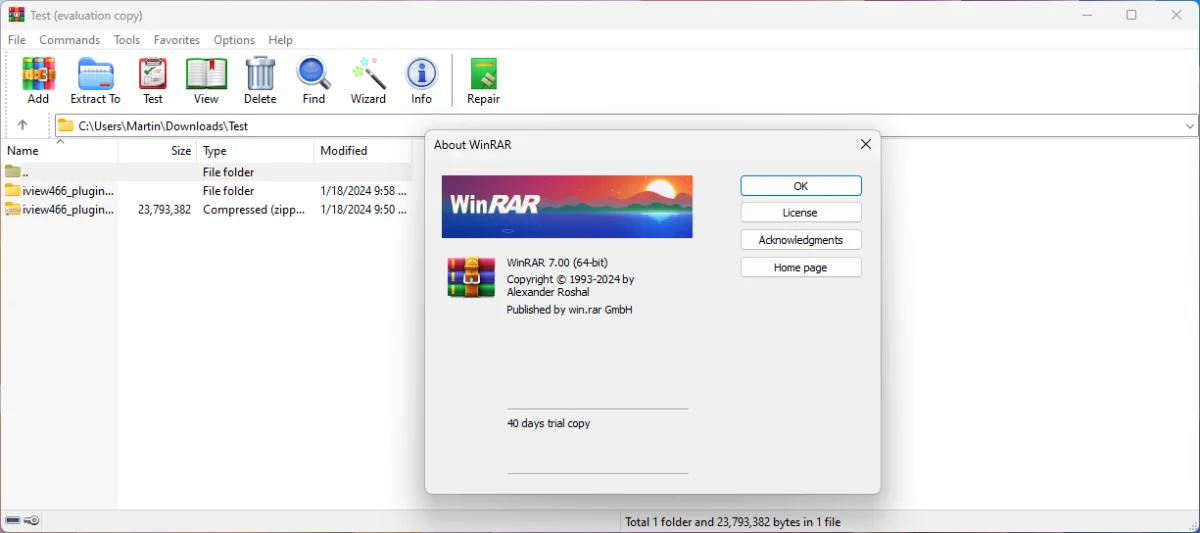

WinRAR is a versatile and powerful archive manager for Windows, designed to compress files, save disk space, and organize your data efficiently. Beyond basic compression, it supports a wide range of formats and offers advanced features such as multivolume archives, password protection, and data recovery.
Overview
As one of the most widely used compression tools, WinRAR excels in both speed and efficiency. It supports popular archive formats like RAR, ZIP, CAB, ARJ, LZH, ACE, TAR, GZip, ISO, BZIP2, Z, and 7-Zip, making it highly compatible with files from various sources. Its optimized compression algorithms are especially effective for multimedia files, executables, and libraries, creating smaller archives than many competing tools.
WinRAR also offers advanced functionalities for users who need more than just compression. You can split large archives into multiple volumes, create self-extracting files, and recover damaged archives with recovery records. Its password encryption and signature technology ensure secure file sharing, while the Wizard mode makes it accessible for beginners.
Key Features of WinRAR
- Compress and decompress files in formats like RAR, ZIP, CAB, ARJ, TAR, ISO, 7-Zip, and more
- Advanced algorithms for efficient compression of multimedia and executable files
- Create multivolume archives and self-extracting files
- Recovery record and recovery volumes for damaged archives
- 256-bit password encryption and digital signature support
- Organize archives easily with a simple, user-friendly interface
- Drag-and-drop support and Windows Explorer integration
- Wizard mode for beginners to quickly create archives
- Reduce file size for email attachments and internet transfers
- Cross-platform licensing and multilingual support
User Experience
WinRAR is intuitive for both new and experienced users. The Wizard mode guides beginners through the compression and extraction process with step-by-step instructions, avoiding confusion during the first use. Experienced users benefit from its powerful multivolume and recovery features, as well as fast compression and decompression speeds.
The program handles large multimedia files and multiple formats effortlessly. Its integration into Windows Explorer allows for easy access through right-click menus, while the option to split archives into smaller parts is particularly useful when sharing large files over email or online. Security-conscious users will appreciate the strong password protection and archive signing.
Who Should Use WinRAR?
- Users needing reliable compression for large files
- Professionals sharing or storing data across multiple devices
- Gamers downloading and extracting large game files
- Users who want secure, password-protected archives
- Anyone managing multimedia, executable, or mixed-format files
Conclusion
WinRAR is a robust and versatile archive manager that continues to lead the field in file compression and decompression. Its advanced algorithms, support for numerous formats, and security features make it ideal for personal and professional use. Whether you need to save disk space, send large files, or manage archives efficiently, WinRAR is a reliable and indispensable tool.


