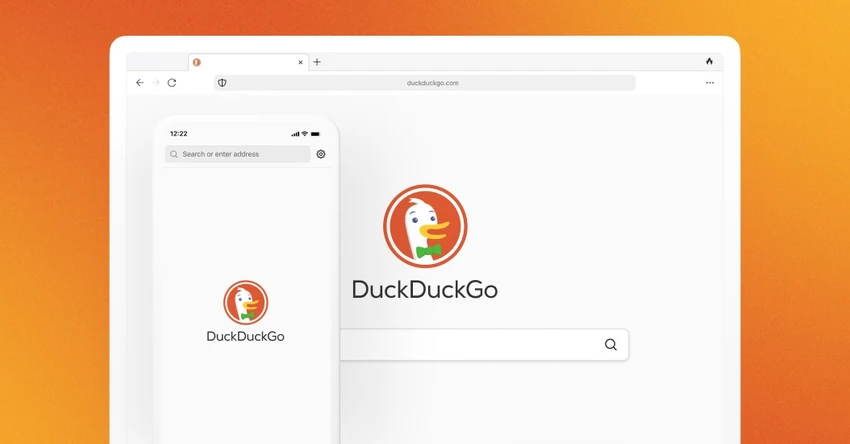
DuckDuckGo logo

DuckDuckGo 0.164.1

  • User Rating:
    ★★★★★
    ★★★★★
    0.0 ★ 0Votes
  • Requirements:
    Windows
  • Version: 0.164.1
  • Latest updated: 2 weeks ago
  • License: Freeware  
  • Publisher: DuckDuckGo
  • Size: 12 MB
× app stores

DuckDuckGo Browser is a privacy-focused web browser designed to provide a more private and less intrusive browsing experience. Developed around the principle of reducing online tracking and data collection, the browser includes built-in privacy tools that work by default without requiring users to install multiple extensions.

The browser combines private search, tracker blocking, ad blocking, cookie popup management, and quick data-clearing tools into a single browsing experience. Its main goal is to limit how companies collect information about users while they browse the web.

DuckDuckGo Browser includes the DuckDuckGo Search engine as the default search option, preventing search queries from being tracked. It also blocks hidden trackers from companies such as Google and Facebook across many websites, helping reduce unwanted data collection during everyday browsing. The browser provides additional privacy features, including a Fire Button that instantly clears tabs, history, and browsing data. It also includes a built-in password manager, optional private AI chat, and email tracker removal tools designed to prevent hidden tracking elements in messages.

DuckDuckGo Browser is available for Windows systems, supporting Windows 10 (64-bit) and Windows 11. It is designed for users who want a simpler way to improve online privacy without relying on extensive browser customization.

Features of DuckDuckGo Browser

  • Private search powered by DuckDuckGo Search
  • Blocks hidden website trackers by default
  • Includes built-in ad blocking
  • Blocks most ads, including YouTube ads
  • Automatically handles cookie pop-ups where possible
  • One-tap Fire Button for clearing browsing data
  • Removes tabs, history, and data instantly
  • Includes a built-in password manager
  • Provides optional private AI chat features
  • Removes hidden email trackers
  • Available on Windows 10 (64-bit) and Windows 11

Interface and Usability

DuckDuckGo Browser is designed around simplicity and privacy-focused browsing. Instead of requiring users to manually configure multiple privacy settings, many protection features are enabled automatically. The browser provides easy access to privacy controls, including the Fire Button for quickly removing browsing data. Its built-in tools combine common privacy features, such as tracker blocking and private search, into one application.

The overall experience is aimed at users who want a straightforward browser with fewer tracking concerns. Those familiar with traditional web browsers should find the basic browsing workflow familiar, while privacy features operate in the background.

Who Should Use DuckDuckGo Browser?

  • Users who prioritize online privacy
  • People looking for a browser with built-in tracker blocking
  • Users who want private search without additional configuration
  • Anyone looking to reduce online advertising tracking
  • Users who want simple browsing data removal tools

Conclusion

DuckDuckGo Browser provides a privacy-focused alternative for users who want more control over online tracking and data collection. With built-in private search, tracker blocking, ad blocking, and quick data-clearing tools, it offers a convenient way to improve everyday browsing privacy.

Pros & Cons

✓

Pros

  • Privacy features are built into the browser
  • Includes private search by default
  • Blocks trackers and many ads automatically
  • Provides quick browsing data removal
  • Includes password management features
  • Available for Windows 10 and Windows 11
✕

Cons

  • Some users may prefer more advanced browser customization options
  • Privacy features may affect how some websites function

Frequently Asked Questions

What is DuckDuckGo Browser used for?

DuckDuckGo Browser is used for web browsing with built-in privacy features, including private search, tracker blocking, ad blocking, and browsing data protection tools.

Is DuckDuckGo Browser available for Windows?

Yes. DuckDuckGo Browser supports Windows 10 (64-bit) and Windows 11 according to the provided system requirements.

Does DuckDuckGo Browser block ads?

Yes. DuckDuckGo Browser includes built-in ad blocking and can block most ads, including YouTube ads according to the provided information.

Does DuckDuckGo Browser track searches?

No. The browser uses DuckDuckGo Search by default, which is designed not to track user search queries.

What does the Fire Button do in DuckDuckGo Browser?

The Fire Button allows users to quickly clear open tabs, browsing history, and other browsing data with a single action.

Does DuckDuckGo Browser include a password manager?

Yes. DuckDuckGo Browser includes a built-in password manager designed for storing passwords securely.

Recommended apps [Freeware]:
  • Glow 26.9 Glow logo advanced Windows system analysis tool offering deep hardware insights, diagnostics, benchmarks, and system optimization utilities
  • Easy System Utility 1.1.67 Easy System Utility logo clean junk files, repair tools, passwords and system optimization.
  • MakeMKV 1.18.4 MakeMKV logo disc ripper that converts DVD and Blu-ray discs into MKV files while preserving audio, video, subtitles, and metadata
  • VUPlayer 4.24 VUPlayer logo Play music with a lightweight audio player supporting multiple formats, playlists, customization, and enhanced listening controls.
  • Broot 1.58.0 Broot logo Navigate directories, search files, and manage your filesystem faster with a lightweight command-line file manager featuring a live tree view.
  • Intel Ethernet Adapter Complete Driver Pack 31.2.2 Intel Ethernet Adapter Complete Driver Pack logo Install and update Intel Ethernet drivers for supported network adapters with a complete collection for Windows, Linux, and FreeBSD.
Recommended apps [Shareware]:
  • Robin YouTube Video Downloader Pro 7.5.6 Robin YouTube Video Downloader Pro logo Download videos, audio, and 4K content from popular sites with fast acceleration and built-in conversion tools
  • VovSoft Batch Audio Converter 2.1 VovSoft Batch Audio Converter logo a Windows tool for fast bulk audio conversion with drag-and-drop simplicity and format flexibility
  • FinalMesh 6.5.0.714 FinalMesh logo 3D viewer and converter that publishes models to interactive PDF and WebGL while supporting multiple 3D formats and visualization tools
  • GlassWire 3.9.1102 GlassWire logo monitors network activity, alerts you to suspicious internet behavior, tracks bandwidth usage, and helps protect your privacy and security
  • FabFilter Total bundle 2026.06.25 FabFilter Total bundle logo professional audio plugin suite for EQ, compression, limiting, synthesis, distortion, and sound design
  • Universal Maps Downloader 10.256 Universal Maps Downloader logo download offline map tiles from Google, Bing, OpenStreetMap, and 500+ map types for Windows