VLC Media Player logo

VLC Media Player 3.0.23

  • User Rating:
    ★★★★★
    ★★★★★
    0.0 ★ 0Votes
  • Requirements:
    Windows
  • Version: 3.0.23
  • Latest updated: 6 months ago
  • License: Freeware  
  • Publisher: VideoLAN
  • Size: 44 MB
× app stores

VLC Media Player is a free and open-source multimedia player developed by the VideoLAN project. It is designed to play a wide range of multimedia formats, including MPEG, MP4, AVI, DivX, DVDs, digital TV streams, and network-based video streams over IPv4 or IPv6.

One of its key strengths is that it does not rely on external codecs, allowing it to play most video and audio files immediately after installation. It supports streaming media, local file playback, and even live network broadcasts, making it a versatile tool for both casual users and advanced multimedia tasks.

VLC is available across multiple operating systems, including Windows, Linux, macOS, BSD, and others, ensuring a consistent experience regardless of platform. It is widely recognized for its stability, lightweight design, and broad format compatibility.

Features of VLC Media Player

  • Plays nearly all video and audio formats without external codecs
  • Supports DVDs, VCDs, and streaming protocols (RTSP, HTTP, RTP)
  • Cross-platform compatibility (Windows, macOS, Linux, BSD, etc.)
  • Live streaming and network playback support
  • Frame-by-frame playback and precise speed control
  • Video scaling and fullscreen customization
  • Support for HD codecs including Blu-ray audio formats
  • Playlist management and media library support
  • Zipped file playback and advanced format handling
  • Customizable interface and toolbars

Interface and Usability

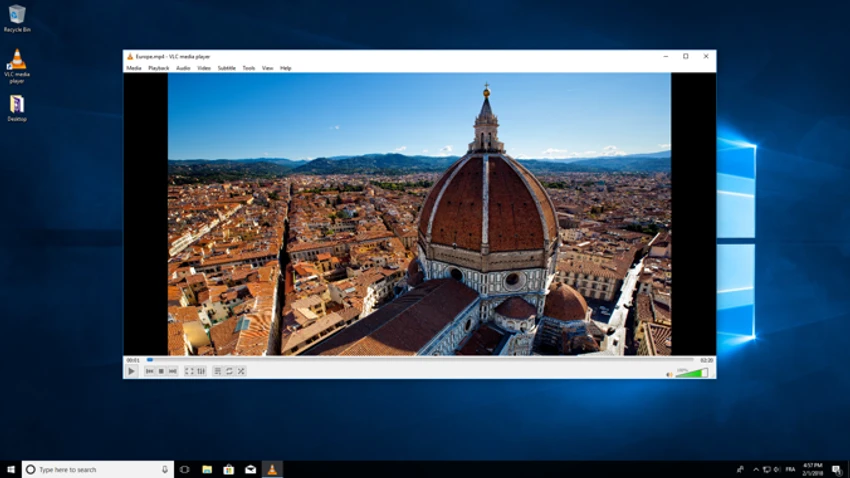
VLC Media Player offers a simple and functional interface that prioritizes usability over visual complexity. The default layout is minimal, allowing users to quickly open files, adjust playback, and access advanced controls when needed.

Despite its simplicity, the player includes powerful advanced features such as frame-by-frame navigation, streaming configuration, and playback customization. The interface can also be customized with skins and toolbars, making it flexible for different user preferences.

Who Should Use VLC Media Player?

VLC Media Player is suitable for almost all users, from casual viewers to advanced users who need a reliable tool for playing different media formats. It is especially useful for users who frequently encounter unsupported video formats or require streaming capabilities.

Conclusion

VLC Media Player remains one of the most reliable and widely used media players available today. Its ability to handle nearly any media format without additional codecs, combined with cross-platform support and advanced playback features, makes it a strong default choice for video and audio playback.

Pros & Cons

✓

Pros

  • Supports almost all media formats natively
  • Free and open-source software
  • Cross-platform compatibility
  • Lightweight and stable performance
  • Strong streaming and network playback support
✕

Cons

  • Basic interface compared to modern media apps
  • Limited built-in media library management
  • No advanced editing features

Frequently Asked Questions

What is VLC Media Player used for?

VLC Media Player is used to play audio and video files, stream online content, and handle nearly all multimedia formats without extra codecs.

Is VLC Media Player free?

Yes. It is completely free and open-source software developed by the VideoLAN project.

Can VLC play all video formats?

Yes. VLC supports most video and audio formats without requiring additional codec installation.

Does VLC support streaming?

Yes. It supports network streaming protocols such as RTSP, HTTP, and RTP for live and online media playback.

Is VLC available on multiple platforms?

Yes. It runs on Windows, macOS, Linux, BSD, and other operating systems.

Can VLC play damaged or incomplete video files?

In many cases, yes. VLC is known for its ability to handle partially corrupted or incomplete media files better than many other players.

Recommended apps [Freeware]:
  • Tails 7.9.1 Tails logo a privacy-focused live operating system that enables anonymous browsing and secure communication
  • FluentCleaner 26.07.03 FluentCleaner logo a lightweight Windows cleaning tool designed to remove unnecessary files using a modern, minimal WinUI 3 interface
  • TreeSheets 3223 TreeSheets logo combines spreadsheets, outlines, notes, and mind mapping into a lightweight data organization tool
  • Howard Email Notifier 2.17 Howard Email Notifier logo simple desktop notifications for multiple email services with quick inbox access.
  • GnuCash 5.16 GnuCash logo open-source accounting software for tracking personal and small business finances with double-entry bookkeeping
  • MuseScore 4.7.4 MuseScore logo Create, edit, print, and share professional sheet music with free notation tools, MIDI support, and cross-platform compatibility.
Recommended apps [Shareware]:
  • R-Studio 9.5 Build 191810 R-Studio logo powerful data recovery software for recovering deleted, formatted, or damaged files across multiple file systems
  • Image for Windows 4.12 Image for Windows logo disk imaging tool for full system backup, restore, and recovery with encryption, compression, and bootable rescue medi
  • iNMR 7.1.9 iNMR logo Analyze and process NMR spectroscopy data with iNMR, featuring 1D–3D processing, scripting, simulations, and broad format support
  • Gilisoft Image Editor 8.7.0 Gilisoft Image Editor logo Windows photo editor with cropping, filters, retouching, object removal, and batch image processing tools
  • Draftable Desktop 26.6.200 Draftable Desktop logo compares PDF, Word, Excel, and PowerPoint files side by side securely on your computer without uploading documents online
  • Process Lasso 18.2.2.10 Process Lasso logo Optimize process behavior, manage CPU priorities, monitor system responsiveness, and control background tasks with advanced tools.