AltAppSwitcher logo

AltAppSwitcher 0.95

  • User Rating:
    ★★★★★
    ★★★★★
    0.0 ★ 0Votes
  • Requirements:
    Windows
  • Version: 0.95
  • Latest updated: 2 weeks ago
  • License: Open Source  
  • Publisher: hdlx
  • Size: 2 MB
× app stores

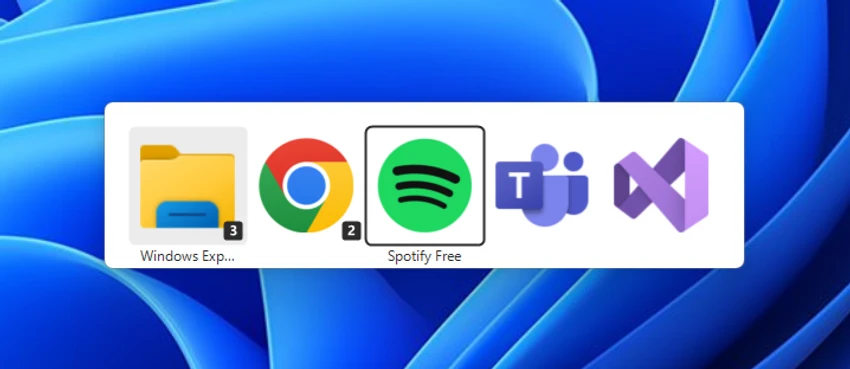
AltAppSwitcher is a lightweight Windows utility designed to bring a macOS-style application switching experience to Windows computers. It modifies the standard Windows app switcher behavior, allowing users to navigate between open applications with a workflow similar to macOS.

The tool focuses on improving multitasking efficiency by introducing familiar keyboard shortcuts for users who prefer the way macOS handles application navigation. With AltAppSwitcher running, users can switch between open applications using Alt + Tab and move between windows of the active application using Alt + ~, similar to the application switching behavior found on Apple systems.

As a portable application, AltAppSwitcher does not require a traditional installation process. Users simply run the executable file, and the app automatically changes the App Switcher interface. If they want to return to the default Windows behavior, they can close the AltAppSwitcher process through Task Manager.

For Windows users who like the appearance and workflow of macOS application switching but prefer to stay on Microsoft’s operating system, AltAppSwitcher provides a simple way to customize the desktop experience with minimal setup.

Features of AltAppSwitcher

  • Brings macOS-style application switching to Windows
  • Switch between open applications using Alt + Tab
  • Switch between windows of the active application using Alt + ~
  • Lightweight portable application
  • No traditional installation required
  • Automatically modifies the Windows App Switcher interface
  • Can be closed through Task Manager to restore the original Windows behavior
  • Provides a familiar workflow for users coming from macOS

Interface and Usability

After using AltAppSwitcher, I found the application simple and focused on a single purpose: changing how Windows handles application switching. There is no complicated configuration process or extensive settings menu. Running the executable immediately applies the App Switcher modification.

The keyboard shortcuts make navigating multiple applications feel more streamlined, especially for users already familiar with macOS workflows. Since the tool runs as a portable application, it is convenient to test or use temporarily without committing to a full installation.

The simplicity is also its main limitation, as users looking for extensive customization options may find the feature set limited. However, for those who specifically want a macOS-inspired switching experience, the straightforward design works well.

Who Should Use AltAppSwitcher?

  • Windows users who prefer macOS-style app switching
  • Users who frequently multitask between applications
  • People transitioning from macOS to Windows
  • Productivity-focused users who want faster keyboard navigation
  • Anyone looking for a lightweight desktop customization tool

Conclusion

AltAppSwitcher is a small but useful utility for Windows users who enjoy the application switching experience found on macOS. Its portable design and simple operation make it easy to try, while the familiar keyboard shortcuts can make managing multiple open applications more efficient.

Pros & Cons

✓

Pros

  • Simple and easy to use
  • Portable application
  • Provides macOS-inspired switching behavior
  • Requires minimal setup
  • Improves application navigation for some workflows
✕

Cons

  • Limited to app switching customization
  • No advanced configuration options mentioned
  • Requires ending the process manually to restore the original interface

Frequently Asked Questions

What is AltAppSwitcher used for?

AltAppSwitcher is used to change the Windows application switching experience by adding macOS-inspired shortcuts for moving between open applications and windows.

Does AltAppSwitcher require installation?

No. AltAppSwitcher is a portable application that can be launched by running its executable file.

How do I use AltAppSwitcher?

To use AltAppSwitcher, run the provided executable file. The application will automatically modify the Windows App Switcher interface to provide a macOS-like experience.

How do I disable AltAppSwitcher?

You can disable AltAppSwitcher by ending the MacAppSwitcher process through Windows Task Manager, which restores the original interface.

Does AltAppSwitcher work on Windows?

Yes. AltAppSwitcher is designed specifically for Windows users who want a macOS-inspired application switching experience.

Who should use AltAppSwitcher?

AltAppSwitcher is best suited for users who like the macOS App Switcher workflow but prefer using a Windows computer and want a simple productivity enhancement tool.

Recommended apps [Freeware]:
  • O&O ShutUp10++ 3.2.1111 O&O ShutUp10++ logo control Windows privacy, telemetry, updates, and system settings with a simple portable interface
  • Windows 11 Debloater 2.1.3 Windows 11 Debloater logo remove unwanted features, adjust privacy settings, and personalize Windows 11
  • Subtitle Edit 5.0.0 Subtitle Edit logo a free subtitle editor for creating, syncing, translating, and fixing subtitles on Windows
  • HttpMaster Professional 7.0.0 HttpMaster Professional logo web testing tool for developers to automate HTTP requests, API testing, and response validation
  • HP Easy Start 17.5.11 HP Easy Start logo Install and configure HP printer drivers easily with automatic device detection, network support, and streamlined setup tools.
  • LosslessCut 3.69.0 LosslessCut logo Cut and trim videos quickly without re-encoding using a lightweight editor designed for fast, lossless video processing.
Recommended apps [Shareware]:
  • Wondershare AllMyTube 7.4.9.2 Wondershare AllMyTube logo download and convert videos from YouTube and 100+ sites into multiple formats for offline viewing.
  • GiliSoft Private Disk 11.8 GiliSoft Private Disk logo Protect sensitive files with AES 256-bit encryption, hidden disk images, and portable encrypted storage
  • FontExpert 2026 21.0 Release 1 FontExpert logo a Windows font manager for installing, organizing, previewing, and fixing fonts with advanced tools.
  • EaseUS Data Recovery Wizard 20.5.0 EaseUS Data Recovery Wizard logo Recover deleted or lost files with EaseUS Data Recovery Wizard using quick and deep scans for hard drives
  • WYSIWYG Web Builder 21.1.1 WYSIWYG Web Builder logo create responsive websites visually with drag-and-drop tools and automatic HTML generation
  • Visual Subst 6.0 Visual Subst logo Create virtual drives from folders with Visual Subst. Easily map directories to drive letters on Windows with persistence and labels