


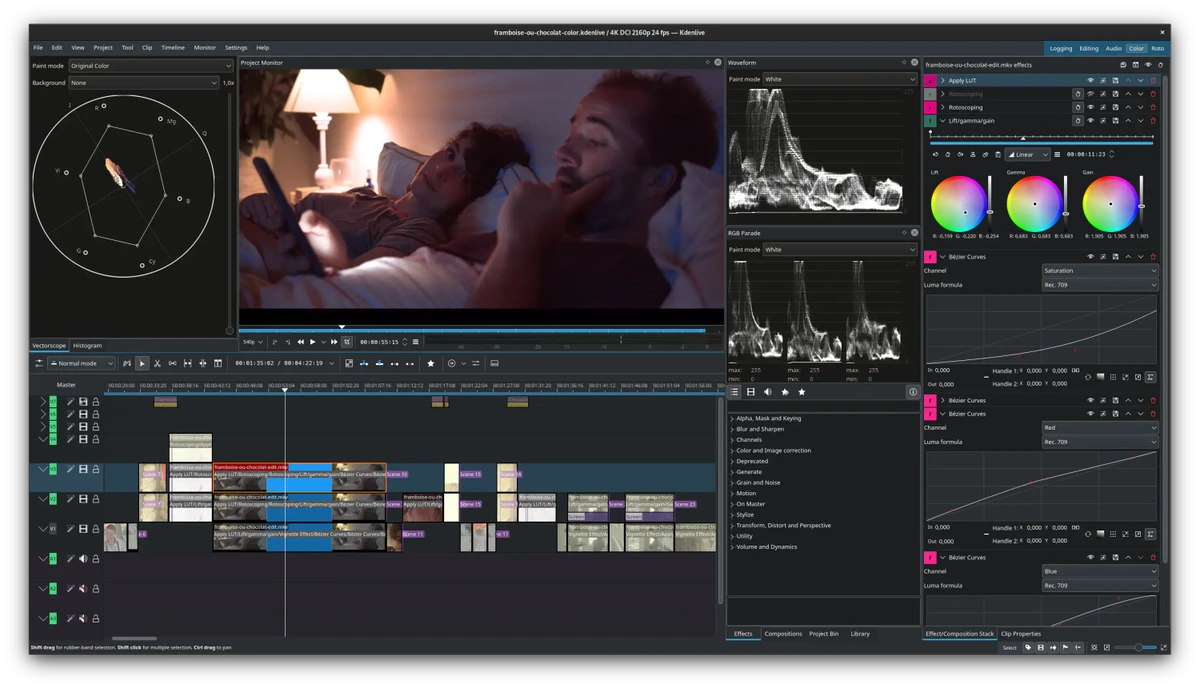

Kdenlive (KDE Non-Linear Video Editor) is a free, open-source video editing application built on the Qt and KDE Frameworks. It uses the MLT Framework for video processing while integrating well-known open-source technologies such as FFmpeg, frei0r, LADSPA, SoX, and Movit. During my experience with the software, I found that it is designed to accommodate a wide range of editing needs, from simple video trimming to more advanced production workflows. Its broad format compatibility, multi-track timeline, customizable workspace, and extensive collection of effects make it a capable choice for content creators who want professional editing features without the cost of commercial software.
Features of Kdenlive
- Unlimited multi-track editing for video and audio.
- Timeline-based non-linear video editing.
- Supports all formats supported by FFmpeg and libav, including QuickTime, AVI, WMV, MPEG, Flash Video, and more.
- Compatible with 4:3 and 16:9 aspect ratios across PAL, NTSC, HDV, AVCHD, and other HD standards.
- Built-in title editor for creating and editing text overlays.
- Tools to create, move, crop, and delete video, audio, text, and image clips.
- Custom effects and transition support.
- Wide range of visual effects, including masking, chroma key (blue screen), rotation, color correction, blur, distortion, and obscuring effects.
- Audio effects such as normalization, pitch shifting, limiting, equalization, reverb, phase adjustment, and volume control.
- Configurable keyboard shortcuts and customizable interface layouts.
- Non-blocking rendering process with pause, stop, and resume capabilities.
- Export projects to DV devices or create DVDs with chapters and simple menus.
- Includes a comprehensive user manual.
- Kdenlive Builder Wizard (KBW) for compiling the latest development version for testing.
Interface and Usability
Kdenlive offers a workspace that feels organized and flexible. The timeline is easy to understand, and arranging multiple video and audio tracks is straightforward. I appreciated the ability to customize keyboard shortcuts and rearrange interface panels to match different editing preferences.
The built-in title editor and clip management tools are conveniently integrated into the workflow, making common editing tasks efficient. Rendering projects in a separate, non-blocking process also allows editing work to continue without interrupting the application, which improves the overall editing experience. Although the software includes many professional editing tools, the available user manual provides helpful guidance for users who are new to video editing.
Who Should Use Kdenlive?
- Beginners looking for a free video editor with room to grow.
- Content creators producing YouTube videos or social media content.
- Students learning non-linear video editing.
- Hobbyists editing personal projects.
- Professional editors who prefer open-source software.
- Users who require extensive format compatibility and multi-track editing.
Conclusion
Kdenlive delivers an impressive combination of flexibility, performance, and professional editing capabilities while remaining completely free and open source. Its multi-track timeline, extensive format compatibility, customizable workspace, and broad collection of effects make it suitable for everything from basic editing projects to more demanding video production.


