AnyViewer logo

AnyViewer 5.8.0

  • User Rating:
    ★★★★★
    ★★★★★
    0.0 ★ 0Votes
  • Requirements:
    Windows
  • Version: 5.8.0
  • Latest updated: 2 weeks ago
  • License: Freemium  
  • Publisher: AnyViewer
  • Size: 64 MB
× app stores

AnyViewer is a remote desktop solution designed to help users access and control computers from different locations through an internet connection. It allows remote connections between PCs, as well as access from iOS and Android devices to PCs. The software is aimed at remote workers, IT support users, and anyone who needs to reach a computer outside their current location. With features such as unattended access, file transfer, remote chat, and security controls, AnyViewer helps users work with office computers, access important files, and provide technical assistance without being physically present. It focuses on maintaining a stable remote connection while offering tools for both productivity and troubleshooting.

Features of AnyViewer

  • Remote access between PCs, including PC-to-PC, iOS-to-PC, and Android-to-PC connections.
  • Unattended remote access through account login or security code authentication.
  • High-definition picture quality for a clearer remote desktop experience.
  • Virtual mouse and touch controls for mobile device access.
  • Remote support tools for helping family members, friends, and customers solve IT issues.
  • Quick file transfer for accessing important information remotely.
  • Remote session chat for faster communication during support tasks.
  • Security options including disabling remote mouse and keyboard control.
  • Screen blackout features to help prevent others from viewing the remote computer.
  • Support for accessing work programs and data available only on a specific office computer.
  • Two-factor authentication for stronger account protection.
  • Remote work support with features such as multi-monitor switching, remote sound, adaptive screen, and interface locking.

Interface and Usability

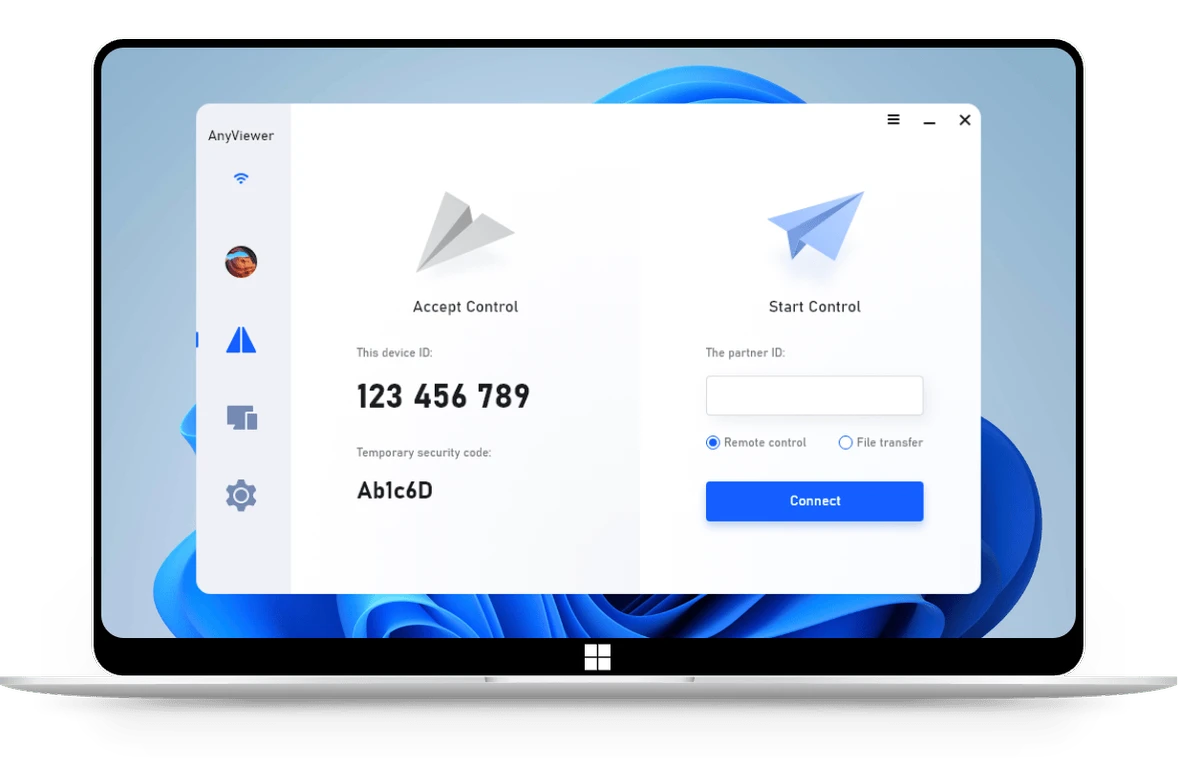
AnyViewer is designed around straightforward remote connection workflows. Users can connect devices by logging into the same account or using a security code, making it suitable for both personal remote access and technical support situations. The inclusion of virtual mouse and touch controls helps make mobile-to-PC connections easier to manage.

During remote sessions, features such as file transfer, chat, screen controls, and connection management provide practical tools for everyday remote work. The software is focused on helping users quickly access another computer without requiring physical access to the device.

Who Should Use AnyViewer?

  • Remote workers who need access to office computers and work applications.
  • IT support professionals helping customers or users troubleshoot problems.
  • Individuals who need to assist friends or family members with computer issues.
  • Users who need to transfer files or access important information while away from their main device.

Conclusion

AnyViewer provides a practical solution for users who need remote desktop access, whether for working from another location or providing technical support. Its combination of remote control, file transfer, chat, mobile access, and security features makes it a useful tool for maintaining access to important computers outside the office.

Pros & Cons

✓

Pros

  • Supports remote access across PC, iOS, and Android devices.
  • Includes tools for both remote work and technical support.
  • Offers file transfer and in-session chat features.
  • Provides security controls such as two-factor authentication and remote input restrictions.
  • Supports unattended access for convenient connections.
✕

Cons

  • The available information does not include details about performance comparisons with competitors.
  • Some advanced capabilities may depend on the selected version or plan.

Frequently Asked Questions

What is AnyViewer used for?

AnyViewer is a remote desktop software tool that allows users to access and control computers through an internet connection. It can be used for remote work, accessing files and programs on another computer, and providing technical assistance to other users.

Can AnyViewer connect mobile devices to a PC?

Yes. AnyViewer supports remote access from iOS and Android devices to PCs, allowing users to control and access a computer even when they are away from it.

Does AnyViewer support unattended remote access?

Yes. AnyViewer allows unattended access by using the same account login or entering a security code to establish a remote connection without someone needing to be present at the target computer.

Can I transfer files using AnyViewer?

Yes. AnyViewer includes file transfer functionality, allowing users to quickly access and transfer important files during remote sessions.

Does AnyViewer have security features?

Yes. AnyViewer includes security options such as two-factor authentication, disabling remote mouse and keyboard control, and blacking out remote screens to help protect the connected computer.

Is AnyViewer suitable for remote work?

Yes. AnyViewer is designed for remote work scenarios where users need access to office computers, device-specific programs, and important data while away from their main workstation.

Recommended apps [Freeware]:
  • EarthTime 6.33.7 EarthTime logo displays world clocks, weather, and local times for 120,000+ cities with customizable alarms and maps.
  • UltraSearch 4.9.2.1208 UltraSearch logo locates files and folders on local NTFS drives in seconds without building an index. Fast, precise, and lightweight.
  • AVG Clear 26.6.11050 AVG Clear logo completely removes AVG antivirus products, files, settings, and registry entries from Windows systems
  • Jux 4.900 Jux logo fractal explorer for Mandelbrot and Julia sets with advanced coloring, lighting effects, and high-resolution rendering tools
  • Transmission 4.1.3 Transmission logo a lightweight, open-source BitTorrent client for fast and simple file sharing
  • PDFsam -PDF Split and Merge 6.0.4 PDFsam -PDF Split and Merge logo Split, merge, extract, rotate, and reorganize PDF files with a free tool designed for efficient document management.
Recommended apps [Shareware]:
  • Send Anywhere 24.6.1 Send Anywhere logo free cross-platform file-sharing tool that transfers files of any size without registration.
  • Rons WebLynx 2026.07.03.1618 Rons WebLynx logo offline Windows bookmark manager with tagging, automation, RSS support, and link checking
  • SQL Backup Master 8.5.1120 SQL Backup Master logo SQL Server backups with cloud storage, encryption, scheduling, and recovery features
  • Aeon Timeline 3.5.107 Aeon Timeline logo create detailed timelines for writing, projects, legal cases, research and education
  • MobaXterm 26.4 MobaXterm logo Manage SSH, RDP, VNC, X11, FTP, and Unix tools in one powerful Windows application
  • Gilisoft Image Editor 8.7.0 Gilisoft Image Editor logo Windows photo editor with cropping, filters, retouching, object removal, and batch image processing tools