


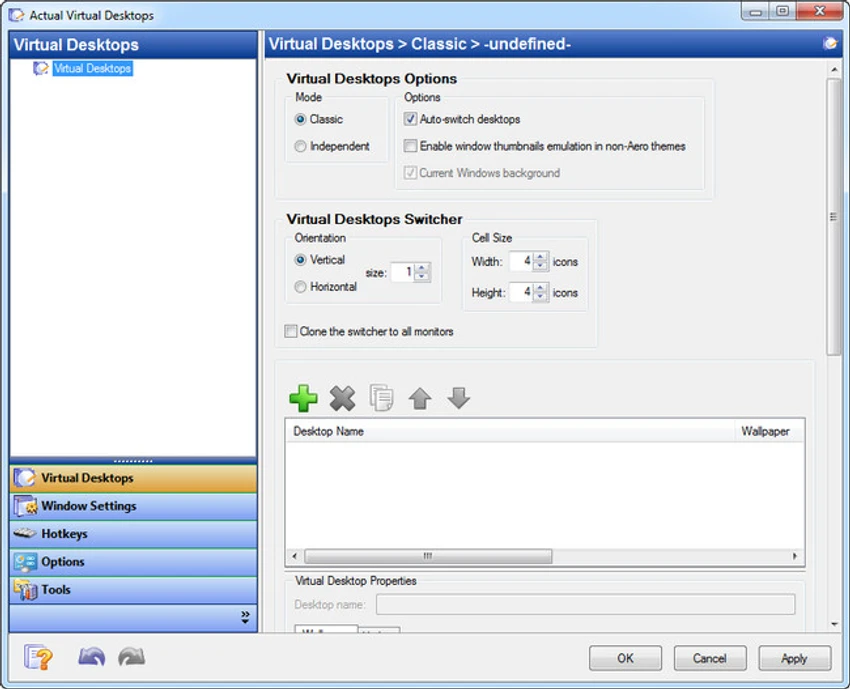

Actual Virtual Desktops is a Windows productivity tool designed to help users manage multiple applications more efficiently by creating separate virtual workspaces. Instead of keeping all windows on a single crowded desktop, users can organize them into multiple virtual desktops, each acting as an independent workspace.
The software extends the concept of a single desktop into a flexible environment where each virtual space can contain its own set of applications. Users can switch between desktops using hotkeys, system tray controls, or a dedicated interface. This approach is especially useful for users who multitask heavily and want to separate work, personal activities, and entertainment into different environments.
Features of Actual Virtual Desktops
- Create multiple virtual desktops for better organization
- No fixed limit on the number of desktops
- Move windows between desktops easily
- Assign names to each virtual desktop for clarity
- Switch desktops using customizable hotkeys
- System tray access for quick navigation
- View all active programs across desktops in a compact interface
- Set rules for specific applications and window behavior
- Automatically launch or assign apps to specific desktops
- Block or manage application launching behavior per desktop
- Custom hotkey support for switching and managing desktops
- Notification system for hotkey conflicts
- Lightweight system tray operation
Interface and Usability
Actual Virtual Desktops is managed primarily through a configuration panel and system tray icon. While setup begins with a simple guide, most customization is done through a centralized settings window organized into tabs for desktops, window behavior, and hotkeys. Users can create and name multiple desktops, assign applications to them, and define how the system behaves when switching between environments. Navigation is mainly handled through keyboard shortcuts, making it fast once configured. Although the interface is not heavily modernized in appearance, it is structured and functional, allowing users to quickly understand how to manage their virtual workspace.
Who Should Use Actual Virtual Desktops?
- Professionals managing multiple workflows
- Developers working with separate projects or environments
- Students organizing study, research, and personal tasks
- Office users handling multiple applications simultaneously
- Users who prefer separating tasks into dedicated workspaces
- Anyone seeking better desktop organization on Windows
Conclusion
Actual Virtual Desktops is a practical and powerful tool for improving productivity on Windows by separating workloads into multiple virtual environments. It provides greater flexibility than the default Windows desktop system, especially with its unlimited desktop support and customizable hotkeys.


