WordPress logo

WordPress 7.0.2

  • User Rating:
    ★★★★★
    ★★★★★
    0.0 ★ 0Votes
  • Requirements:
    Windows
  • Version: 7.0.2
  • Latest updated: 1 week ago
  • License: Open Source  
  • Publisher: WordPress.Org
  • Size: 30 MB
× app stores

WordPress is a free web publishing platform that allows users to create websites, blogs, and online applications. Originally developed as a blogging platform, it has grown into a flexible content management system used for many different types of websites, including personal blogs, business websites, portfolios, news sites, online communities, and custom web projects.

The software is built with simplicity and flexibility in mind, allowing users to publish content quickly without requiring advanced technical knowledge. At the same time, WordPress can be expanded through thousands of available themes and plugins, giving users the ability to customize the appearance and functionality of their websites.

Creating content with WordPress is designed to be straightforward. Users can write posts and pages, format text, add images and other media, and publish content online with minimal effort. The platform also includes publishing controls such as drafts, scheduled posts, revisions, private content, and password-protected pages.

WordPress provides tools for managing multiple users with different roles, making it suitable for websites with several contributors. Administrators can control website settings, while editors, authors, contributors, and subscribers can have different levels of access.

With built-in media management, theme customization, and standards-compliant code, WordPress provides a reliable foundation for creating and maintaining websites. Whether used for a simple blog or a larger online project, WordPress offers a scalable platform that can grow alongside the needs of its users.

Features of WordPress

  • Create websites, blogs, and web applications
  • Simple publishing tools for creating and managing content
  • Support for posts, pages, drafts, revisions, and scheduled publishing
  • Flexible website customization with themes and plugins
  • User management with multiple access roles
  • Media uploader for images and other content
  • Support for image captions, titles, alt text, and galleries
  • Ability to create private and password-protected content
  • Thousands of available themes for website customization
  • Plugin support for extending website functionality
  • Standards-compliant generated code

Interface and Usability

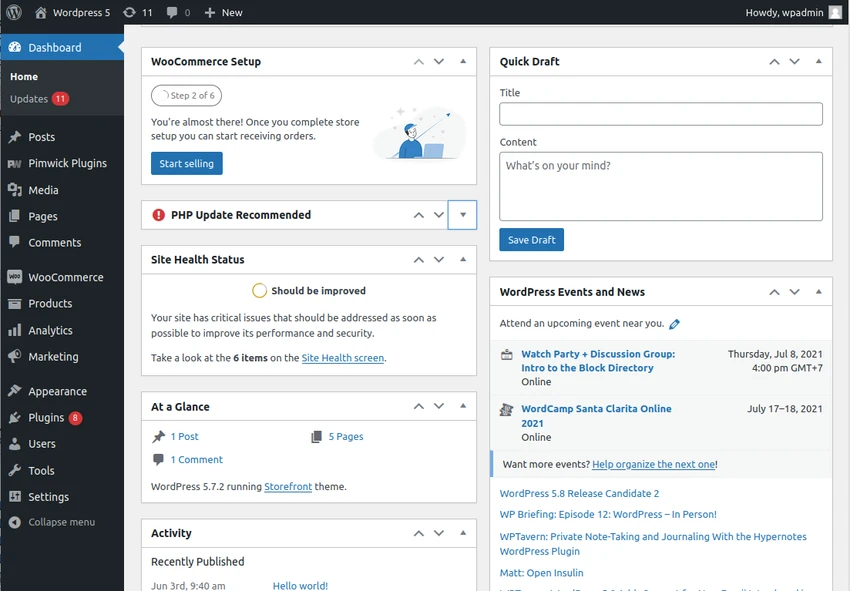
WordPress provides a user-friendly publishing experience designed for both beginners and experienced website creators. The content creation process is similar to working with common document editors, making it easy to create posts and pages, format text, and add media.

Managing content is also straightforward, with tools for saving drafts, scheduling posts, and reviewing previous versions. The platform’s user management system allows website owners to assign different permissions, which is useful for sites with multiple contributors.

Customization is one of WordPress’s strongest usability features. Users can change their website appearance through themes and expand functionality through plugins. The ability to upload themes and modify website designs provides flexibility for different types of projects.

Who Should Use WordPress?

  • Bloggers who want an easy publishing platform
  • Businesses creating professional websites
  • Photographers and creators building portfolios
  • Organizations managing online content
  • Communities that need user management features
  • Developers creating customized websites and applications

Conclusion

WordPress remains a versatile platform for creating and managing websites of many types. Its combination of simple publishing tools, customization options, and expandable features makes it suitable for beginners while still offering flexibility for more advanced users.

With support for themes, plugins, media management, and user roles, WordPress provides the tools needed to build everything from simple blogs to more complex online platforms. If you are looking for a flexible solution to create your own website, WordPress is a strong option to explore.

Pros & Cons

✓

Pros

  • Easy content publishing and website management
  • Highly flexible with themes and plugins
  • Supports many different website types
  • Includes built-in media management tools
  • Provides multiple user roles for collaboration
✕

Cons

  • Advanced customization may require additional technical knowledge
  • Recommend PHP 8.3 or greater and MySQL version 8.0 or MariaDB version 10.11 or greater.

Frequently Asked Questions

What is WordPress used for?

WordPress is used to create and manage websites, blogs, and online applications. It can be used for personal websites, business sites, portfolios, news websites, online communities, and other web projects.

Do I need coding knowledge to use WordPress?

No. WordPress is designed to make website creation and publishing accessible. Users can create pages, write posts, format content, and add media without needing advanced programming skills.

Can WordPress create different types of websites?

Yes. WordPress can be used to create many types of websites, including blogs, business websites, professional portfolios, government websites, magazines, online communities, and website networks.

Can I customize the design of a WordPress website?

Yes. WordPress supports themes that allow users to change the appearance of their websites. Users can choose from available themes or upload their own theme.

What are WordPress plugins used for?

Plugins are used to extend the functionality of a WordPress website. They allow users to add additional features and customize their websites according to their needs.

Can multiple people manage a WordPress website?

Yes. WordPress includes user management features with different roles, including administrators, editors, authors, contributors, and subscribers, allowing multiple users to participate with different levels of access.

Recommended apps [Freeware]:
  • DirPrintOK 7.67 DirPrintOK logo fast and portable tool to print or export directory contents in XLS, HTML, CSV, or TXT formats.
  • Zortam Mp3 Media Studio 33.97 Zortam Mp3 Media Studio logo Manage, tag, rip, organize, convert, and play MP3 files with the all-in-one Zortam Mp3 Media Studio
  • AB Download Manager 1.9.2 AB Download Manager logo Download files with features such as queue management, scheduling, speed control, and browser integration.
  • GOM Player 2.3.120 Build 5390 GOM Player logo a free Windows media player supporting many formats, subtitles, VR videos, and damaged file playback
  • StaticDesktopRuler 1.04 StaticDesktopRuler logo Windows utility that adds customizable on-screen rulers to improve alignment, navigation, and productivity on large monitors
  • Vovsoft IP Scanner 1.1 Vovsoft IP Scanner logo Discover network devices, scan IP ranges, and analyze open ports with a fast multi-threaded IP scanner for LAN and WAN environments.
Recommended apps [Shareware]:
  • Gilisoft Screen Recorder Pro 13.1 Gilisoft Screen Recorder Pro logo a Windows tool for capturing screen, webcam, and audio with editing features, GPU acceleration, and multiple formats
  • 4K Video Downloader Plus 26.2.1 4K Video Downloader Plus logo Download videos, audio, playlists, and subtitles in high quality with 4K Video Downloader Plus
  • Your Uninstaller! 7.5.3.1287 Your Uninstaller! logo powerful Windows uninstaller tool with deep scan, leftover removal, and system cleanup utilities for Windows PC
  • R-Wipe & Clean 20.0 Build 2567 R-Wipe & Clean logo a privacy and disk cleanup tool with secure file wiping, scheduling, and SSD support
  • Beyond Compare 5.2.3.32296 Beyond Compare logo compare, merge, and sync files easily with Beyond Compare, a powerful cross-platform tool
  • Take Command 36.50.70 Take Command logo a Windows CMD replacement with tabbed console, scripting IDE, and advanced batch tools.