


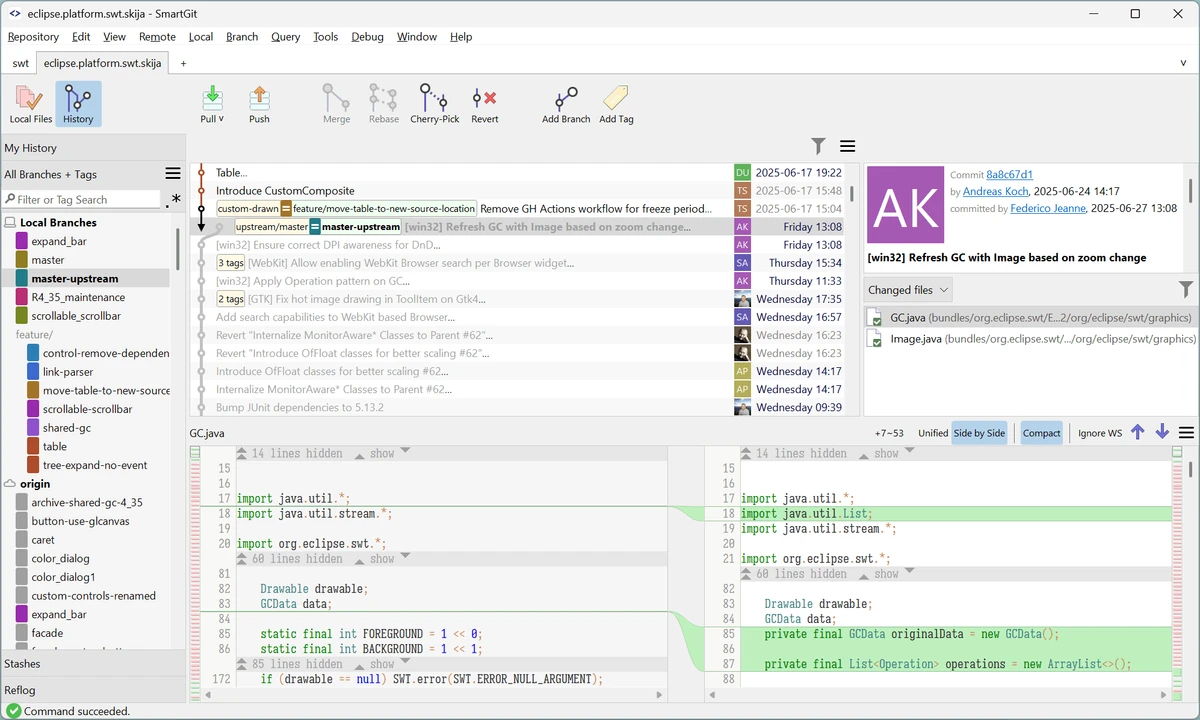

SmartGit is a graphical Git client designed to simplify repository management for both new and experienced developers. The software provides a visual interface for common Git operations, helping users manage commits, branches, merges, rebases, and repository history without relying entirely on command-line workflows.
The application supports integration with popular development platforms including GitHub, Bitbucket, GitLab, and Azure DevOps, allowing users to work with hosted repositories and manage pull requests and review comments directly through the client. SmartGit also works with standard Git repositories and other hosting providers.
SmartGit combines essential Git functionality with additional tools such as graphical commit history, file comparison, merge conflict resolution, Git-Flow support, and a bundled Git client. These features help streamline development workflows by keeping repository management tasks organized in a single application.
The software is available with a consistent interface across Windows, macOS, and Linux, allowing developers to use the same workflow across different operating systems. Customization options include themes, keyboard shortcuts, layout adjustments, external tools, and preferences for merging and rebasing operations.
Features of SmartGit
- Graphical Git repository management
- Supports GitHub, GitLab, Bitbucket, and Azure DevOps
- Visual merge and commit history
- Drag-and-drop commit reordering
- Supports merging and rebasing workflows
- Built-in Git client
- Integrated SSH client
- File comparison tools
- File merge and conflict resolution tools
- Git-Flow branch management support
- Pull request and review comment integration
- Customizable interface layouts
- Keyboard shortcut customization
- Syntax coloring options
- Light and dark themes
Interface and Usability
SmartGit provides a visual interface designed to make Git operations easier to understand and manage. The graphical commit history allows users to view repository changes more clearly, while drag-and-drop controls simplify tasks such as commit reordering, merging, and rebasing.
The software includes built-in comparison and merge tools, reducing the need to configure additional applications for resolving conflicts or reviewing file changes. Its consistent interface across Windows, macOS, and Linux also helps developers maintain the same workflow when switching between platforms. Customization options allow users to adjust the application to their preferred working style, including interface layouts, themes, shortcuts, and external tool integration.
Who Should Use SmartGit?
- Software developers working with Git repositories
- Teams using GitHub, GitLab, Bitbucket, or Azure DevOps
- Developers who prefer a graphical Git interface
- Users managing complex branch workflows
- Teams requiring visual merge and conflict resolution tools
- Developers who work across multiple operating systems
Conclusion
SmartGit offers a complete graphical environment for managing Git repositories, combining essential version control features with visual tools that simplify everyday development tasks. Its support for major Git hosting services, integrated merge tools, and customizable workflow options make it a useful choice for developers who want more control than a basic command-line workflow provides.


