


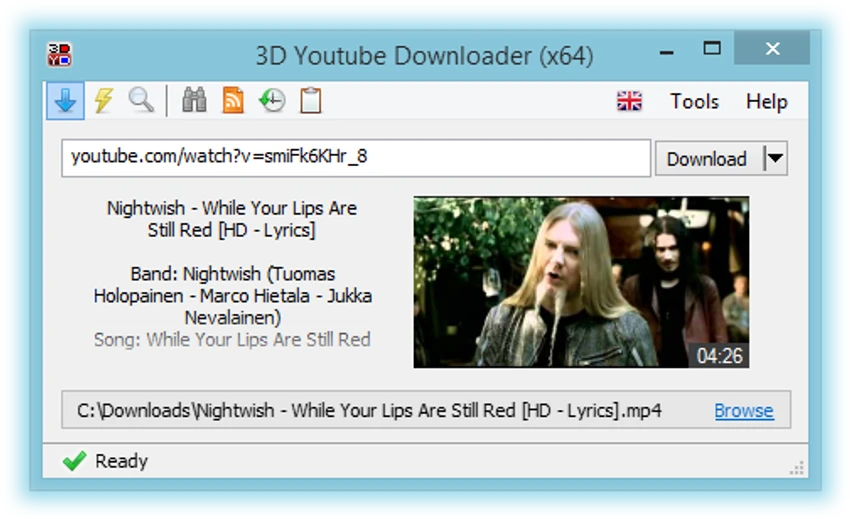

3D Youtube Downloader is a lightweight yet capable application designed for downloading videos from YouTube and various other popular video-sharing platforms. Beyond simply saving videos, it offers quality selection, format conversion, subtitle support, and playlist downloading. During my experience with it, I found it easy to use while providing enough flexibility for users who want more control over their downloads.
Features of 3D Youtube Downloader
- Supports YouTube, Vimeo, LiveLeak, Dailymotion, and other video sites
- Downloads YouTube Adaptive Streams
- Supports playlists, channels, and feeds from YouTube and Dailymotion
- Automatic quality selection with manual quality options available
- Converts downloaded videos to various video and audio formats
- Subtitle support for YouTube and Dailymotion
- Built-in YouTube search functionality
- Supports 3D videos from YouTube and Dailymotion
- Fast downloads using multipart downloading and HTTP compression
- Multi-language interface
- Portable installation option available
- Compatible with Windows 11, Windows 10, Windows 8, and Windows 7
User Experience
After launching 3D Youtube Downloader, I found the interface straightforward and easy to navigate. The software automatically retrieves all available quality options for a video, which is particularly useful since YouTube often offers numerous resolutions and formats. What I appreciated most was the flexibility. The program can automatically choose the most suitable format or allow manual selection for users who want more control. Downloading playlists and channels also worked smoothly, making it convenient for saving multiple videos without having to process them one by one.
The integrated search feature removes the need to open a browser for basic YouTube searches, while subtitle support adds extra convenience when downloading content. The built-in conversion capability is another useful addition, allowing downloaded clips to be converted into different video or audio formats without requiring separate software. Performance was generally quick thanks to multipart downloading, and the portable installation option is a welcome bonus for users who prefer not to install applications permanently.
Who Should Use 3D Youtube Downloader?
- Users who frequently download videos from YouTube
- People who want to save playlists or channels
- Users needing subtitle support
- Anyone looking to convert videos into audio or different formats
- Users interested in downloading 3D videos
- People who prefer portable software
Conclusion
3D Youtube Downloader offers a practical combination of speed and flexibility. Whether you need to save individual videos, entire playlists, subtitles, or convert media into different formats, it provides a convenient all-in-one solution. If you regularly download content from YouTube and other video-sharing platforms, 3D Youtube Downloader is certainly worth trying.


