


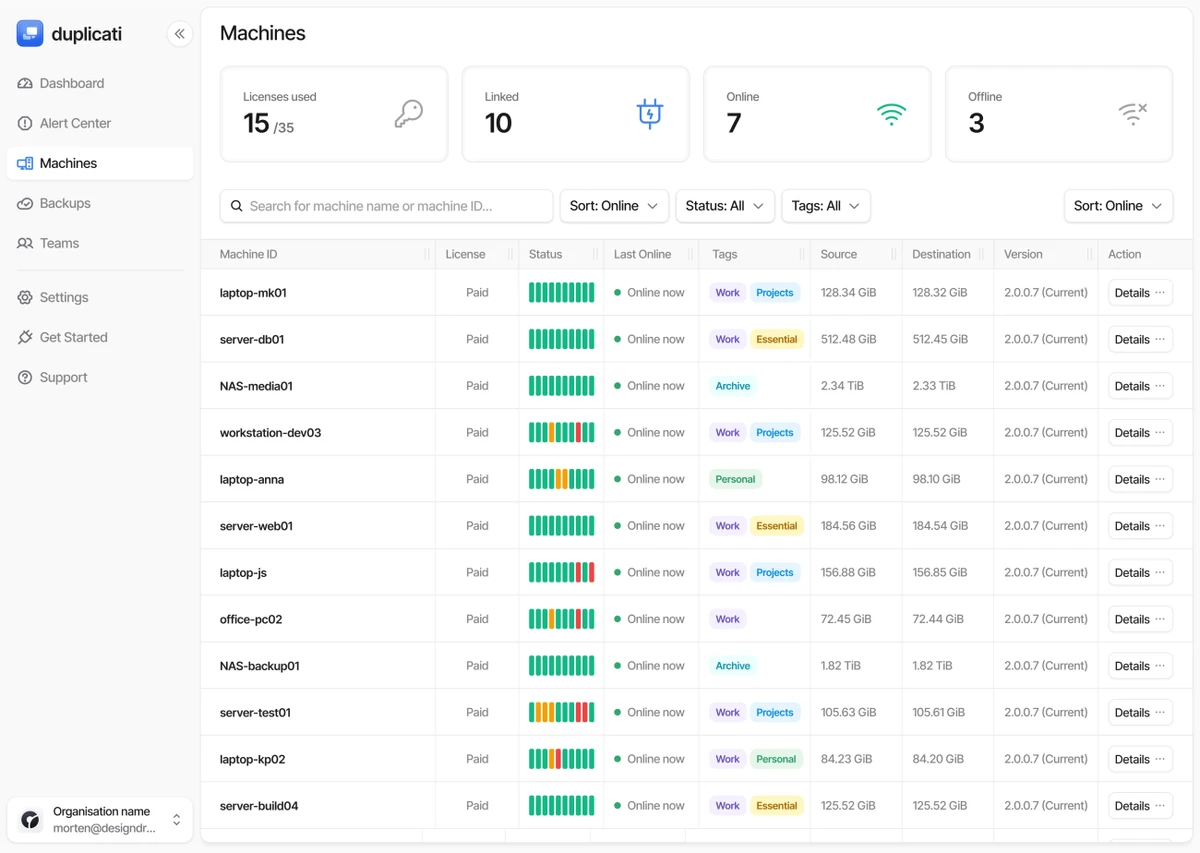

Duplicati is an open-source backup application designed to securely store encrypted backups on cloud storage services and remote file servers. It provides a flexible way to protect files by combining compression, incremental backups, encryption, and support for many online storage platforms.
The software is built for users who want more control over their backup process than traditional backup tools usually provide. Duplicati can connect to various storage destinations, including cloud services and standard network protocols such as FTP, SSH, and WebDAV. It supports popular platforms such as Google Drive, Amazon S3, Microsoft OneDrive, Backblaze B2, and other compatible services.
Security is one of Duplicati’s main focuses. The application includes AES-256 encryption to protect backup data and also supports GNU Privacy Guard for additional encryption options. This allows users to store backups online while maintaining control over their private files.
Duplicati uses incremental backups to reduce storage usage by saving only changes made since the previous backup. It also includes compression and data deduplication features to help optimize backup size and transfer efficiency. With its built-in scheduler, automated updates, web-based management interface, and support for multiple operating systems, Duplicati provides a powerful backup solution for personal users, professionals, and organizations that need reliable data protection.
Features of Duplicati
- Free and open-source backup software
- Supports Windows, Linux, and macOS
- Encrypts backups with AES-256 encryption
- Supports GNU Privacy Guard encryption
- Creates incremental and compressed backups
- Includes data deduplication for efficient storage
- Works with cloud services and remote file servers
- Supports FTP, SSH, and WebDAV protocols
- Compatible with Google Drive, Amazon S3, Microsoft OneDrive, Backblaze B2, and other services
- Built-in backup scheduler
- Automatically updates backup processes
- Web-based user interface accessible from browsers
- Supports command-line operation
- Can run on headless systems such as NAS devices
Interface and Usability
Duplicati uses a web-based interface that runs through a browser, making configuration accessible from different devices. The interface allows users to create backup jobs, select storage destinations, configure schedules, and manage backup settings.
The browser-based approach also makes Duplicati suitable for systems without a traditional desktop environment, such as network-attached storage devices. Users can manage backups remotely when configured for remote access. The software provides many customization options, including filters, deletion rules, transfer settings, and bandwidth controls. These options are useful for advanced users who want detailed control over how backups are created and transferred.
However, the large number of settings may require some learning for beginners who are looking for a simple backup solution with minimal configuration.
Who Should Use Duplicati?
- Users who want encrypted cloud backups
- Professionals protecting important work files
- Small businesses managing remote backups
- Advanced users who prefer open-source software
- Users running NAS or headless systems
- Anyone needing control over backup scheduling and storage options
Conclusion
Duplicati is a powerful backup solution for users who want secure, customizable, and open-source data protection. Its combination of encrypted backups, cloud compatibility, incremental storage, and scheduling tools makes it a strong option for managing important files.
The software is especially valuable for users who want control over where backups are stored and how they are processed. While it requires more setup than simpler backup tools, the flexibility and security options make it suitable for advanced backup workflows.


