


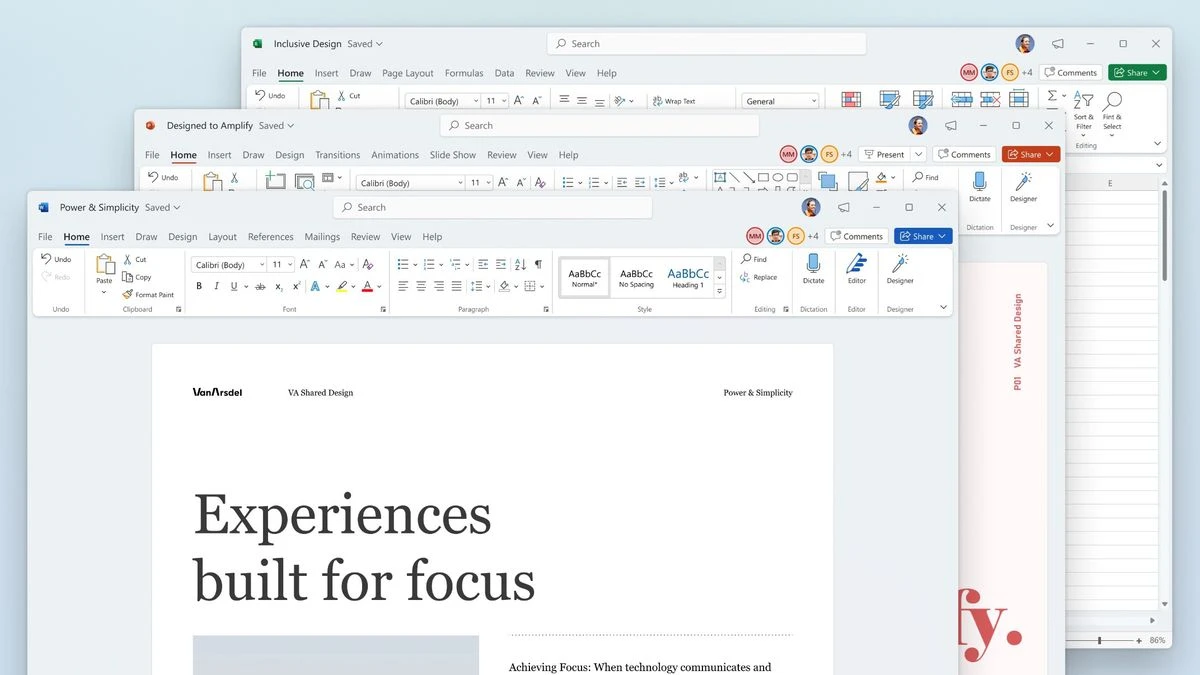

Microsoft Office remains one of the most widely used productivity suites for both personal and professional environments. Available as Office 2021, Office 2024, and through the Microsoft 365 subscription, it combines essential applications for document creation, spreadsheet analysis, presentations, email management, and collaboration. The suite includes familiar applications such as Word, Excel, PowerPoint, and Outlook across both Windows and macOS. Windows users also have access to Access and Publisher in selected editions, while Visio and Project are available separately.
Building on years of development, Office 2021/2024 incorporates many improvements introduced through Microsoft 365 over recent releases, while certain cloud-based and continuously updated features remain exclusive to Microsoft 365 subscribers.
Features of Microsoft Office
- Create and edit professional documents with Microsoft Word.
- Analyze data and build spreadsheets using Microsoft Excel.
- Design presentations with Microsoft PowerPoint.
- Manage email, contacts, and calendars in Microsoft Outlook.
- Includes Microsoft Access (Windows only, selected editions).
- Includes Microsoft Publisher (Windows only, selected editions).
- Supports document sharing and collaboration.
- Integrated Microsoft Teams collaboration experience.
- High compatibility with Microsoft Office document formats.
- Available for both Windows and macOS.
- Office 2021/2024 includes many improvements previously introduced in Microsoft 365.
Interface and Usability
Microsoft Office offers a polished and familiar interface built around the Ribbon toolbar, making common tools easy to locate while providing access to advanced functionality for experienced users. The consistency across applications allows users to transition smoothly between Word, Excel, PowerPoint, and Outlook. For everyday tasks, the suite is approachable and efficient. However, some advanced features and formatting options can be difficult to discover without prior experience. Automatic formatting behaviors—such as automatic superscript formatting in Word—may also require manual adjustment depending on user preferences. Overall, Office strikes a balance between accessibility for beginners and depth for professional users.
Who Should Use Microsoft Office?
- Business professionals.
- Corporate organizations.
- Students and educators.
- Office workers managing documents and spreadsheets.
- Users who require maximum compatibility with Office file formats.
- Anyone needing a comprehensive productivity suite for Windows or macOS.
Conclusion
Microsoft Office continues to be one of the most complete productivity suites available. Its combination of Word, Excel, PowerPoint, and Outlook provides everything needed for creating documents, analyzing data, preparing presentations, and managing communication in both personal and professional settings.


