


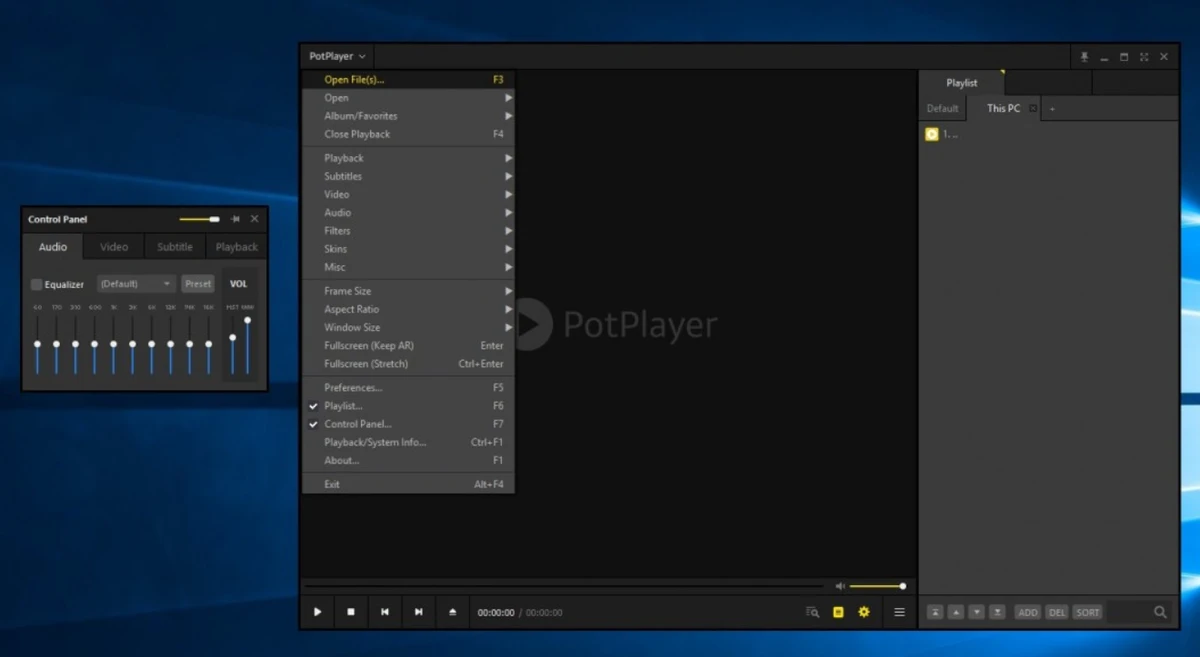

Daum PotPlayer is a powerful freeware media player designed for Windows users who want broad format compatibility, advanced playback controls, and extensive customization options. With built-in codecs and support for both video and audio formats, it offers a complete multimedia experience without requiring additional software installations.
Overview
Developed by the creator of KMPlayer, PotPlayer combines a lightweight interface with an impressive collection of playback features. The software supports a vast range of video and audio formats, eliminating most compatibility concerns thanks to its integrated codec system. While beginners can enjoy its straightforward playback experience, advanced users will appreciate the extensive customization options, video enhancement tools, audio controls, subtitle support, and skin customization capabilities. PotPlayer manages to balance simplicity and power, making it suitable for a wide variety of users.
Features of Daum PotPlayer
- Supports a wide range of video and audio formats
- Built-in codecs with no need for manual codec installation
- Advanced playback speed controls
- Audio volume adjustment and enhancement tools
- Video brightness and contrast controls
- Customizable interface with multiple skins
- Subtitle support with adjustable positioning
- Playlist creation, import, export, and management
- Snapshot capture from video frames
- Audio equalizer and frequency controls
- Preset audio profiles
- Compatible with madVR, HR, EVR, and ReClock
- Lightweight and responsive user interface
- Customizable codec and encoder settings
User Experience
PotPlayer delivers a smooth and polished media playback experience from the moment it is installed. The setup process is simple, and the application automatically handles codec requirements without forcing unnecessary installations. The interface follows a minimalist design philosophy, keeping controls accessible without overwhelming the user. Core playback functions are immediately available, while advanced settings remain neatly organized within the preferences menu.
One of PotPlayer's strongest qualities is its flexibility. Whether watching movies, listening to music, or managing playlists, the application performs reliably and provides numerous options for fine-tuning playback. The ability to adjust video brightness, contrast, playback speed, and subtitle positioning makes it particularly useful for users who want greater control over their viewing experience.
Audio enthusiasts will also appreciate the built-in equalizer and sound customization tools, which allow detailed adjustments without relying on third-party software. Despite its extensive feature set, PotPlayer remains lightweight and responsive, even during prolonged use.
Who Should Use Daum PotPlayer?
- Users who play multiple video and audio formats regularly
- Movie enthusiasts who need subtitle support and video adjustments
- Music listeners who want advanced audio controls
- Users looking for a free alternative to premium media players
- Power users who enjoy deep customization options
- Anyone who wants built-in codec support without extra installations
Conclusion
Daum PotPlayer is one of the most feature-complete free media players available for Windows. It offers outstanding format compatibility, integrated codecs, advanced playback controls, and extensive customization without sacrificing performance.


