


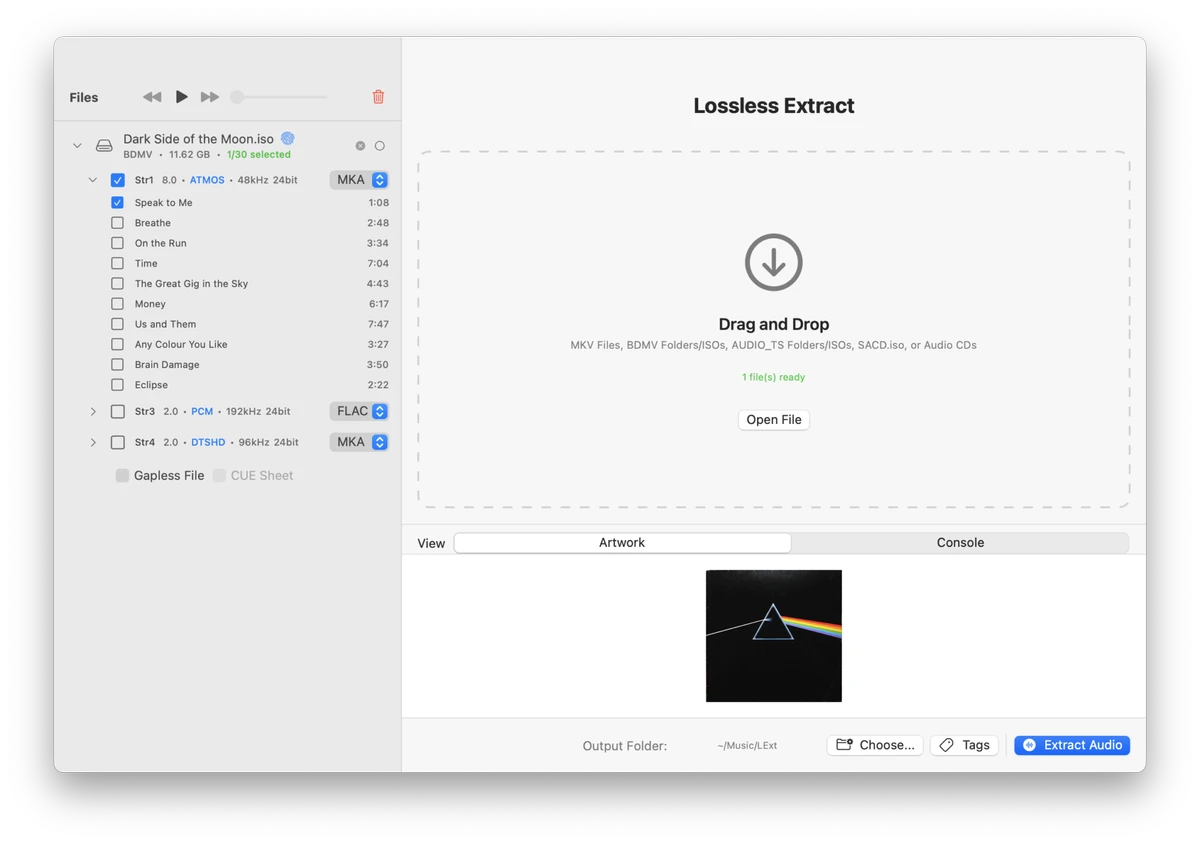

Lossless Extract is a high-resolution audio extraction utility designed for users who want to preserve the original quality of their audio collections. Built with audiophiles and home theater enthusiasts in mind, it extracts audio tracks from Blu-ray Discs, SACDs, MKV files, DVD-Audio discs, and other supported sources without compromising sound quality.
The software supports advanced audio formats such as Dolby TrueHD with Atmos metadata and DTS-HD Master Audio, preserving the original audio stream instead of converting it into PCM. By maintaining object-based audio metadata, compatible playback systems can reproduce immersive surround sound as intended.
Lossless Extract accepts a variety of source formats, including MKV, Blu-ray BDMV folders, DVD-Audio ISO images, AUDIO_TS folders, and SACD ISOs. Extracted audio can be saved in several popular formats, including FLAC, MKA, M4A, DSF, DFF, or as a direct stream copy, allowing users to archive their media while retaining bit-perfect audio quality. To improve workflow efficiency, the application supports multithreaded batch extraction, making it suitable for processing large media libraries. It also includes automatic metadata tagging, album artwork retrieval, and intelligent file renaming, helping users create well-organized music collections with minimal manual effort.
Features of Lossless Extract
- Extract audio from Blu-ray Discs
- Extract audio from SACD ISOs
- Extract audio from MKV files
- Support for DVD-Audio ISO and AUDIO_TS folders
- Preserve Dolby TrueHD with Atmos metadata
- Support DTS-HD Master Audio
- Support AC3, DTS, and PCM audio tracks
- Lossless, bit-perfect audio extraction
- Output formats: FLAC, MKA, M4A, DSF, DFF, and Direct Stream Copy
- Batch audio extraction
- Multithreaded processing
- Automatic metadata tagging
- Automatic album artwork retrieval
- Smart file renaming
- Available for Windows and macOS
Interface and Usability
Lossless Extract features a clean and efficient interface designed to simplify high-quality audio extraction. Source selection is straightforward, and users can quickly choose output formats before starting the extraction process.
Batch processing and multithreading allow multiple files to be processed efficiently, making the application suitable for large Blu-ray or SACD collections. Automatic tagging and file organization further reduce manual work by applying metadata and organizing extracted tracks into a library-friendly structure. The overall workflow is intuitive while providing the advanced format support expected by audio enthusiasts.
Who Should Use Lossless Extract?
- Audiophiles
- Home theater enthusiasts
- Music collectors
- Users archiving Blu-ray and SACD collections
- Anyone requiring lossless audio extraction
Conclusion
Lossless Extract is an excellent solution for users who want to archive or extract high-resolution audio without sacrificing quality. Its support for advanced formats such as Dolby TrueHD with Atmos and DTS-HD Master Audio, combined with lossless extraction and extensive format compatibility, makes it a valuable tool for preserving premium audio collections.


