


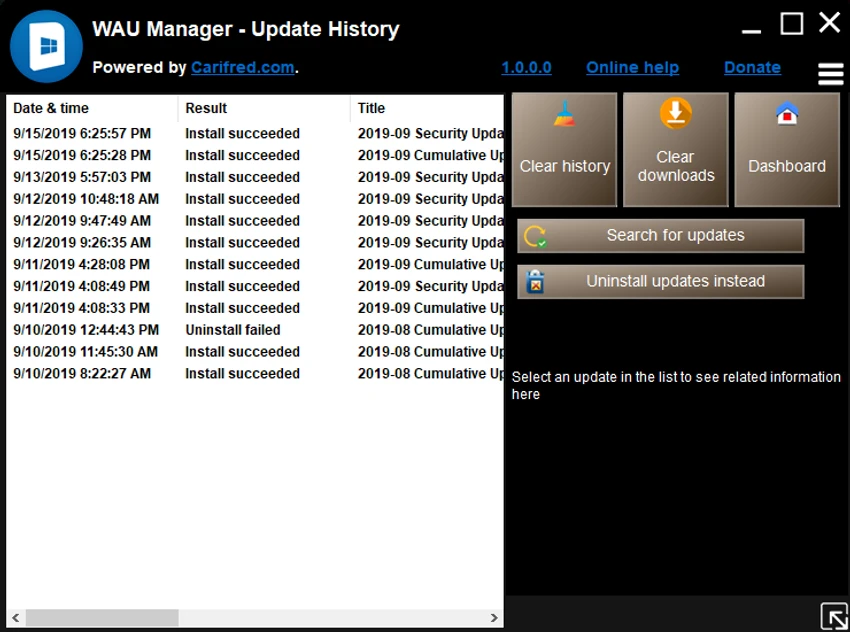

WAU Manager (Windows Automatic Updates Manager) is a Windows utility designed to replace the default Windows Update interface with a more flexible and user-controlled system. It allows users to decide when updates are installed, how they are downloaded, and which updates should be hidden or removed. Unlike the standard Windows Update system, WAU Manager focuses on giving users full manual or scheduled control over update behavior, making it especially useful for users who want to avoid automatic system changes or unexpected restarts.
Key Features of WAU Manager
- Manual Windows Update execution with a single click
- Fully customizable automatic update scheduling (daily, monthly, yearly, or custom intervals)
- Control over download and installation behavior
- Ability to hide unwanted updates
- Batch uninstall of multiple updates at once
- View and manage Windows Update history
- Restore or unhide previously hidden updates
- Dedicated modules for different update management tasks
- Lightweight replacement for default Windows Update interface
Modules
Install Updates Module
- Scans for available updates
- Allows selective installation of updates
- Supports hiding specific updates from future detection
Uninstall Updates Module
- Removes installed Windows updates
- Supports batch uninstall operations
- Allows hiding problematic updates
Unhide Updates Module
- Displays previously hidden updates
- Restores hidden updates to availability list
View Update History Module
- Shows complete Windows Update history
- Provides maintenance options for update records
User Experience
After using WAU Manager, the most noticeable difference compared to the default Windows Update system is the level of control it provides. Instead of automatic updates running in the background, users can decide exactly when and what to install. The interface is structured around separate modules, making it easier to manage different update tasks such as installation, removal, or hiding updates. This modular design helps keep update management organized and predictable.
Scheduling options are particularly useful for users who prefer to avoid interruptions. Being able to set update frequency from once a day to once a year allows for fine-grained control depending on system stability needs. The ability to uninstall multiple updates at once is also a practical feature, especially when troubleshooting system issues caused by recent updates. Overall, WAU Manager provides a more transparent and controllable Windows Update experience, especially for advanced users and IT environments.
Who Should Use WAU Manager?
- Advanced Windows users who want control over updates
- IT administrators managing multiple systems
- Users who want to prevent automatic restarts or forced updates
- Troubleshooting environments where updates need to be controlled
- Users who prefer manual system maintenance
Conclusion
WAU Manager is a powerful tool for taking full control of Windows Update behavior. It replaces the default update system with a more flexible interface that allows scheduling, selective installation, and full update management.


