NanaZip logo

NanaZip 6.5.1750.0

  • User Rating:
    ★★★★★
    ★★★★★
    0.0 0Votes
  • Requirements:
    Windows
  • Version: 6.5.1750.0
  • Latest updated: 1 week ago
  • License: Freeware  
  • Publisher: M2Team
  • Size: 11.3 MB
× app stores

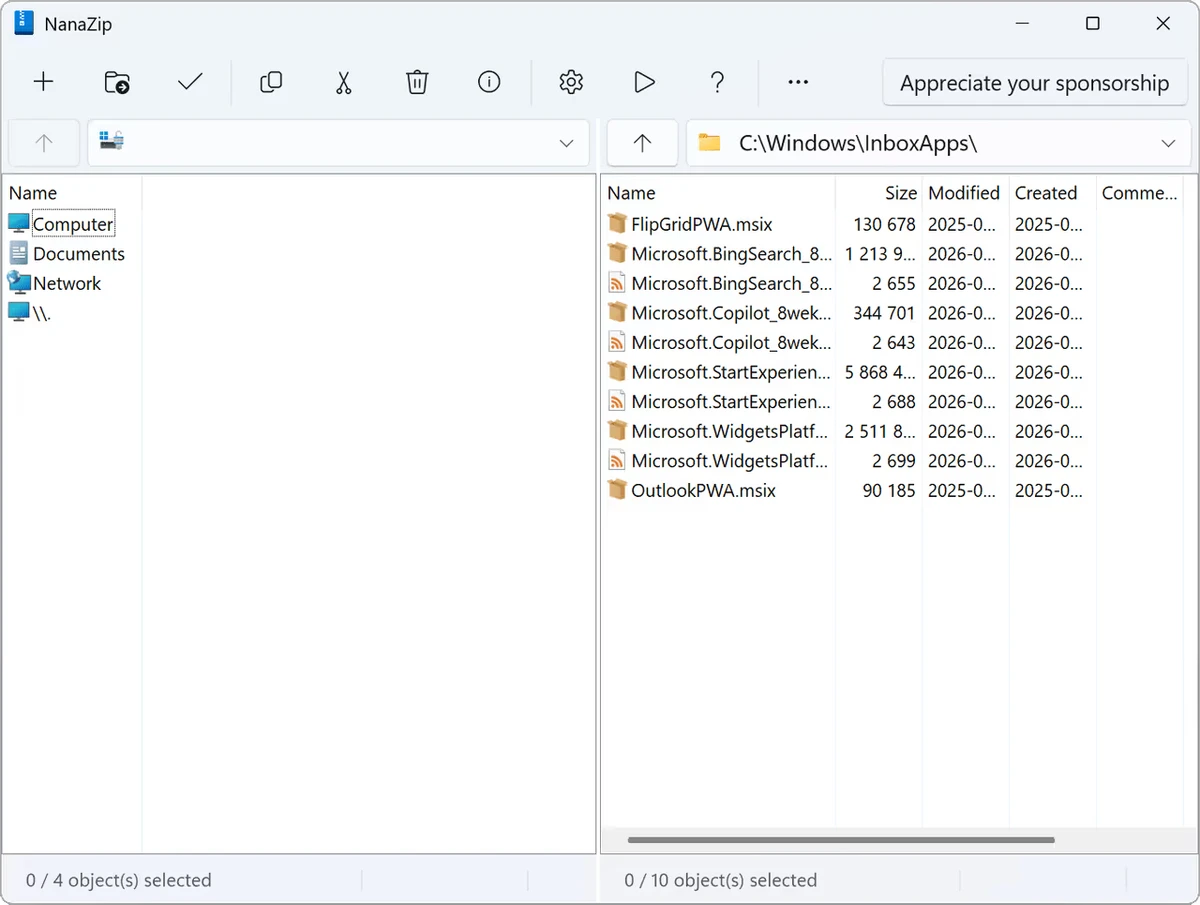
NanaZip is a modern file compression and extraction utility designed for Windows users who need a fast, secure, and efficient archiving tool. Built on the foundation of 7-Zip, it enhances the traditional experience with a more modern interface and improved integration with Windows. In use, it feels familiar yet more polished, making it a strong alternative to classic tools like WinRAR and WinZip.

Key Features of NanaZip

  • File and folder compression and extraction
  • Supports multiple archive formats:
    • 7z, ZIP, XZ, BZIP2, GZIP, TAR, WIM (packing/unpacking)
    • RAR, ISO, MSI, VHD, VMDK, DMG, and many others (unpacking)
  • Strong AES-256 encryption for secure archives
  • Self-extracting archive creation
  • Checksum and hash support:
    • CRC
    • MD5
    • SHA variants
  • Windows Shell integration (right-click context menu)
  • Simple built-in file manager
  • High compression ratio based on 7-Zip engine
  • Modernized user interface compared to traditional 7-Zip builds

User Experience

Using NanaZip feels very similar to 7-Zip but with a cleaner and more modern Windows-native interface. The integration into File Explorer is smooth, allowing quick compression and extraction directly from the context menu, which significantly improves workflow efficiency. Compression performance is strong, especially when using formats like 7z, which provides high compression ratios without noticeable slowdown. Extraction is also fast and supports a wide range of archive formats, making it useful for handling almost any compressed file encountered in daily use.

The built-in file manager is simple but functional. While not as feature-rich as dedicated file management tools, it is sufficient for basic archive navigation and file operations. Security features such as AES-256 encryption add an extra layer of protection, making it suitable for handling sensitive files. Overall, NanaZip maintains a good balance between simplicity and functionality.

Who Should Use NanaZip?

  • Users who frequently compress and extract files
  • Windows users looking for a modern 7-Zip alternative
  • People handling large archives or backups
  • Users who need encrypted file storage (AES-256)
  • IT professionals managing multiple archive formats

Conclusion

NanaZip is a modern, efficient, and secure compression tool that improves upon traditional archive utilities with better usability and Windows integration. It is especially valuable for users who want 7-Zip power in a more polished interface. For everyday compression and extraction tasks, it is a reliable and practical choice.

Pros & Cons

Pros

  • High compression ratio (7-Zip-based engine)
  • Wide support for archive formats
  • Strong AES-256 encryption
  • Clean, modern Windows UI
  • Excellent File Explorer integration
  • Fast and lightweight

Cons

  • Limited advanced file management features
  • Still depends on 7-Zip backend limitations
  • UI is simple rather than feature-rich

Frequently Asked Questions

What is NanaZip used for?

NanaZip is used to compress, extract, and manage archive files on Windows.

Is NanaZip based on 7-Zip?

Yes. It is built on the 7-Zip compression engine with a modern interface.

Does NanaZip support RAR files?

It can extract RAR files but does not create them.

Is NanaZip secure?

Yes. It supports AES-256 encryption for protecting archives.

Does NanaZip integrate with Windows Explorer?

Yes. It adds options directly to the right-click context menu.

Is NanaZip free?

Yes. It is a free and open-source compression tool.

Recommended apps [Freeware]:
  • BleachBit 6.0.0 BleachBit logo a free Windows cleaner that removes junk files, protects privacy, and frees disk space with secure wiping.
  • KiCad 10.0.4 KiCad logo electronic design tool for creating schematics, PCB layouts, 3D models, and circuit designs on Windows
  • Norton 360 Remover 26.6.11050.2580 Norton 360 Remover logo a utility that completely uninstalls Norton 360 security software, removing leftover files and settings
  • NetSpeedTray 1.3.3 NetSpeedTray logo Monitor real-time upload and download speeds, a lightweight system tray network speed monitor for Windows.
  • BitDefender Antivirus Free Edition 27.0.60.339 BitDefender Antivirus Free Edition logo real-time protection against malware, phishing, and viruses for Windows users
  • GnuCash 5.16 GnuCash logo open-source accounting software for tracking personal and small business finances with double-entry bookkeeping
Recommended apps [Shareware]:
  • Wondershare AllMyTube 7.4.9.2 Wondershare AllMyTube logo download and convert videos from YouTube and 100+ sites into multiple formats for offline viewing.
  • SkyDemon 4.3.1 SkyDemon logo Plan flights with real-time aeronautical data, dynamic charts, NOTAMs, METAR, TAF, and intelligent route planning using SkyDemon
  • Ant Download Manager 2.17.4.96212 Ant Download Manager logo a Windows tool that speeds up downloads, captures streaming media, supports torrents, and integrates with browsers
  • GoodSync 12.11.4.4 GoodSync logo a secure file backup and synchronization tool with real-time transfer, encryption, and version control support
  • EditPlus 6.1.899 EditPlus logo powerful Windows text editor with syntax highlighting, coding tools, FTP support, and web editing features
  • HTTP Debugger Pro 10.3 HTTP Debugger Pro logo captures and analyzes HTTP and HTTPS traffic from browsers and apps, helping developers debug web requests in real time