


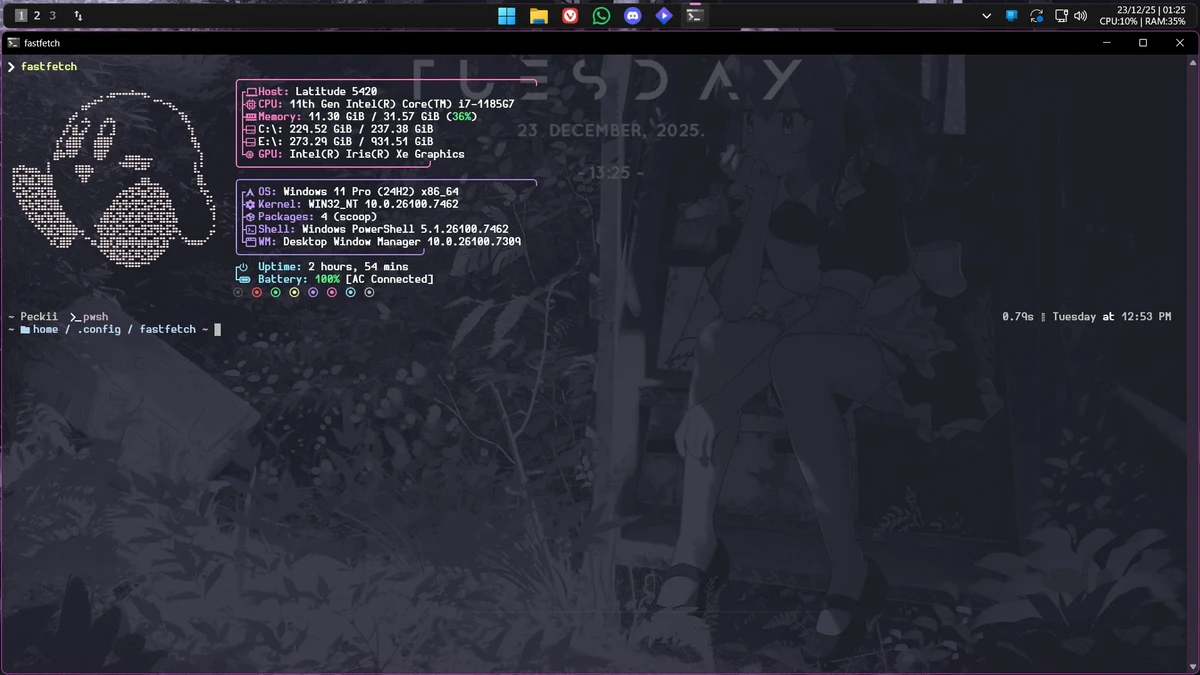

Fastfetch is a free, open-source, cross-platform utility that quickly gathers and displays detailed system information in a clean and customizable format. Written primarily in C, it emphasizes high performance while offering extensive configuration options for users who want to personalize how system details are presented. Designed as a modern alternative to traditional system information utilities, Fastfetch combines speed, flexibility, and broad platform support into a lightweight command-line application.
Features of Fastfetch
- Free and open-source
- Cross-platform compatibility
- Fast retrieval and display of system information
- Written primarily in C for performance
- Highly customizable output through configuration files
- Persistent configuration support using config.conf
- Command-line configuration with numerous flags
- Includes two executables:
- Fastfetch – Full-featured system information utility
- Flashfetch – Compile-time configured version designed to minimize overhead
- Supports loading preset configuration files
- Extensive logo customization options
- Continually updated with new features and customization options
User Experience
Fastfetch delivers a straightforward experience centered on speed and flexibility. Running the application immediately displays system information in an organized and visually appealing format, making it easy to review hardware and operating system details at a glance.
One of its strongest qualities is its extensive customization. Users can modify behavior through command-line flags or save preferred settings in a configuration file, eliminating the need to repeat options every time the application is launched. The included preset configurations also provide useful starting points for users who want to experiment with different layouts. For those seeking the lowest possible overhead, Flashfetch offers an alternative executable configured during compilation. This approach prioritizes performance while reducing runtime configuration requirements.
Logo customization is another standout feature. Users can extensively modify how logos are displayed, allowing the output to match personal preferences or terminal themes. Although the application is command-line based, its well-organized configuration system and continuous development make it suitable for both casual users who simply want to view system information and enthusiasts who enjoy tailoring every aspect of the output.
Who Should Use Fastfetch?
- Linux, Windows, and macOS users
- System enthusiasts who enjoy customizing terminal output
- Developers who frequently inspect system information
- Power users seeking a lightweight system utility
- Users looking for a modern alternative to traditional system information tools
Conclusion
Fastfetch succeeds in delivering a fast, lightweight, and highly customizable way to display system information across multiple platforms. Its emphasis on performance, configurable output, and ongoing development makes it an excellent utility for anyone who regularly works from the command line.


