


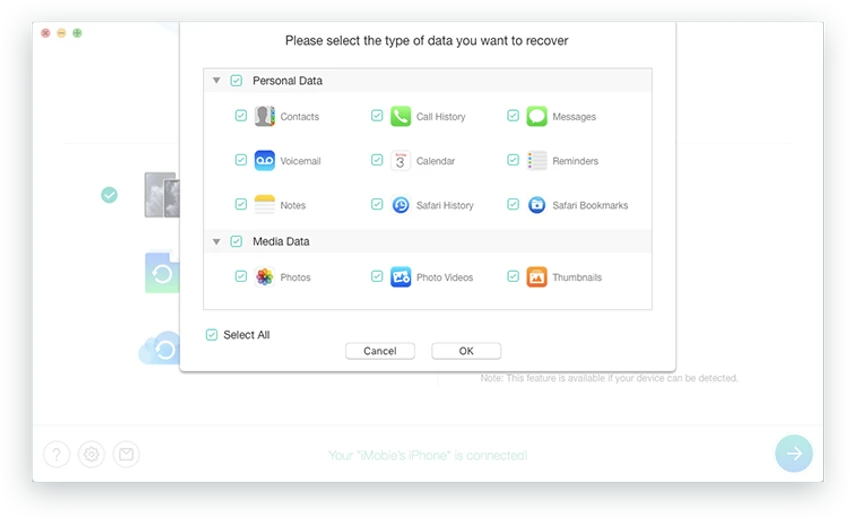

PhoneRescue for iOS is a comprehensive data recovery and iOS repair solution designed to help users recover important files from iPhone, iPad, and iPod touch devices. Whether data has been accidentally deleted, lost due to a system crash, or stored inside an iCloud or iTunes backup, PhoneRescue aims to simplify the recovery process with an easy-to-use interface and guided recovery options.
Beyond recovering lost data, the software also provides tools for repairing common iOS system issues, including frozen devices, recovery mode problems, and black, blue, or white screen errors. It additionally offers the ability to remove Lock Screen and Screen Time passcodes when users have forgotten them. With support for iOS 18 and macOS Sequoia, PhoneRescue continues to stay compatible with the latest Apple ecosystem.
Features of PhoneRescue for iOS
- Recover deleted or lost photos, messages, contacts, and other important files.
- Restore data directly from an iOS device.
- Recover files from iCloud backups.
- Recover data from iTunes backups.
- Retrieve data from damaged backups when possible.
- Repair common iOS system issues, including:
- Black screen
- White screen
- Blue screen
- Frozen iPhone
- Recovery Mode
- DFU Mode
- Remove forgotten Lock Screen passcodes.
- Remove forgotten Screen Time passcodes.
- Supports the latest iOS 18.
- Compatible with macOS Sequoia.
- Designed for secure and straightforward recovery.
Interface and Usability
From my experience reviewing the available features, PhoneRescue focuses on keeping the recovery process straightforward. The interface is organized around common recovery and repair tasks, making it easy to identify whether you want to recover data, repair an iOS system issue, or unlock a device. The recovery workflow is designed to guide users through each step, reducing the complexity that is often associated with iPhone recovery software. Even for users with limited technical knowledge, the software presents its tools in a logical manner without overwhelming the screen with unnecessary options.
Who Should Use PhoneRescue for iOS?
- iPhone and iPad users who need to recover accidentally deleted data.
- Users restoring files from iCloud or iTunes backups.
- People experiencing common iOS system issues such as boot failures or frozen devices.
- Users who have forgotten their Lock Screen or Screen Time passcodes.
- Individuals looking for an all-in-one recovery and iOS repair solution.
Conclusion
PhoneRescue for iOS combines data recovery, backup restoration, iOS system repair, and passcode removal into a single application. Its support for recovery from devices, iCloud, and iTunes backups makes it a versatile option for users facing different types of data loss.


